Introducció
Thank you for choosing the Altec Lansing Comfort Pro Over Ear Bluetooth Headphones. These headphones are designed to provide a high-quality audio experience with advanced features such as Active Noise Cancellation (ANC), Environmental Noise Cancellation (ENC), Spatial Audio, and a long-lasting battery. This manual will guide you through the setup, operation, and maintenance of your new headphones.
Què hi ha a la caixa
- Altec Lansing Comfort Pro Wireless Headphones
- USB-C Charging Cable (not explicitly listed but implied for charging)
- Audio Cable (not explicitly listed but common for wired use)
- Carrying Case (implied by images)
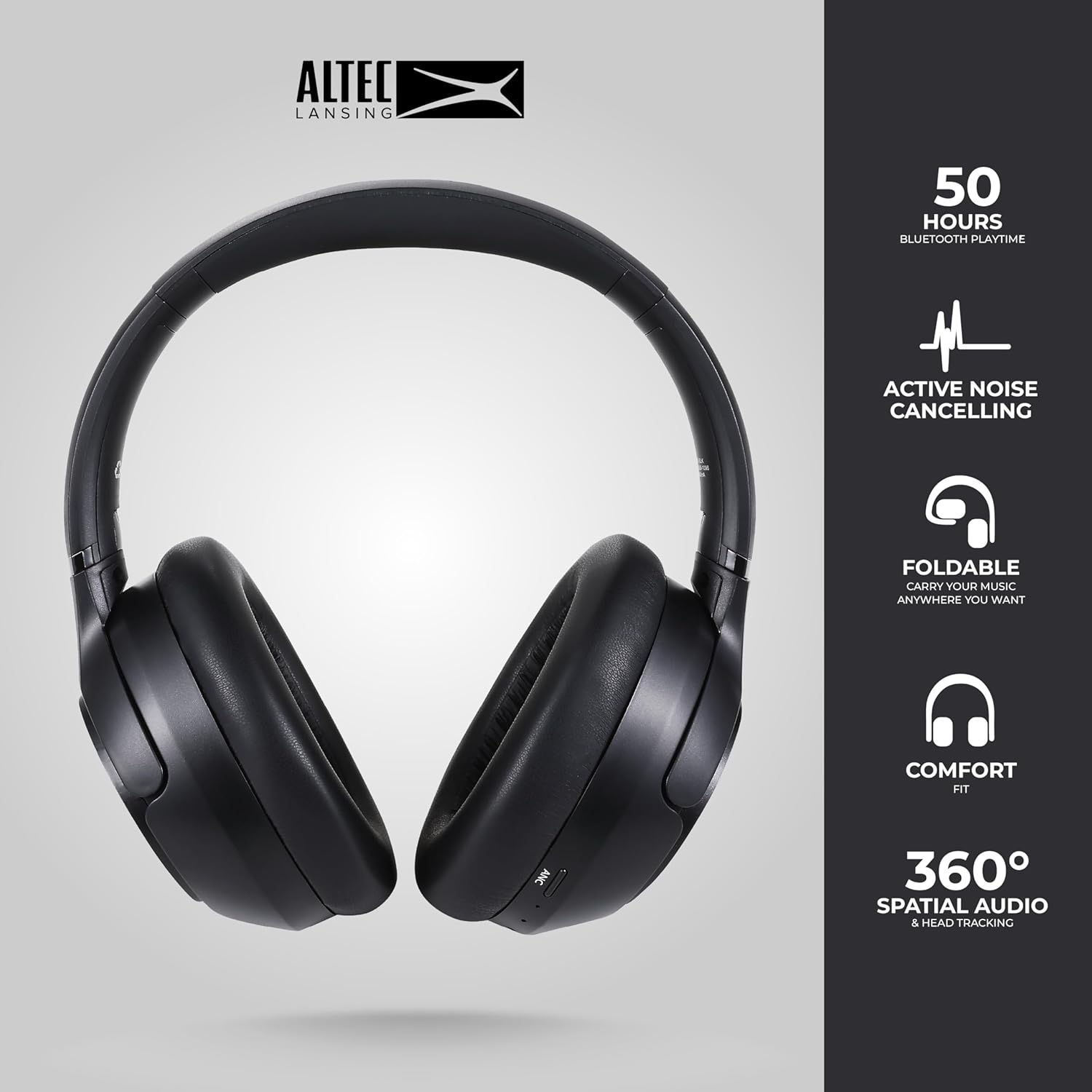
Image: The Altec Lansing Comfort Pro headphones, showcasing their sleek design and key features like 50 hours Bluetooth playtime, Active Noise Cancelling, foldable design, comfort fit, and 360° Spatial Audio & Head Tracking.
Configuració
1. Càrrega dels auriculars
Before first use, fully charge your headphones. Connect the provided USB-C charging cable to the charging port on the headphones and the other end to a USB power source. The LED indicator will show charging status and turn off or change color when fully charged. A full charge typically takes approximately two hours.
2. Encès / apagat
- Per encendre: Premeu i manteniu premut el botó d'engegada durant aproximadament 3 segons fins que l'indicador LED s'encengui.
- Per apagar: Premeu i manteniu premut el botó d'engegada durant aproximadament 3 segons fins que l'indicador LED s'apagui.
3. Emparellament Bluetooth
The headphones support Bluetooth 5.4 for stable connectivity and multipoint pairing for connecting to two devices simultaneously.
- Assegureu-vos que els auriculars estiguin apagats.
- Press and hold the Power button for approximately 5-7 seconds until the LED indicator flashes rapidly (usually blue and red), indicating pairing mode.
- On your device (smartphone, laptop, tablet), go to Bluetooth settings and enable Bluetooth.
- Cerca available devices and select "Altec Lansing Comfort Pro" from the list.
- Un cop connectat, l'indicador LED deixarà de parpellejar i es mantindrà de color blau continu.
- For multipoint pairing, connect to the first device, then put the headphones back into pairing mode and connect to the second device. The headphones will intelligently switch between the two connected devices.

Imatge: Una imatge detallada view of the Altec Lansing Comfort Pro headphones highlighting the adjustable headband and the soft, lightweight ear cushions designed for comfort during extended use.
En funcionament
Controls dels auriculars
The headphones feature intuitive controls located on the earcups. Refer to the image below for button identification.

Imatge: Un primer pla view of the right earcup of the Altec Lansing Comfort Pro headphones, showing the power button, volume controls, and other function buttons.
- Botó d'encesa: Press and hold to power on/off. Short press for play/pause, answer/end calls.
- Puja el volum (+): Premeu curt per augmentar el volum. Premeu llargament per passar a la següent pista.
- Baixar el volum (-): Premeu curt per baixar el volum. Premeu llargament per anar a la pista anterior.
- Botó ANC: Press to cycle through Active Noise Cancellation modes (ANC On, Ambient Mode, ANC Off).
- Botó multifunció (MFB): Double press to activate Voice Assistant (Siri/Google Voice). Triple press to activate Low Latency Mode.
Active Noise Cancellation (ANC) & Environmental Noise Cancellation (ENC)
The Comfort Pro headphones feature powerful ANC to block out external noise and ENC for clear calls. Press the dedicated ANC button to toggle between ANC On, Ambient Mode (allowing some environmental sounds for awareness), and ANC Off. ENC is automatically active during calls to ensure your voice is clear.
Àudio espacial
Experience immersive sound with Spatial Audio. This feature creates a 3D soundstage, making audio feel more lifelike. Spatial Audio is automatically enabled when supported by your device and content.
Mode de baixa latència
For gaming or video playback where audio-visual synchronization is critical, activate Low Latency Mode by triple-pressing the MFB. This reduces audio delay for a more synchronized experience.
Assistent de veu
Access your device's voice assistant (Siri or Google Voice) by double-pressing the MFB. You can then issue commands through the headphone's microphone.
Gestió de trucades
- Respondre/Finalitzar la trucada: Premeu breument el botó d'engegada.
- Rebutja la trucada: Manteniu premut el botó d'engegada durant 2 segons.
Manteniment
Neteja
Per mantenir el rendiment i l'aspecte dels auriculars:
- Netegeu els auriculars i la diadema amb un drap suau, sec i sense borrissol.
- Per a la brutícia tossuda, lleugerament dampRenta el drap amb aigua. Evita fer servir productes químics agressius, dissolvents o netejadors abrasius.
- No permeteu que la humitat entri a cap obertura.
Emmagatzematge
When not in use, store your headphones in the provided carrying case to protect them from dust, scratches, and impacts. The foldable design allows for compact storage.

Image: The Altec Lansing Comfort Pro headphones neatly folded and stored inside their protective carrying case, emphasizing portability and protection.
Cura de la bateria
- Eviteu descarregar completament la bateria amb freqüència.
- Store the headphones with a partial charge if not used for extended periods.
- Eviteu les temperatures extremes, que poden reduir la durada de la bateria.
Resolució de problemes
If you encounter any issues with your Altec Lansing Comfort Pro headphones, refer to the following common solutions:
- Els auriculars no s'encenen: Ensure the headphones are fully charged. Connect them to a power source and try again after a few minutes.
- No es pot emparellar amb el dispositiu:
- Ensure the headphones are in pairing mode (LED flashing rapidly).
- Desactiva i activa el Bluetooth al dispositiu.
- Delete "Altec Lansing Comfort Pro" from your device's Bluetooth list and attempt to pair again.
- Prova d'emparellar-lo amb un altre dispositiu per descartar problemes específics del dispositiu.
- Sense so o volum baix:
- Comproveu els nivells de volum tant dels auriculars com del dispositiu connectat.
- Assegureu-vos que els auriculars estiguin connectats correctament mitjançant Bluetooth.
- Si feu servir una connexió amb cable, assegureu-vos que el cable d'àudio estigui completament inserit tant als auriculars com a la font d'àudio.
- L'ANC no funciona eficaçment:
- Ensure ANC is activated by pressing the ANC button.
- Ajusteu l'ajust dels auriculars per assegurar un bon segellat al voltant de les orelles.
- ANC is most effective against low-frequency, constant noise. It may not completely block out voices or sudden, high-frequency sounds.
- L'assistent de veu no respon: Ensure your device's voice assistant is enabled and that the headphones are properly connected. Double-press the MFB firmly.
Especificacions
| Nom del model | MX3050 (MZX3050-BLK-STK-6) |
| Tecnologia de connectivitat | Sense fil (Bluetooth) |
| Versió Bluetooth | 5.4 |
| Durada de la bateria | Up to 60 Hours (40 Hours with ANC activated) |
| Funcions de control de soroll | Cancel·lació activa de soroll (ANC), Cancel·lació de soroll ambiental (ENC) |
| Forma de l'auricular | Sobre l'orella |
| Mètode de control | App, Voice, On-headphone buttons |
| Dispositius compatibles | Smartphones, Laptops, Tablets |
| Material | Fabric/Silicone and Plastic/Metal (Combination) |
| Pes de l'article | 1 lliures |
| Nivell de resistència a l'aigua | Impermeable |
Garantia i Suport
For warranty information and customer support, please refer to the documentation included with your purchase or visit the official Altec Lansing website. You can typically find detailed warranty terms, FAQs, and contact information for technical assistance there.
Recursos en línia: www.alteclansing.com


