HP 15.6 inch Laptop Computer User Manual
Model: Essential
Introducció
This manual provides comprehensive instructions for setting up, operating, maintaining, and troubleshooting your new HP 15.6 inch Laptop Computer, Model Essential. Designed for everyday needs, this laptop features an Intel Processor N100 CPU, 32GB DDR4 RAM, and a 1TB PCIe SSD, running on Windows 11 Pro. It offers a 15.6-inch Full HD display, long battery life, and a quiet operation for an optimal user experience.
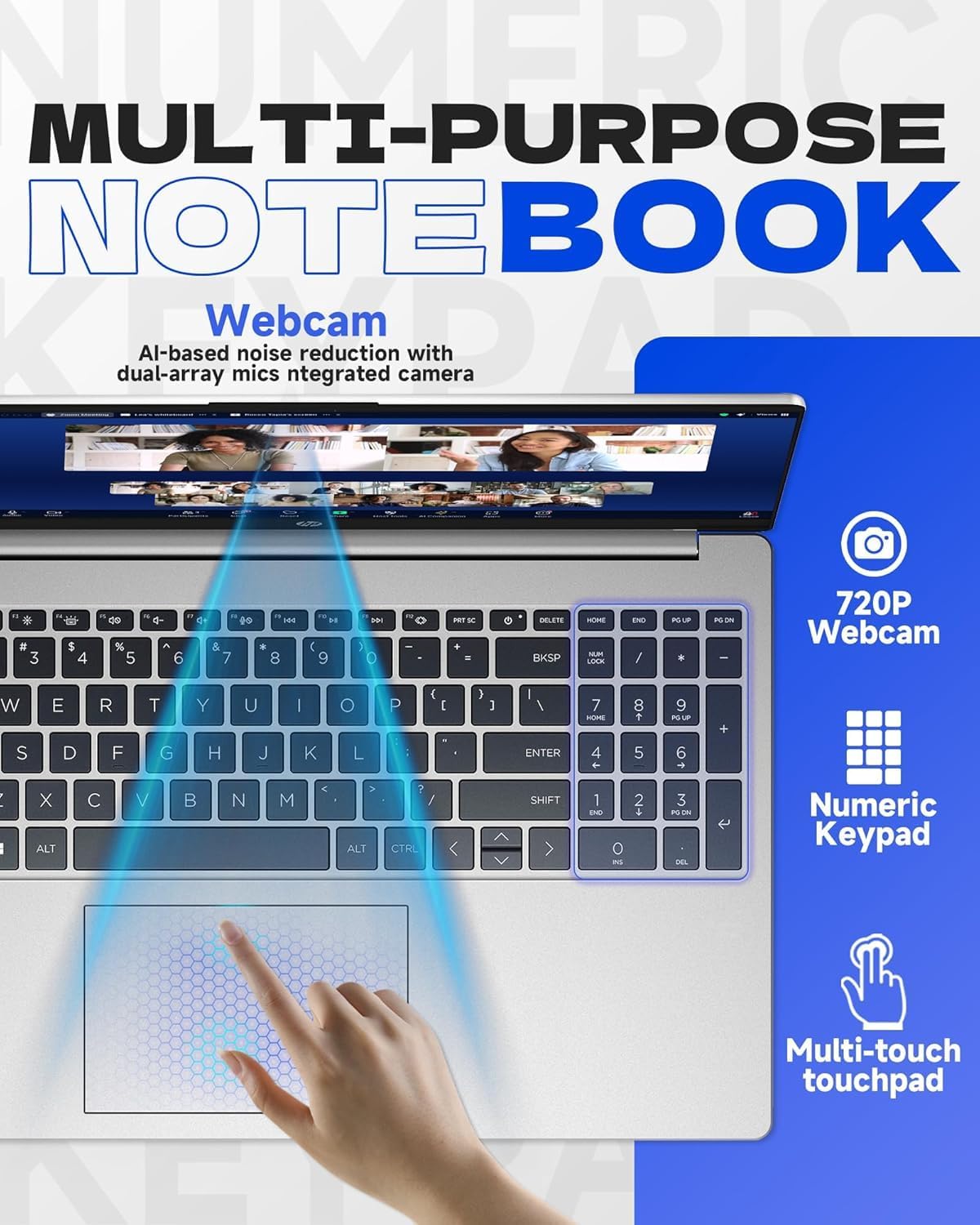
Figure 1: HP 15.6 inch Laptop Computer, closed view.
Configuració
1. Unboxing and Initial Power On
- Traieu amb cura el portàtil i tots els accessoris de l'embalatge.
- Connect the charger to the laptop's AC smart pin port and plug it into a power outlet.
- Open the laptop lid and press the power button, typically located on the top right of the keyboard, to turn on the device.
2. Configuració del Windows 11 Pro
Follow the on-screen instructions to complete the initial setup of Windows 11 Pro. This includes selecting your region, language, connecting to a Wi-Fi network, and creating a user account.
3. Microsoft Office Activation
To receive your Microsoft Office license key, please contact the seller with your Amazon Order ID. Full instructions for activation are included in the laptop's package.
Funcionament de l'ordinador portàtil
Característiques de visualització
The laptop features a 15.6-inch diagonal, IPS, micro-edge, BrightView display with 250 nits brightness and 45% NTSC color gamut. The anti-glare coating helps reduce reflections for comfortable viewing.

Figure 2: Display features including 15.6-inch size, micro-edge, and anti-glare properties.
Teclat i Touchpad
The full-size, soft grey keyboard includes a numeric keypad for efficient data entry. The multi-touch touchpad provides responsive navigation and gesture support.
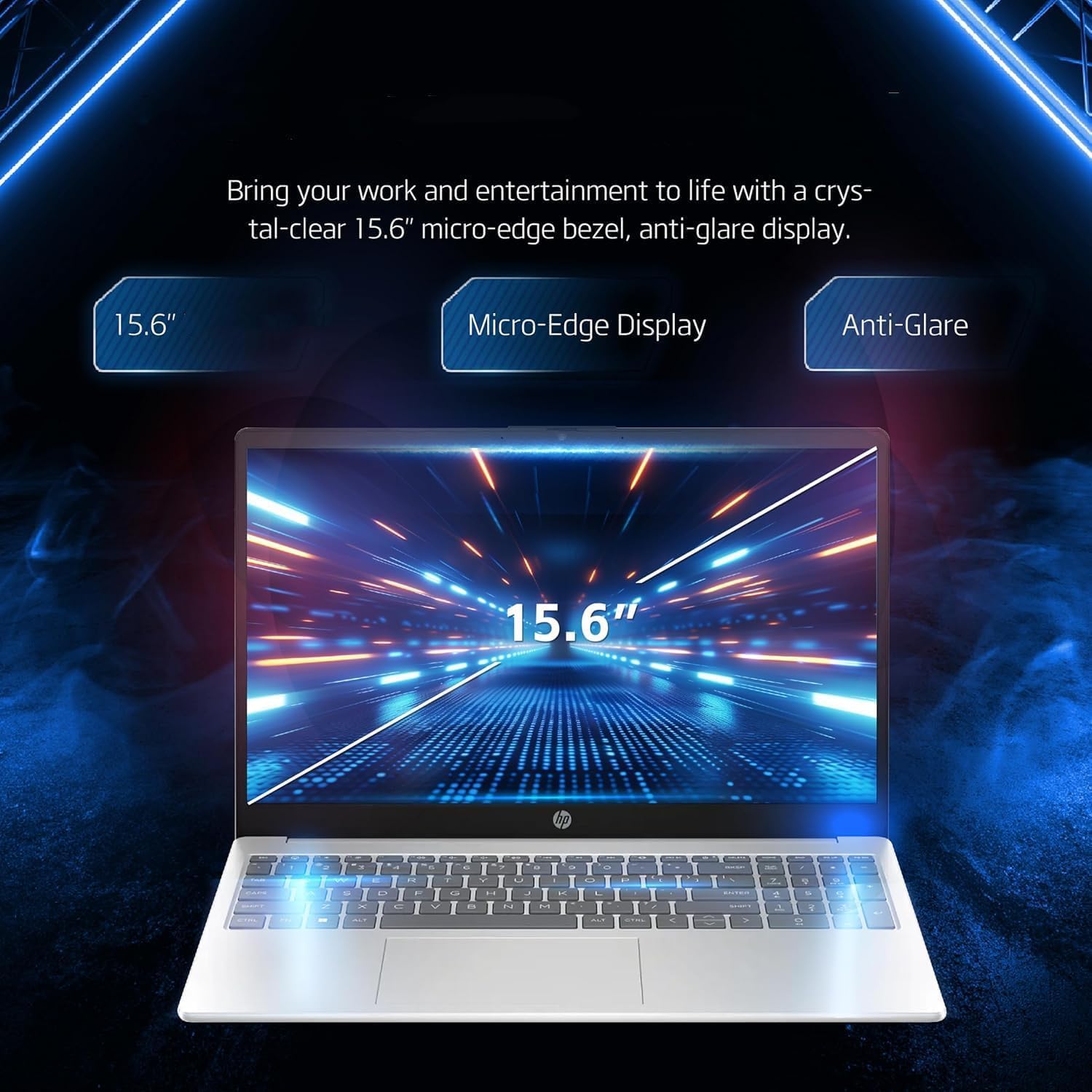
Figure 3: Keyboard, numeric keypad, and multi-touch touchpad.
Connectivitat
The laptop supports MediaTek Wi-Fi 6E MT7902 (1x1) for fast wireless internet and Bluetooth 5.3 for connecting wireless accessories. It features a variety of ports for external devices:
- 1 x USB Type-C 5Gbps signaling rate (data transfer only, no charging or external monitors)
- 2 x USB Type-A 5Gbps signaling rate
- 1 x HDMI 1.4b
- 1 x Conector combinat per a auriculars/micròfon
- 1 x Multi-format SD media card reader
- 1 x pin intel·ligent de CA (per a l'adaptador de corrent)

Figure 4: Laptop ports and connectivity options.
Battery Life and Quiet Operation
The laptop is designed for long battery life, capable of lasting up to 11 hours depending on usage. It also features an ultra-quiet design, minimizing operational noise.

Figure 5: Laptop highlighting long battery life with WiFi and Bluetooth connectivity.
Producte acabatview Vídeo
Vídeo 1: Un overview detailing five key features of the HP laptop, including display quality, portability, battery life, quiet operation, and port availability.
Manteniment
Neteja del teu ordinador portàtil
- Utilitzeu un drap suau i sense pelusa lleugerament dampesbandiu amb aigua o un netejador de pantalles per netejar la pantalla.
- Per al teclat i el xassís, feu servir un drap suau i sec. Eviteu productes químics agressius o materials abrasius.
- Periodically use compressed air to clear dust from vents to ensure proper airflow and cooling.
Actualitzacions de programari
Regularly check for and install operating system updates (Windows Update) and driver updates (HP Support Assistant) to ensure optimal performance and security.
Cura de la bateria
To prolong battery life, avoid extreme temperatures and do not leave the laptop fully charged or fully discharged for extended periods. For long-term storage, charge the battery to about 50%.
Resolució de problemes
This section addresses common issues you might encounter with your HP laptop. For more detailed troubleshooting or issues not listed here, please refer to the official HP support weblloc o contacteu amb el servei d'atenció al client.
Problemes d'alimentació
- El portàtil no s'encén: Ensure the power adapter is securely connected to both the laptop and a working power outlet. Try a different outlet. If the battery is completely drained, it may take a few minutes to show signs of life after plugging in.
- La bateria no es carrega: Verifiqueu que l'adaptador de corrent funcioni correctament. Comproveu si hi ha algun dany al port de càrrega o al cable.
Problemes de visualització
- Pantalla en blanc: Connect an external monitor to the HDMI port to check if the issue is with the laptop's internal display. Try pressing Fn + F4 (or the key with a monitor icon) to switch display output.
- Dim or flickering screen: Adjust brightness settings. Ensure display drivers are up to date.
Problemes de connectivitat
- El Wi-Fi no es connecta: Check if Wi-Fi is enabled in Windows settings. Restart your router and the laptop. Ensure correct Wi-Fi password is entered.
- El dispositiu Bluetooth no s'emparella: Ensure Bluetooth is enabled on both the laptop and the device. Place devices close to each other and try re-pairing.
Especificacions
| Component | Detall |
|---|---|
| Processador | Processador Intel N100 (fins a 3.4 GHz, 4 nuclis, 4 fils d'execució) |
| Gràfics | Gràfics Intel Iris Xe |
| Sistema operatiu | Windows 11 Pro |
| Memòria (RAM) | 32 GB DDR4 |
| Emmagatzematge | SSD M.2 PCIe NVMe d'1 TB |
| Mostra | 15.6-inch diagonal, IPS, micro-edge, BrightView, 250 nits, 45% NTSC |
| Connectivitat sense fil | MediaTek Wi-Fi 6E MT7902 (1x1) and Bluetooth 5.3 |
| Ports | 1x USB Type-C, 2x USB Type-A, 1x HDMI 1.4b, 1x Headphone/Mic Combo, 1x SD Card Reader, 1x AC Smart Pin |
| Weblleva | Càmera HP True Vision HD 720p amb reducció de soroll temporal |
| Teclat | Teclat de mida completa, de color gris suau, amb teclat numèric |
| Dimensions (LxWxH) | 14.11 x 9.53 x 0.71 polzades |
| Pes | 3.75 lliures |
| Color | Plata |
Garantia i Suport
Garantia del producte
Your HP laptop is covered by a standard manufacturer's warranty. Please refer to the warranty card included in your product packaging for specific terms, conditions, and duration. Keep your proof of purchase for warranty claims.
Atenció al client
For technical assistance, driver downloads, or further information, please visit the official HP Support website. You can also find contact information for HP customer service in your region on their weblloc.
For issues related to your Microsoft Office license key, please contact the seller directly with your Amazon Order ID as instructed during setup.