1. Introducció
Gràcies per la compraasing the AIWA RD-10 Digital AM/FM Stereo Pocket Radio. This manual provides essential information for the safe and efficient operation of your device. Please read it thoroughly before use and retain it for future reference.
2. Informació de seguretat
- No exposeu el dispositiu a l'aigua, la humitat ni a temperatures extremes.
- Eviteu deixar caure o sotmetre el dispositiu a forts impactes.
- Use only specified batteries (2 AAA) and dispose of them properly.
- No intenteu desmuntar ni reparar el dispositiu vosaltres mateixos. Poseu-vos en contacte amb personal de servei qualificat.
- Escoltar música durant molt de temps a nivells de volum alts pot causar danys auditius. Ajusteu el volum a un nivell segur.
3. Contingut del paquet
- AIWA RD-10 Digital AM/FM Stereo Pocket Radio
- Auriculars estèreo
- 2 x piles AAA
- Manual d'instruccions
4. Producte acabatview
Familiarize yourself with the components and controls of your AIWA RD-10 radio.
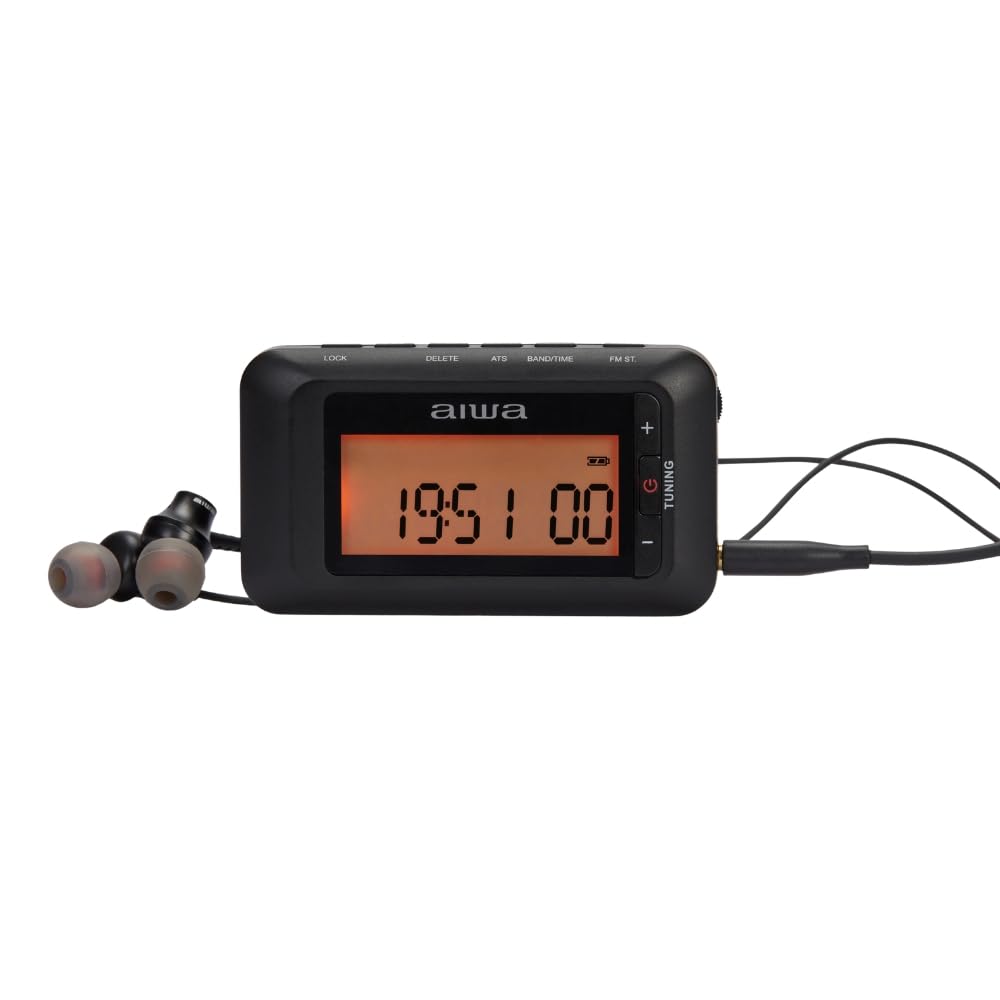
Figura 1: Frontal view of the AIWA RD-10 radio with headphones.

Figura 2: lateral view of the AIWA RD-10 radio, highlighting the volume and tuning controls.

Figura 3: Esquena view of the AIWA RD-10 radio.
5. Configuració
5.1. Introducció de piles
- Obriu la tapa del compartiment de la bateria a la part posterior de la ràdio.
- Introduïu les dues piles AAA, assegurant-vos de la polaritat correcta (+/-).
- Tanqueu bé la tapa del compartiment de la bateria.
5.2. Connexió d'auriculars
Insert the 3.5mm jack of the stereo headphones into the headphone output port on the side of the radio.

Figure 4: Headphone icon, indicating the headphone output port.
6. Instruccions de funcionament
6.1. Encendre/apagar
Locate the power switch (usually on the side or top) and slide it to the 'ON' position to turn on the radio. Slide it to 'OFF' to power down.
6.2. Tuning AM/FM Radio
The radio supports both AM and FM bands.

Figure 5: AM/FM radio band indicator.
6.2.1. Automatic Tuning (ATS)
The ATS (Auto Tuning Storage) function allows the radio to automatically scan and save available stations.
- Premeu el botó ATS button. The radio will begin scanning for stations.
- Once scanning is complete, the radio will automatically save the found stations to memory.

Figure 6: ATS (Auto Tuning Storage) icon.
6.2.2. Afinació manual
- Utilitza el Afinació dial or buttons to manually adjust the frequency.
- Stop when you find your desired station.
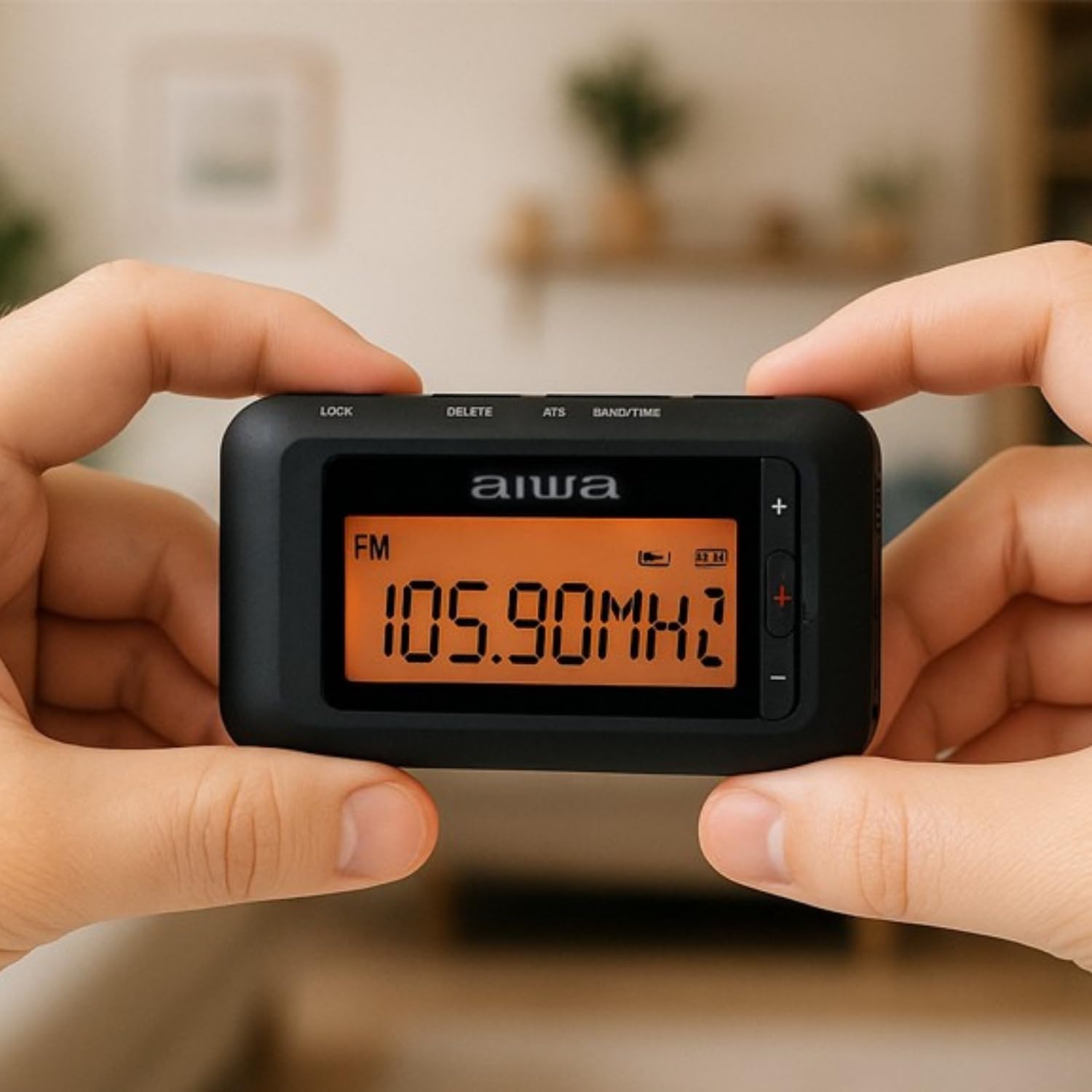
Figure 7: Display showing FM frequency during manual tuning.
6.3. Setting Presets
After using ATS or manual tuning, you can save your favorite stations to memory for quick access.
- Sintonitza l'emissora desitjada.
- Manteniu premut el botó Memòria button (M+) until the display indicates the station is saved.
- Utilitza el Preestablert botons per navegar per les estacions desades.
6.4. Control de volum
Ajusteu el volum amb el botó Volum dial or buttons located on the side of the radio.
6.5. Bass Selector
Customize your audio experience with the bass selector.
- Localitza el Bass Selector interruptor.
- Toggle the switch to adjust the low-frequency response according to your preference.

Figure 8: Bass selector icon for sound customization.
6.6. Temporitzador de son
El temporitzador de son permet que la ràdio s'apagui automàticament després d'un període de temps definit.
- Premeu el botó Temporitzador de dormir botó.
- Repeatedly press the button to cycle through available timer durations (e.g., 15, 30, 60 minutes).
- La ràdio s'apagarà automàticament després del temps seleccionat.

Figure 9: Sleep Timer icon.
6.7. RDS (Radio Data System) Functionality
The RDS feature displays information from FM stations, such as station name, program type, and song title, on the LED screen.

Figure 10: Display showing time, which can also show RDS information.

Figure 11: RDS (Radio Data System) icon.
7. Manteniment
7.1. Neteja
Netegeu la ràdio amb un drap suau i sec. No utilitzeu netejadors líquids ni materials abrasius.
7.2. Cura de la bateria
Traieu les piles si no heu d'utilitzar la ràdio durant un període prolongat per evitar fuites.
8. Solució De Problemes
- Sense energia: Check if batteries are inserted correctly and are not depleted.
- Mala recepció: Esteneu completament l'antena telescòpica. Intenteu moure-la a una altra ubicació.
- Sense so: Ensure volume is turned up and headphones are properly connected.
9. Especificacions
| Característica | Detall |
|---|---|
| Marca | No |
| Número de model | RD-10 |
| Dimensions | 45 × 83 × 19 mm |
| Pes | 45 g |
| Font d'alimentació | 2 piles AAA (incloses) |
| Bandes de ràdio | AM/FM Stereo with RDS |
| Característiques especials | ATS, LED Backlit Display, Digital Clock, Sleep Timer, Bass Selector |
| Sortida d'auriculars | Jack estèreo de 3.5 mm |
10. Garantia i Suport
Per obtenir informació sobre la garantia o assistència tècnica, consulteu la documentació que s'inclou amb la compra o poseu-vos en contacte amb el vostre distribuïdor. Conserveu el comprovant de compra per a qualsevol reclamació de garantia.


