1. Introducció
This manual provides essential information for setting up, operating, and maintaining your XGIMI HORIZON 20 4K RGB Triple Laser Home Projector. Please read it thoroughly to ensure optimal performance and longevity of your device.

Figure 1: The XGIMI HORIZON 20 4K RGB Triple Laser Home Projector with included 3D glasses.
2. Característiques clau
- RGB Triple Laser Engine: Delivers 3200 ISO lumens and a 100,000:1 contrast ratio for vivid and accurate colors.
- Cinematic Certified: Supports IMAX Enhanced, Dolby Vision, HDR10+, and Filmmaker Mode for high-quality visuals.
- Sistema integrat: Features powerful Harman Kardon speakers, built-in Google TV, and an integrated stand.
- Lossless Optics: Flexible lens shift and optical zoom for setup versatility without clarity loss.
- Pro-Level Gaming: Offers 1ms response time, 240Hz refresh rate, VRR, and ALLM for a smooth gaming experience.
- Pantalla gran: Capable of projecting visuals up to 300 inches.
- Licensed Netflix: Official Netflix support integrated.
3. Configuració
3.1 Unboxing
The XGIMI HORIZON 20 comes in premium packaging. Carefully remove the projector and its accessories from the box. A portable box is included for convenient transport and outdoor use.
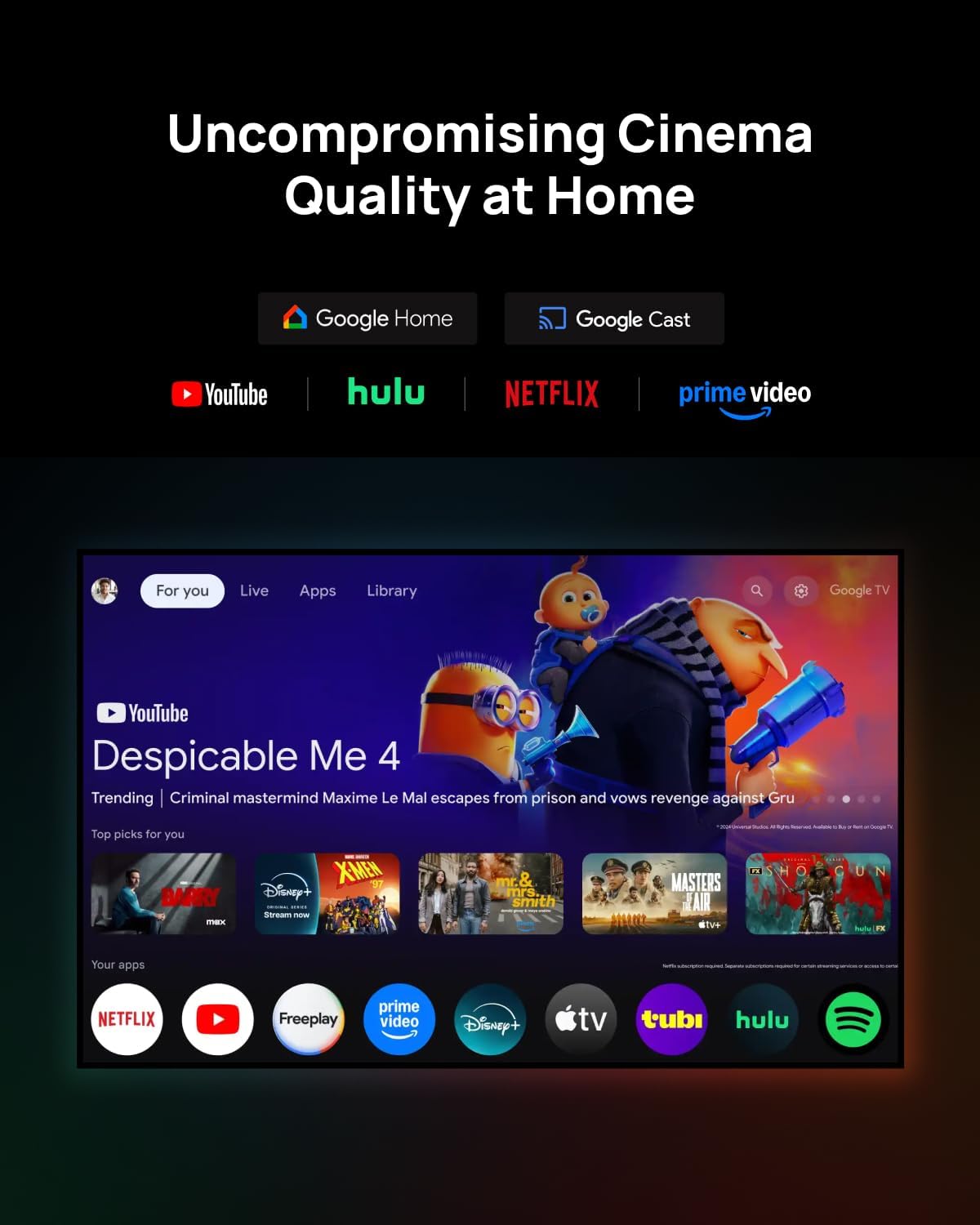
Figure 2: The XGIMI HORIZON 20 projector being unboxed from its protective, portable packaging.
3.2 Col·locació
The projector can be placed on a flat surface or mounted to the ceiling. Ensure the projector is stable and has adequate ventilation. For ceiling mounting, use a compatible mount (sold separately).

Figure 3: The XGIMI HORIZON 20 projector showcasing its flexible installation options, including dynamic lens shift for optimal image placement.
3.3 Connexions
The rear panel of the projector features various ports for connectivity:
- Ports HDMI: Two HDMI ports, one supporting eARC for enhanced audio return.
- Ports USB: One USB 3.0 port and one USB 2.0 port for media playback and external devices.
- Sortida d'àudio: Digital audio out and an analog audio output (3.5mm jack).
- Entrada d'alimentació: Connecteu l'adaptador de corrent a aquest port.

Figura 4: posterior view of the XGIMI HORIZON 20, highlighting its various connectivity ports for external devices.
4. Funcionament
4.1 Engegada/apagada
Premeu el botó d'engegada del projector o del comandament a distància per encendre o apagar el dispositiu.
4.2 Navigation (Google TV)
The projector runs on Google TV OS, providing a user-friendly interface for accessing apps, streaming services, and settings. Navigate using the provided remote control.

Figure 5: The Google TV interface on the XGIMI HORIZON 20, showing access to popular streaming applications like Netflix, YouTube, and Prime Video.
4.3 Configuració de la imatge
Access the picture settings menu to adjust various display parameters:
- Mode d'imatge: Select from predefined modes (e.g., Standard, Filmmaker).
- Brillantor: Adjust the overall luminance of the image.
- Contrast: Control the difference between the brightest and darkest areas.
- Saturació: Modify the intensity of colors.
- Nitidez: Enhance or soften image edges.
- Configuració avançada: Includes options for 11-Point White Balance Correction, 2-Point White Balance Correction, Color Temperature, Dynamic Black Level Enhancer, Gamma, Color Space, and Color Tuner for precise calibration.
4.4 Configuració d'àudio
The projector features an integrated Harman Kardon sound system. Adjust audio settings via the menu:
- Estil de so: Trieu entre diversos professionals de sofiles (e.g., Standard, Game).
- Configuració bàsica: Adjust Balance, Bass, Treble, enable Surround Sound, and fine-tune Equalizer Detail.
- DTS DRC: Digital Theater System Dynamic Range Control.
- Ponents: Toggle internal speakers on/off.
- Retard de l'altaveu: Adjust delay for audio synchronization.
- eARC: Enhanced Audio Return Channel settings.
- Mode Downmix: Select stereo or other downmix options.
- Dialog Enhancer: Improve clarity of spoken dialogue.
4.5 Funcions intel·ligents
The HORIZON 20 includes several smart features for ease of use:
- Enfocament automàtic: Automatically adjusts the image for optimal clarity.
- Correcció trapezoidal automàtica: Corrects image distortion when the projector is not perfectly aligned with the screen.
- Adaptació del color de la paret: Adjusts colors based on the wall surface.
- Rotació de pantalla: Automatically adjusts image orientation.
- Mode de protecció ocular: Reduces blue light emission for eye comfort.
4.6 Lens Shift and Optical Zoom
The projector offers advanced optical adjustments:
- Desplaçament de la lent: Allows you to move the projected image vertically (up to ±120%) and horizontally (up to ±45%) without moving the projector. This feature maintains image quality without digital scaling or distortion. Note that enabling Lens Shift may disable some automatic smart features like Auto Focus and Auto Keystone Correction.
- Zoom òptic: Provides framing flexibility by adjusting the image size optically, avoiding digital scaling and preserving image quality.
4.7 Mode de joc
For an enhanced gaming experience, the projector offers a dedicated gaming mode with 1ms response time, 240Hz fluidity, VRR (Variable Refresh Rate), and ALLM (Auto Low Latency Mode). When gaming mode is enabled, Keystone correction may be disabled, but Lens Shift and Optical Zoom can be used to maintain image geometry.
Figure 6: The XGIMI HORIZON 20 delivering a high-performance gaming experience with minimal input lag.
4.8 3D Video Support
The HORIZON 20 supports 3D video playback. Compatible 3D glasses (such as XGIMI Active 3D Glasses) are required for viewgenerar contingut en 3D.

Figure 7: XGIMI Active 3D Glasses, designed for a brighter and clearer 3D viewing experience with long battery life.
5. Manteniment
5.1 Neteja
Regularly clean the projector's lens with a soft, lint-free cloth specifically designed for optical surfaces. Use a soft brush or compressed air to remove dust from the vents. Do not use abrasive cleaners or solvents.
5.2 Emmagatzematge
When not in use for extended periods, store the projector in a cool, dry place, ideally in its original packaging or a protective case, to prevent dust accumulation and damage.
6. Solució De Problemes
If you encounter any issues with your XGIMI HORIZON 20, please refer to the following general troubleshooting steps:
- Sense energia: Ensure the power cable is securely connected and the power outlet is functional.
- Sense imatge: Check HDMI or other input connections. Verify the correct input source is selected.
- Imatge borrosa: Adjust focus manually or use the auto-focus feature. Ensure the lens is clean.
- Imatge distorsionada: Use keystone correction or lens shift to adjust the image geometry.
- Sense so: Check audio settings, volume levels, and external audio connections.
For more detailed troubleshooting or persistent issues, please contact XGIMI customer support.
7. Especificacions
| Característica | Especificació |
|---|---|
| Model | HORIZONT 20 |
| Tecnologia de visualització | 4K RGB Triple Laser |
| Brillantor | 3200 lúmens ISO |
| Relació de contrast | 100,000:1 |
| Mida màxima de la pantalla | 300 polzades |
| Sistema operatiu | Google TV |
| Processador | MediaTek MT9679 SoC |
| RAM | 4 GB |
| Emmagatzematge | 128 GB |
| Input Lag (Gaming Mode) | 1 ms |
| Refresh Rate (Gaming Mode) | 240 Hz |
| Suport HDR | HDR10+, Dolby Vision |
| Àudio | Harman Kardon Integrated System |
| Connectivitat | 2x HDMI (1x eARC), 1x USB 3.0, 1x USB 2.0, Digital Audio Out, Analog Audio Out (3.5mm), Wi-Fi, Bluetooth |
| Característiques especials | Lens Shift, Optical Zoom, Auto Focus, Auto Keystone, Wall Color Adaption, Screen Rotation, Eye Protection Mode, VRR, ALLM, 3D Video Support, Licensed Netflix |
8. Garantia i Suport
For warranty information and technical support, please refer to the official XGIMI weblloc web o la documentació inclosa amb el producte. També podeu visitar el XGIMI Store on Amazon per obtenir recursos addicionals.


