1. Introducció
The Avantree Aura Loop Dual system provides a next-generation wireless audio solution for television viewing, enabling shared listening experiences with crystal-clear sound. Utilizing Auracast technology, this system includes two pairs of earbuds and a transmitter, designed for low-latency audio transmission. It features three EQ modes, including a Voice Clear mode optimized for dialogue enhancement, making it suitable for seniors and individuals with hearing challenges. This manual provides detailed instructions for setting up, operating, and maintaining your Avantree Aura Loop Dual system.
2. Producte acabatview
The Avantree Aura Loop Dual system consists of a compact Auracast transmitter and two pairs of neckband-style earbuds. The transmitter connects to your TV or audio source, broadcasting audio wirelessly to the earbuds and other compatible Auracast devices.

This image displays the complete Avantree Aura Loop Dual system. It features two black neckband-style earbuds, one with red ear tips and the other with black ear tips, alongside the compact black Auracast transmitter unit with an antenna.
Característiques principals:
- Auracast Technology: Enables one-to-many audio broadcasting for shared listening.
- Dual Earbud Pairs: Includes two sets of earbuds for simultaneous use.
- 3 modes d'equalització: Offers Balanced, Voice Clear 1, and Voice Clear 2 settings for optimized audio.
- Voice Clear Mode: Enhances dialogue clarity, beneficial for seniors and those with hearing difficulties.
- Connectivitat flexible: Supports Optical, AUX, and RCA audio inputs.

A diagram showing the Avantree Aura Loop Dual transmitter connected to a TV, broadcasting to two users with earbuds and other Auracast-enabled listening devices. Below, another diagram shows a single earbud connected via Bluetooth to a laptop, TV, or cellphone.
3. Contingut del paquet
Marqueu la casella per als elements següents:
- Avantree Aura Loop Dual Auracast Transmitter
- 2 Pairs of Avantree Aura Loop Dual Earbuds
- Cable d'àudio òptic
- Cable d'àudio AUX de 3.5 mm
- Cable de càrrega USB-C
- Manual d'usuari
4. Guia de configuració
4.1 Connecting the Transmitter to Your TV
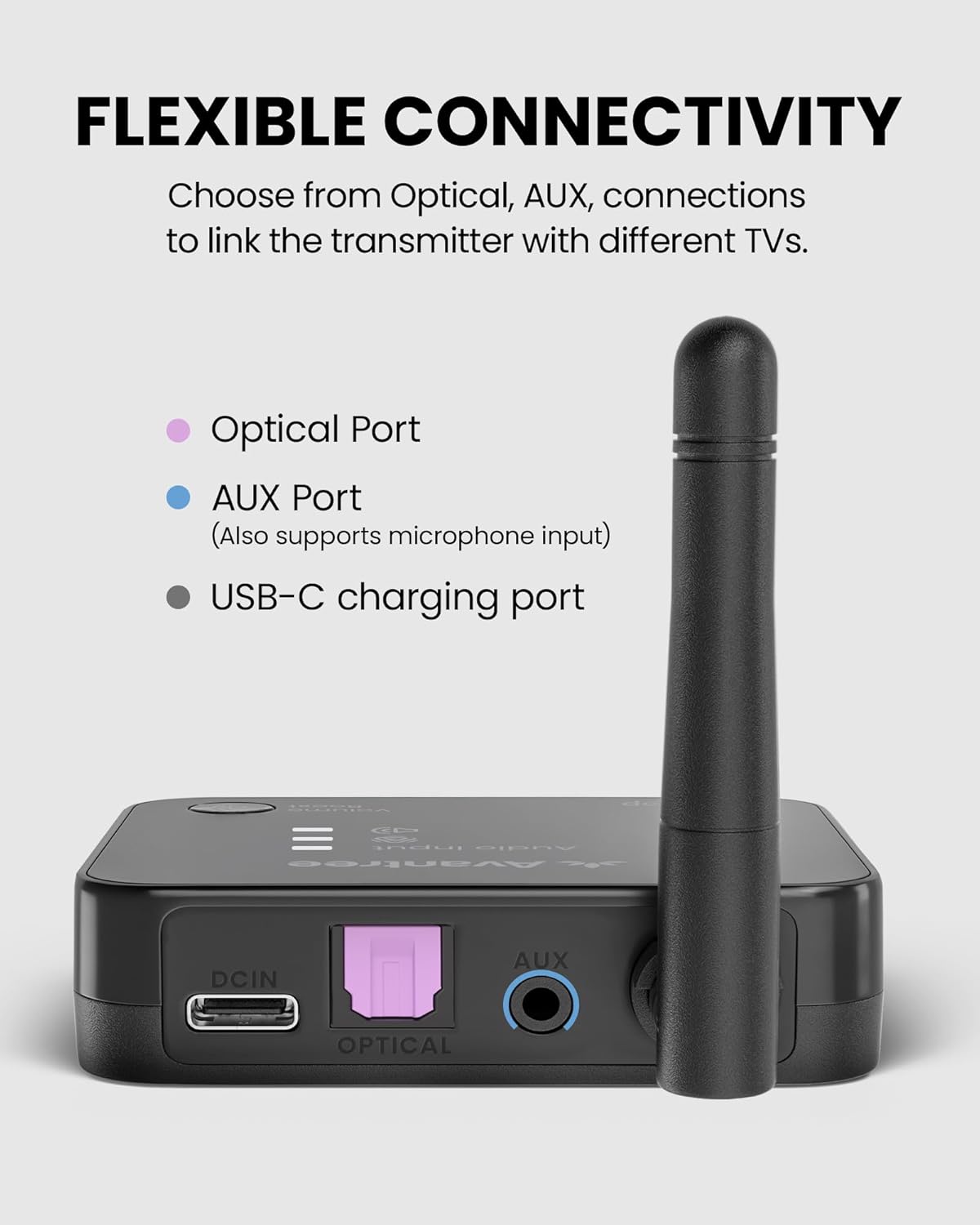
The Avantree Aura Loop Dual transmitter supports Optical, AUX (3.5mm), and RCA audio connections. Choose the appropriate cable based on your TV's available audio output port.
- Identify TV Audio Output: Locate the audio output ports on your television. Common options include:
- Optical (TOSLINK/SPDIF): A square port, often labeled 'Optical Out' or 'Digital Audio Out'.
- AUX (3.5mm Headphone Jack): A round port, typically labeled with a headphone icon or 'Audio Out'.
- RCA (Red/White Audio Out): Two round ports, one red for right audio and one white for left audio.
- Connecteu el cable: Plug one end of the chosen audio cable into your TV's audio output port and the other end into the corresponding input port on the Avantree Aura Loop Dual transmitter.
- Alimenta el transmissor: Connect the USB-C charging cable to the transmitter's power input and plug the other end into a USB power adapter (not included) or a TV's USB port. The transmitter will power on automatically.
- Configure TV Audio Settings (if necessary): For Optical connections, you may need to go into your TV's audio settings and select 'PCM' or 'Stereo' as the digital audio output format. Ensure external speakers or audio output is enabled.

Un detallat view of the Avantree Aura Loop Dual transmitter's rear panel, highlighting its flexible connectivity options: an Optical Port (purple), an AUX Port (blue, also supporting microphone input), and a USB-C charging port.
4.2 Initial Earbud Pairing
The earbuds included in the Aura Loop Dual package are typically pre-paired with the transmitter. Simply power on the earbuds, and they should automatically connect to the transmitter. If pairing is required:
- Ensure the transmitter is powered on and connected to your TV.
- Power on the earbuds by pressing and holding the Multi-Function Button (MFB) until the LED indicator flashes.
- The earbuds will enter pairing mode and automatically search for the transmitter. Once connected, the LED indicator on the earbuds will show a steady blue light or flash slowly.
5. Instruccions de funcionament
5.1 Powering On/Off Earbuds
- Encès: Press and hold the Multi-Function Button (MFB) for approximately 3 seconds until you hear an audible prompt and the LED indicator lights up.
- Apagar: Press and hold the MFB for approximately 3 seconds until you hear an audible prompt and the LED indicator turns off.
5.2 Control de volum
Use the volume buttons (+/-) on the earbuds to adjust the listening volume. The transmitter may also have a volume boost button for overall system volume adjustment.
5.3 modes d'equalització
The earbuds feature three Equalizer (EQ) modes to optimize your listening experience. Press the EQ button on the earbuds to cycle through the modes:
- Equilibrat: Àudio estàndard professionalfile per a l'escolta general.
- Voice Clear 1: Enhances mid-range frequencies to make dialogue more prominent.
- Voice Clear 2: Further enhances vocal frequencies for maximum dialogue clarity, ideal for users with hearing difficulties.

This image focuses on one of the Avantree Aura Loop Dual earbuds, illustrating its 'Clear Dialogue' feature with three distinct EQ modes: Balanced, Voice Clear 1, and Voice Clear 2, designed to enhance audio clarity, especially for dialogue.
5.4 Shared Listening with Auracast
The Avantree Aura Loop Dual system is designed for shared listening. The transmitter broadcasts audio to both included earbud pairs simultaneously. It can also broadcast to other compatible Avantree Auracast earbuds or hearing aids.

A couple is shown comfortably seated on a sofa, watching television. The man is wearing one of the Avantree Aura Loop Dual earbuds, demonstrating the shared listening experience enabled by Auracast technology.
A diagram showcasing the Avantree Auracast ecosystem, demonstrating compatibility with various Avantree Auracast earbuds and devices, including Loop-RX, Infinity, Infinity NC, HomeBuddy, Harmony A1 Solo, and Harmony A2 Solo.
6. Càrrega i durada de la bateria
6.1 Càrrega dels auriculars
When the earbud battery is low, you will hear an audible 'battery low' prompt. To charge:
- Connect the USB-C charging cable to the charging port on the earbud neckband.
- Plug the other end of the cable into a USB wall adapter (DC 5V/0.5-1A) or a powered USB port.
- The LED indicator will show a red light during charging and turn off when fully charged.
6.2 Durada de la bateria
The Avantree Aura Loop Dual earbuds provide up to 12 hours of continuous playtime on a full charge, depending on volume levels and EQ mode usage.
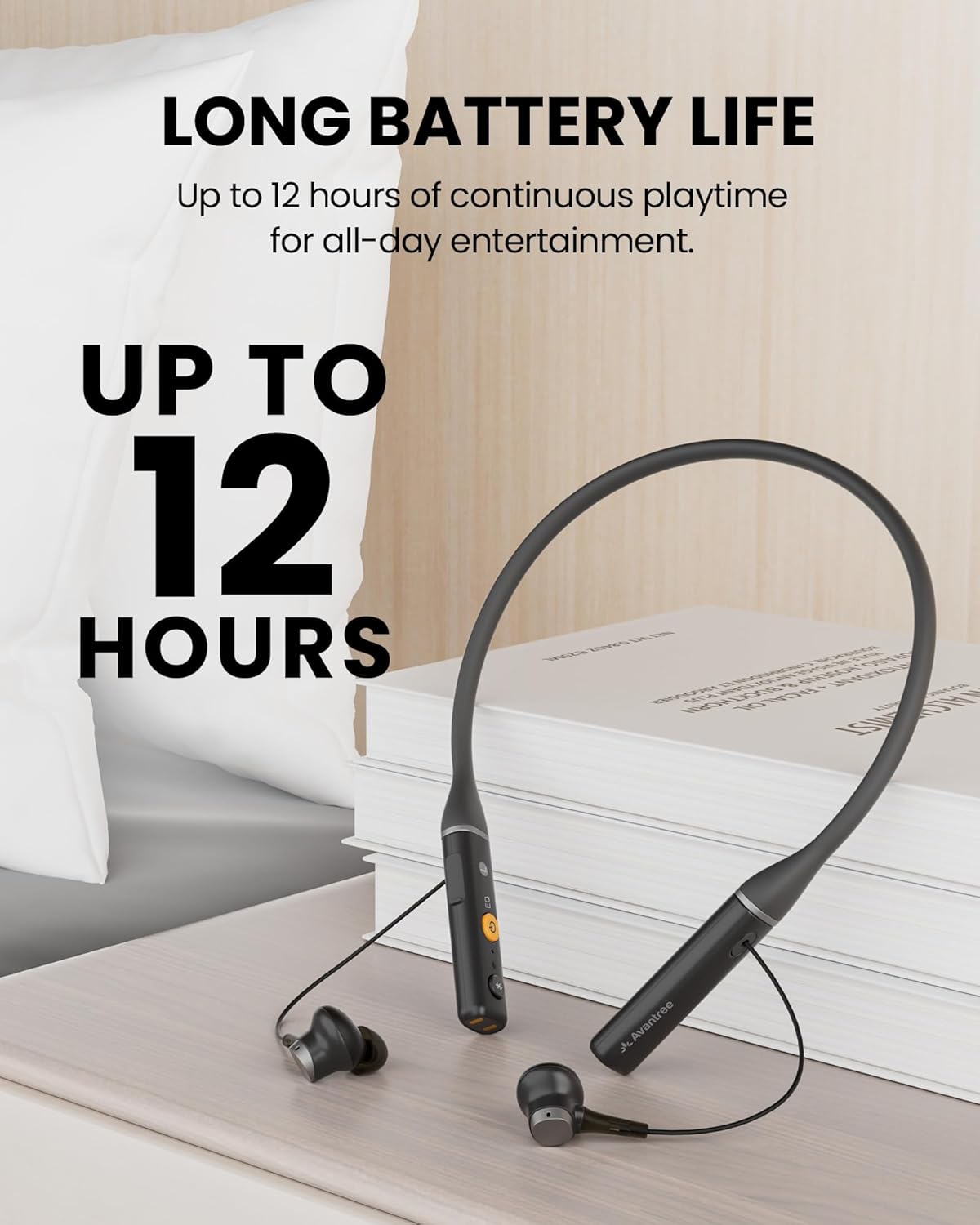
One of the Avantree Aura Loop Dual earbuds is shown resting on a nightstand next to a book, with a prominent overlay indicating 'Up to 12 Hours' of continuous playtime, highlighting its long battery life.
7. Solució De Problemes
7.1 No Sound from Earbuds
- Comproveu les connexions: Ensure the transmitter is correctly connected to your TV's audio output and powered on.
- Configuració d'àudio del televisor: Verify your TV's audio output settings. For Optical, ensure 'PCM' or 'Stereo' is selected. For AUX/RCA, ensure external audio output is enabled.
- Earbud Connection: Confirm the earbuds are powered on and successfully connected to the transmitter (LED indicator status). If not, try re-pairing.
- Nivells de volum: Adjust the volume on both the earbuds and your TV.
- Transmitter Compatibility: Remember the transmitter supports only Auracast devices and cannot connect directly to regular Bluetooth headphones or speakers.
Auriculars 7.2 que no s'aparellen
- Cicle d'alimentació: Turn off both the transmitter and earbuds, then power them back on.
- Acoblament manual: If automatic pairing fails, refer to the 'Initial Earbud Pairing' section (4.2) for manual pairing steps.
- Distància: Ensure the earbuds are within close proximity to the transmitter during pairing.
8. Especificacions
| Nom del model | Aura Loop Dual |
| Número de model de l'article | BTHT-48177 |
| Tecnologia de connectivitat | Wireless (Auracast, Bluetooth 5.4) |
| Control de soroll | Aïllament acústic |
| Característiques especials | Auracast TV Earbuds, Dual Audio Sharing, Voice Clear EQ |
| Usos recomanats | Home entertainment with Auracast setup, Sharing TV audio with hearing aids, Watching TV with family or partner |
| Dispositius compatibles | Laptops, Television (with appropriate audio output) |
| Col·locació de l'orella | A l'orella |
| Factor de forma | Neckband, In Ear |
| Impedància | 32 ohms |
| Durada de la bateria | Fins a 12 hores (auriculars) |
| Pes de l'article | 2.62 lliures (paquet total) |
9. Cura i Manteniment
- Neteja: Use a soft, dry cloth to clean the earbuds and transmitter. Do not use harsh chemicals or abrasive materials.
- Emmagatzematge: Guardeu el dispositiu en un lloc fresc i sec, allunyat de la llum solar directa i de temperatures extremes.
- Exposició a l'aigua: Eviteu exposar el dispositiu a l'aigua o a una humitat excessiva.
- Cura de la bateria: For optimal battery longevity, avoid fully discharging the earbuds frequently. Charge them regularly.
10. Informació de la garantia
Avantree products are covered by a manufacturer's warranty. For specific warranty terms and conditions, please refer to the warranty card included in your product packaging or visit the official Avantree weblloc web. Conserveu el comprovant de compra per a reclamacions de garantia.
11. Atenció al client
If you encounter any issues or have questions regarding your Avantree Aura Loop Dual system, please contact Avantree customer support through the following channels:
- Weblloc: Visit the official Avantree support page for FAQs, troubleshooting guides, and contact options.
- Correu electrònic: Contact support via email for assistance.
- Telèfon: Check the Avantree weblloc web per a números de telèfon d'assistència regional.
Please have your product model number (BTHT-48177) and purchase details ready when contacting support.


