1. Introducció
Thank you for choosing the HUANUO Gas Spring Monitor Arm, model HNSS31B. This monitor arm is designed to enhance your workspace by providing flexible and ergonomic positioning for your monitor. Please read this manual carefully before installation and use to ensure proper setup and safe operation. Keep this manual for future reference.
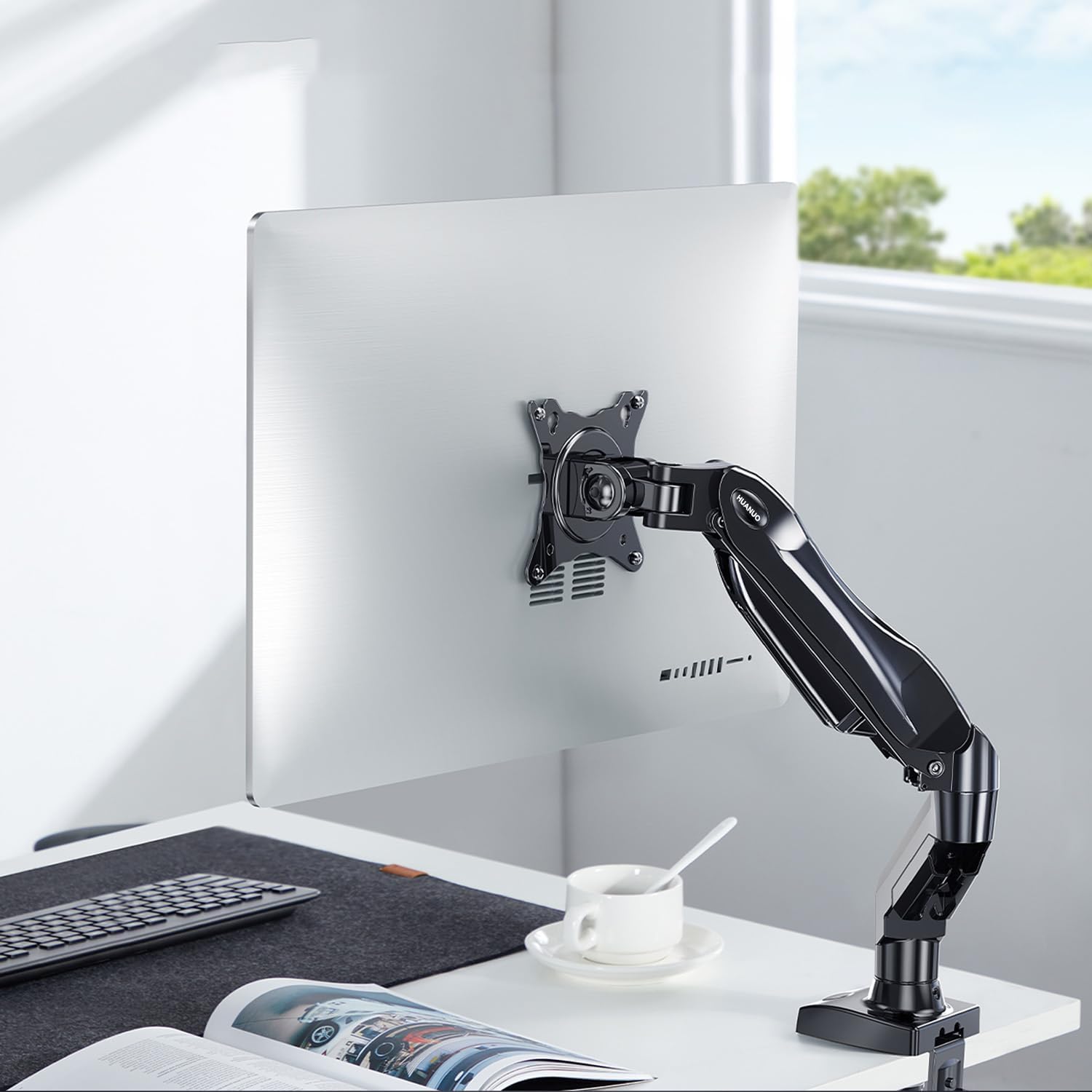
Image 1.1: HUANUO Gas Spring Monitor Arm supporting a monitor on a desk.
2. Informació de seguretat
ADVERTIMENT: Si no llegiu i no seguiu aquestes instruccions, podeu patir lesions personals greus, danys materials o la pèrdua de garantia. Si no enteneu aquestes instruccions o teniu dubtes sobre la seguretat de la instal·lació, poseu-vos en contacte amb el servei d'atenció al client.
- No supereu la capacitat màxima de pes de 9 kg (19.8 lliures).
- Aquest producte només està pensat per a ús interior.
- Assegureu-vos que la superfície de muntatge (escriptori) pugui suportar amb seguretat el pes combinat del braç del monitor i del monitor.
- Do not overtighten screws. Overtightening can cause damage to the product or your desk.
- Mantingueu les peces petites allunyades dels nens.
- Always use an assistant for heavy lifting or during installation steps that require extra support.
3. Contingut del paquet
Please verify that all parts are present and undamaged before installation. Refer to the packaging for a detailed list of components and hardware included with your monitor arm.
4. Especificacions
| Característica | Especificació |
|---|---|
| Número de model | HNSS31B |
| Mida de monitor compatible | 13 - 32 polzades |
| Capacitat de pes | 2 - 9 kg (4.4 - 19.8 lliures) |
| Compatibilitat VESA | 75x75mm, 100x100mm |
| Ajust d'alçada màxima | 410 mm |
| Extensió màxima | 530 mm |
| Interval d'inclinació | +85° / -30° |
| Gamma giratòria | ±90° |
| Rotació | 360° (retrat a paisatge) |
| Opcions de muntatge | C-Clamp, Base d'orella |
| Compatible Desk Thickness (C-Clamp) | 10 - 90 mm (0.4 - 3.5 polzades) |
| Pes del producte | 2.4 kg (5.3 lliures) |
| Color | Negre |

Image 4.1: Monitor size and weight compatibility.
5. Instruccions de configuració
5.1. Trieu el mètode de muntatge
The monitor arm supports two installation methods: C-Clamp and Grommet Base. Select the method suitable for your desk.

Image 5.1: C-Clamp i opcions de muntatge amb ulleres.
5.2. Instal·leu el suport d'escriptori
C-Clamp Instal·lació:
- Enganxeu el C-clamp to the base of the monitor arm.
- Posicioneu el C-clamp on the edge of your desk. Ensure the desk thickness is between 10-90 mm.
- Apretar el clamp screw until the base is securely fastened to the desk. Do not overtighten.
Instal·lació de la base de l'oxell:
- Si el vostre escriptori té un forat per a ulleres, inseriu la base de l'uller a través del forat.
- Fixeu la base des de sota l'escriptori amb la placa i la femella proporcionades.
- Tighten the nut until the base is stable.
5.3. Attach the Monitor to the VESA Plate
This monitor arm supports VESA patterns of 75x75mm i 100x100mm.

Image 5.2: VESA compatibility for monitor mounting.
- Carefully attach the VESA plate from the monitor arm to the back of your monitor using the appropriate screws. Ensure the screws are tightened securely.
- If your monitor does not have VESA holes, a VESA adapter (sold separately) may be used.

Image 5.3: Using a VESA adapter for non-VESA monitors.
5.4. Mount the Monitor to the Arm
- With the VESA plate attached to your monitor, slide the monitor onto the arm's mounting head.
- Secure the monitor by tightening any quick-release screws or clips on the mounting head.
5.5. Ajusteu la tensió de la molla de gas
The gas spring tension needs to be adjusted to match the weight of your monitor. This ensures the arm holds the monitor securely at any height.
- If the monitor drops after being mounted, turn the adjustment screw (usually located on the arm joint) en sentit horari per augmentar la tensió.
- If the monitor floats up or is difficult to push down, turn the adjustment screw en sentit antihorari per disminuir la tensió.
- Adjust until the monitor stays in place when moved to different heights.
6. Instruccions de funcionament
The HUANUO Gas Spring Monitor Arm offers a wide range of adjustments to achieve an ergonomic viewexperiència.

Image 6.1: Full range of motion and adjustment capabilities.
- Ajust d'alçada: Gently push or pull the monitor up or down to your desired height. The gas spring mechanism will hold it in place once released. The maximum height is 410 mm.
- Ajust d'inclinació: Tilt the monitor screen up or down to reduce glare and find your optimal viewing angle. The tilt range is +85° a -30°.
- Ajust de gir: Swivel the monitor left or right to share your screen with colleagues or adjust your viewing position. The swivel range is ±90°.
- Rotació: Gireu el monitor 360° to switch between landscape and portrait orientations.
- Extensió/Retracció: Extend or retract the arm to adjust the distance of the monitor from your eyes. The maximum extension is 530 mm.
6.1. Ergonomic Benefits
Proper monitor positioning can significantly reduce neck and eye strain, promoting a more comfortable and productive work environment. Adjust your monitor so that the top of the screen is at or slightly below eye level, and your eyes are approximately 50-100 cm (20-40 inches) from the screen. Maintain a slight downward gaze (15-20 degrees) for optimal comfort.

Image 6.2: Achieving an ergonomic viewangle de ing.
7. Manteniment
- Neteja: Netegeu el braç del monitor amb un drap suauamp drap. Eviteu utilitzar netejadors abrasius o dissolvents que puguin danyar l'acabat.
- Comprovacions periòdiques: Reviseu periòdicament tots els cargols i connexions per assegurar-vos que romanen ajustats. Torneu a apretar-los si cal.
- Ajust de la molla de gas: If the monitor arm's movement becomes too loose or too stiff over time, re-adjust the gas spring tension as described in Section 5.5.
8. Solució De Problemes
| Problema | Causa possible | Solució |
|---|---|---|
| Vigila si els braços s'enfonsen o no es mantenen drets. | La tensió de la molla de gas és massa baixa per al pes del monitor. | Increase gas spring tension by turning the adjustment screw clockwise (refer to Section 5.5). |
| Monitor arm floats up or is difficult to push down. | La tensió de la molla de gas és massa alta per al pes del monitor. | Decrease gas spring tension by turning the adjustment screw counter-clockwise (refer to Section 5.5). |
| El monitor està inestable o tremolós. | Mounting screws are loose or desk clamp/grommet is not secure. | Check and tighten all screws, including those attaching the monitor to the VESA plate and the arm to the desk. |
| Arm joints are too stiff or too loose. | Joint screws need adjustment. | Use the provided Allen key to adjust the tightness of the joint screws as needed. |
9. Garantia i Suport
The HUANUO Gas Spring Monitor Arm HNSS31B comes with a 5 any de garantia, demonstrating our commitment to quality and durability. This product has undergone rigorous testing, clearing 20,000 operation cycles to ensure long-lasting performance.

Image 9.1: Durability testing of the monitor arm.
For warranty claims, technical assistance, or any questions regarding your product, please contact HUANUO customer support through the retailer where you purchased the product or visit the official HUANUO weblloc per obtenir informació de contacte.


