1. Introducció
This manual provides detailed instructions for the setup, operation, maintenance, and troubleshooting of your ACEMAGIC S1 Mini PC. Please read this manual thoroughly before using the device to ensure proper functionality and safety.
2. Informació de seguretat
- Feu servir sempre l'adaptador de corrent original que s'inclou amb el dispositiu.
- No exposeu el dispositiu a l'aigua, la humitat ni a temperatures extremes.
- Eviteu col·locar el dispositiu a la llum solar directa o a prop de fonts de calor.
- No intenteu obrir ni reparar el dispositiu vosaltres mateixos. Demaneu ajuda a personal de servei qualificat.
- Assegureu-vos una ventilació adequada al voltant del dispositiu per evitar el sobreescalfament.
3. Contingut del paquet
Verifiqueu que tots els elements siguin presents al paquet:
- ACEMAGIC S1 Mini PC
- Adaptador d'alimentació
- Manual d'usuari (aquest document)
- Suport base
4. Producte acabatview
4.1 Panells frontal i posterior
The ACEMAGIC S1 Mini PC features a unique design with an integrated LCD display and various ports for connectivity.
Imatge: Davant i darrere view of the ACEMAGIC S1 Mini PC, highlighting the various input/output ports and the LCD screen.
4.2 Característiques úniques
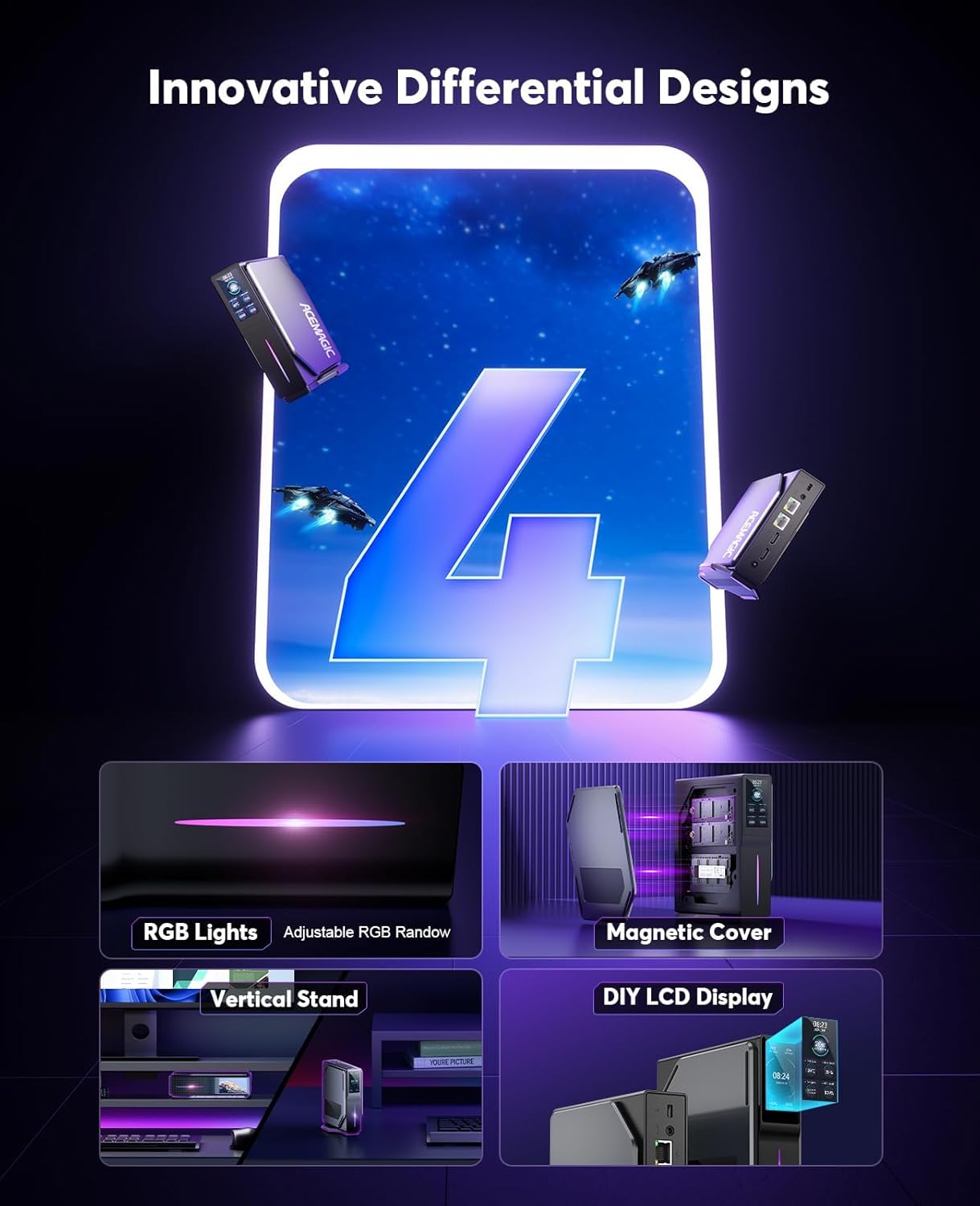
- DIY LCD Display: Monitor operating status, time, and temperature.
- RGB Lights: Adjustable lighting for aesthetic customization.
- Coberta magnètica: Facilitates easy memory replacement.
- Dual LAN Ports: Offers versatile network configuration options.

Image: Close-up of the ACEMAGIC S1 Mini PC's DIY LCD display, showing CPU temperature, power consumption, memory usage, and CPU load. The image also illustrates various display themes.
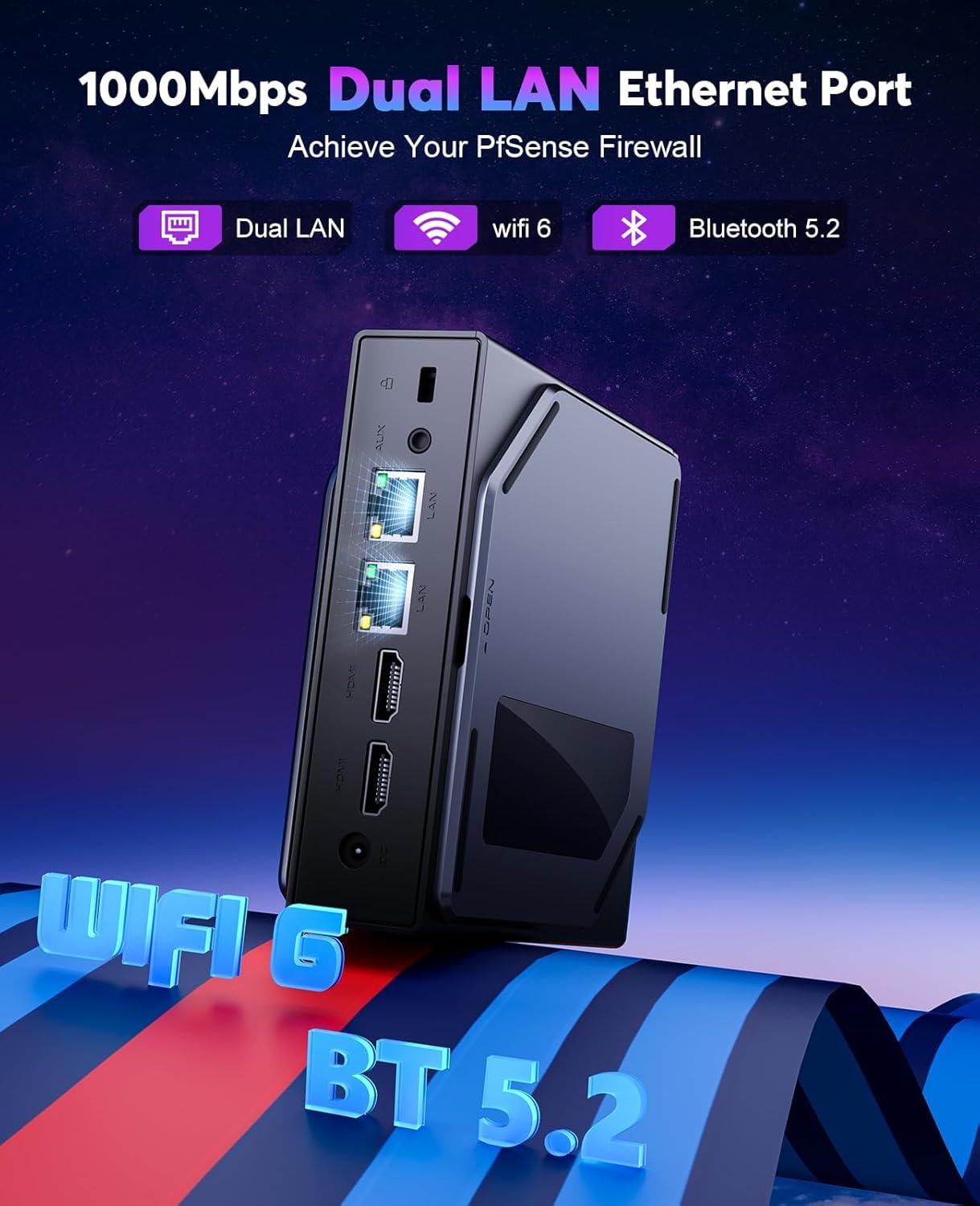
Imatge: Part posterior view of the ACEMAGIC S1 Mini PC, emphasizing the dual Gigabit LAN Ethernet ports, along with indicators for WiFi 5 and Bluetooth 4.2 connectivity.
5. Configuració
5.1 Connexió de perifèrics
- Connect your monitor(s) to the HDMI ports on the rear panel. The device supports dual 4K@60Hz UHD screen display.
- Connecteu el teclat i el ratolí als ports USB 2.0 o USB 3.0 disponibles.
- For wired network access, connect an Ethernet cable to one of the LAN ports.
- Connecteu l'adaptador de corrent al port d'entrada de CC i després a una presa de corrent.
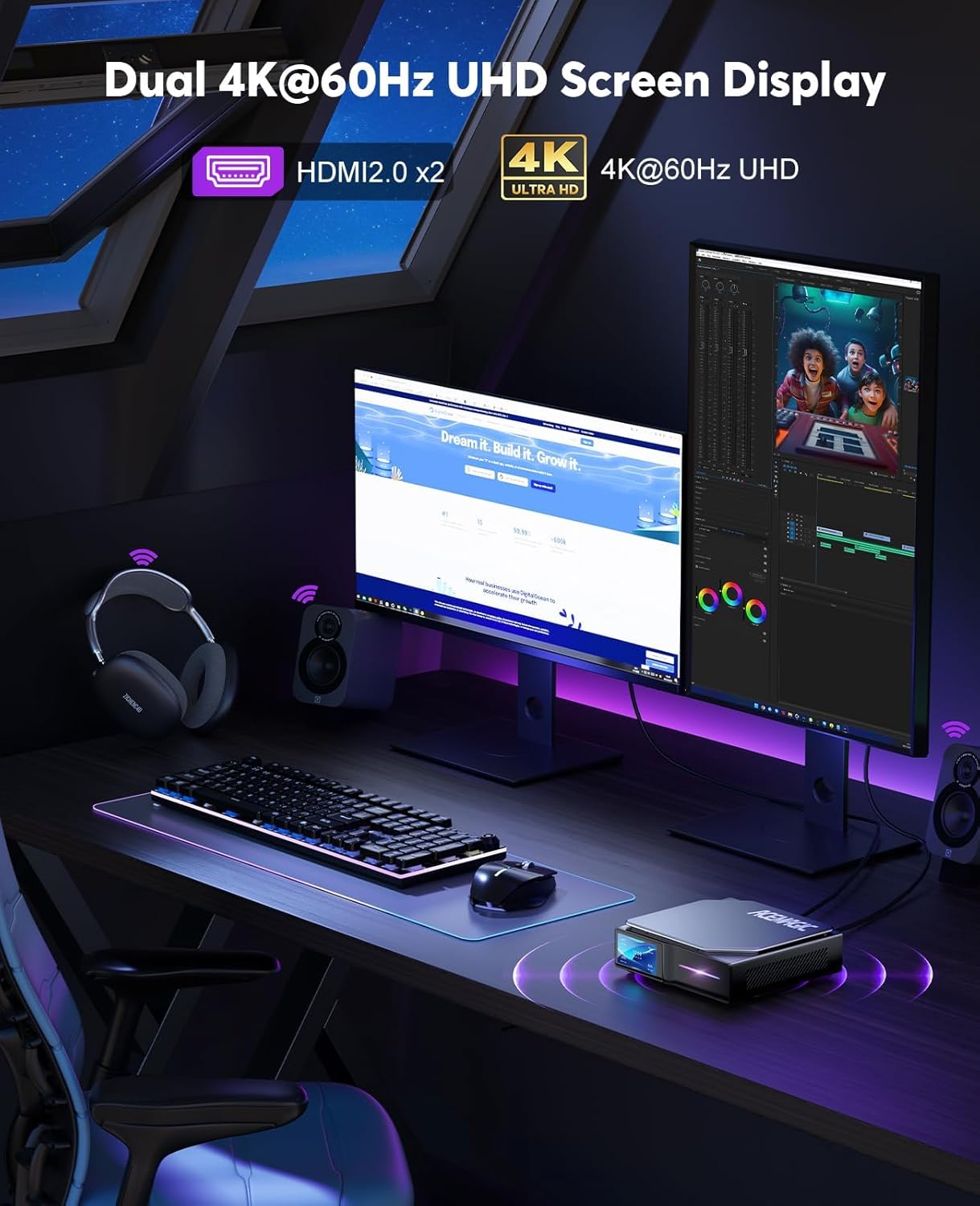
Image: The ACEMAGIC S1 Mini PC connected to two 4K UHD monitors, demonstrating its dual display capability for a multi-tasking setup.
5.2 Encès
Press the power button located on the front panel of the Mini PC. The device will boot up, and the LCD display will activate.
5.3 Opcions de col·locació
The ACEMAGIC S1 Mini PC can be placed either vertically using the included base holder or horizontally, depending on your desk space and preference.

Image: The ACEMAGIC S1 Mini PC shown in both horizontal and vertical orientations on a desk, illustrating its flexible placement options.
6. Funcionament
6.1 Funcionament bàsic
- Encès: Premeu el botó d'encesa.
- Apagar: Use the operating system's shutdown function. Alternatively, press and hold the power button for 5 seconds to force shutdown (not recommended for regular use).
- Reinicia: Feu servir la funció de reinici del sistema operatiu.
6.2 Ús de la pantalla LCD
The integrated LCD display provides real-time information about the Mini PC's status. You can monitor:
- Temperatura de la CPU
- Consum d'energia de la CPU
- Ús de la memòria
- Càrrega de la CPU
- Hora actual
Refer to the operating system's settings or specific ACEMAGIC software (if provided) for customization options of the LCD display themes and values.
6.3 Connectivitat de xarxa
- WiFi 5 (802.11ac): Connect to wireless networks using the built-in dual-band (2.4G + 5G) WiFi. Access network settings through your operating system.
- Dual Gigabit LAN: For stable and high-speed wired connections, use the two Ethernet ports. This allows for advanced network configurations such as a PfSense firewall.
6.4 Connectivitat Bluetooth
The Mini PC supports Bluetooth 4.2, allowing you to connect wireless peripherals such as keyboards, mice, and headphones. Enable Bluetooth through your operating system's settings and pair your devices.
7. Manteniment
7.1 Neteja
Regularly clean the exterior of the Mini PC with a soft, dry cloth. Do not use liquid cleaners or abrasive materials. Ensure ventilation openings are free from dust accumulation.
7.2 Memory Replacement
The ACEMAGIC S1 features a magnetic cover design for easy access to internal components, particularly for memory replacement. Gently remove the magnetic side panel to access the memory slots. Ensure the device is powered off and unplugged before performing any internal maintenance.
7.3 Sistema de dissipació de calor
The Mini PC is equipped with an efficient heat dissipation and noise-reduction system to maintain optimal performance. Ensure that the air vents are not obstructed to allow for proper airflow.
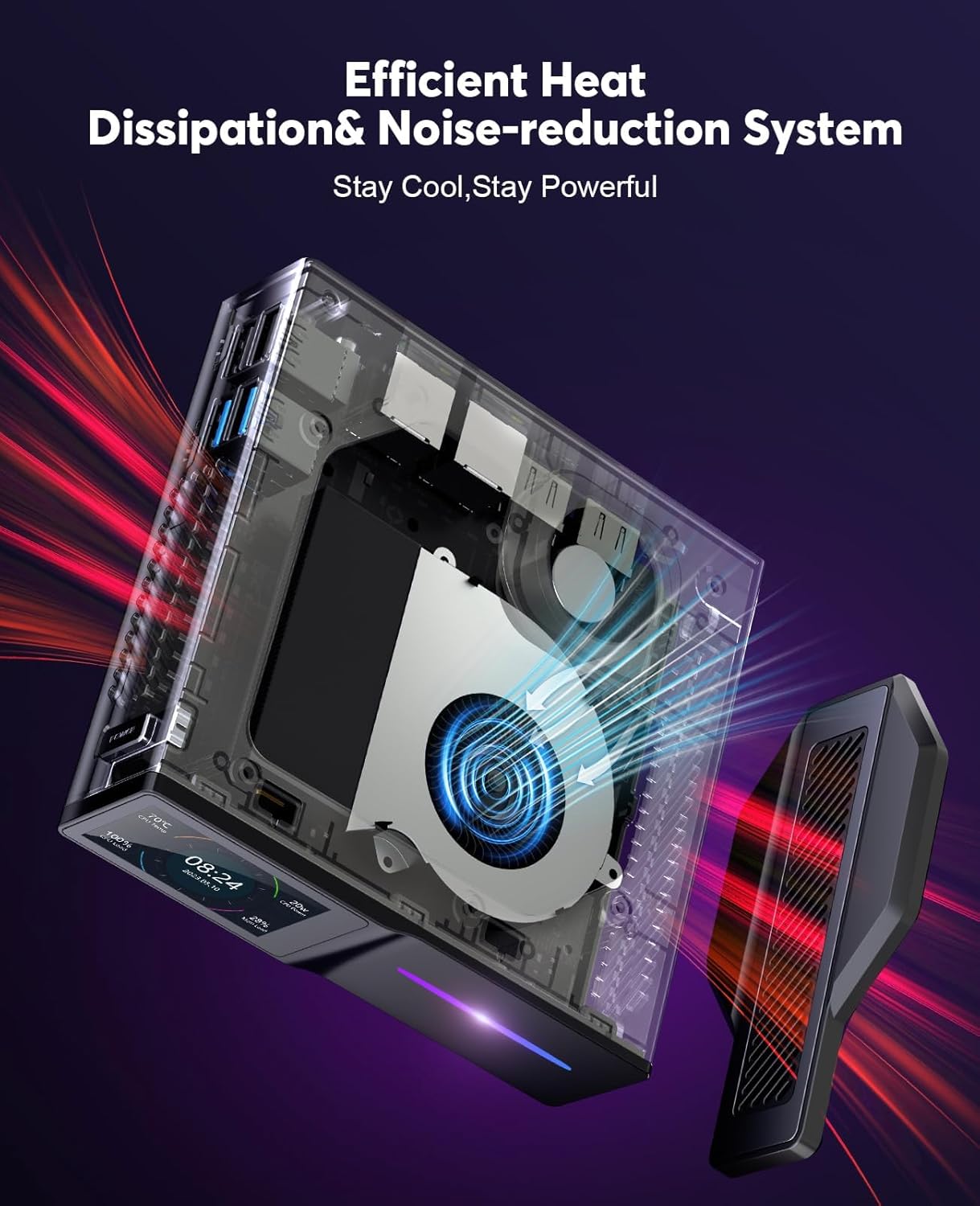
Imatge: Interna view of the ACEMAGIC S1 Mini PC, highlighting the cooling fan and heat dissipation components designed to keep the system cool and quiet during operation.
8. Solució De Problemes
- Sense energia: Ensure the power adapter is securely connected to both the Mini PC and a working power outlet. Try a different outlet.
- Sense pantalla: Verify that the monitor is correctly connected to the HDMI port and is powered on. Check the monitor's input source settings.
- Problemes de xarxa: For wired connections, check the Ethernet cable. For WiFi, ensure the WiFi adapter is enabled in the operating system and you are connected to the correct network with the correct password.
- Rendiment lent: Close unnecessary applications. Check for background processes. Ensure adequate ventilation.
- La pantalla LCD no funciona: Check if the display is enabled in the system settings or any dedicated ACEMAGIC software.
Si els problemes persisteixen, consulteu la secció d'assistència per obtenir més ajuda.
9. Especificacions
| Característica | Especificació |
|---|---|
| Processador | 12th Gen Alder Lake-N97 (up to 3.6 GHz) |
| RAM | 8 GB DDR4 |
| Emmagatzematge | SSD M.256 de 2 GB |
| Gràfics | Gràfics Intel UHD |
| Resolució de pantalla màxima | 3840x2160 (4K) |
| Connectivitat sense fil | WiFi 5 (802.11ac, 2.4G + 5G), Bluetooth 4.2 |
| LAN | Dual Gigabit Ethernet |
| Ports USB | 2x USB 2.0, 2x USB 3.0 |
| Sortida de vídeo | 2x HDMI 1.2 (Dual 4K@60Hz UHD) |
| Sistema operatiu | Supports Linux, Windows |
| Característiques especials | DIY LCD Screen, RGB Lights, Magnetic Cover, Wake On LAN, RTC Wake, Auto Power On |
| Dimensions | 12.4 x 12.8 x 4 cm (aprox. 4.88 x 5.04 x 1.57 polzades) |
| Pes | 0.38 kg (aprox. 0.84 lliures) |
10. Garantia i Suport
10.1 Informació de la garantia
ACEMAGIC offers a 1-year limited warranty on the S1 Mini PC from the date of purchase. This warranty covers defects due to design and workmanship. Please retain your proof of purchase for warranty claims.
10.2 Atenció al client
For technical assistance, troubleshooting, or warranty inquiries, please contact ACEMAGIC customer support. Refer to the official ACEMAGIC weblloc web o la documentació de la compra per obtenir les dades de contacte.


