1. Introducció
Gràcies per la compraasing the EVICIV 16-inch 120Hz White Portable Monitor. This manual provides essential information for setting up, operating, and maintaining your device. Please read it thoroughly before use to ensure optimal performance and longevity.
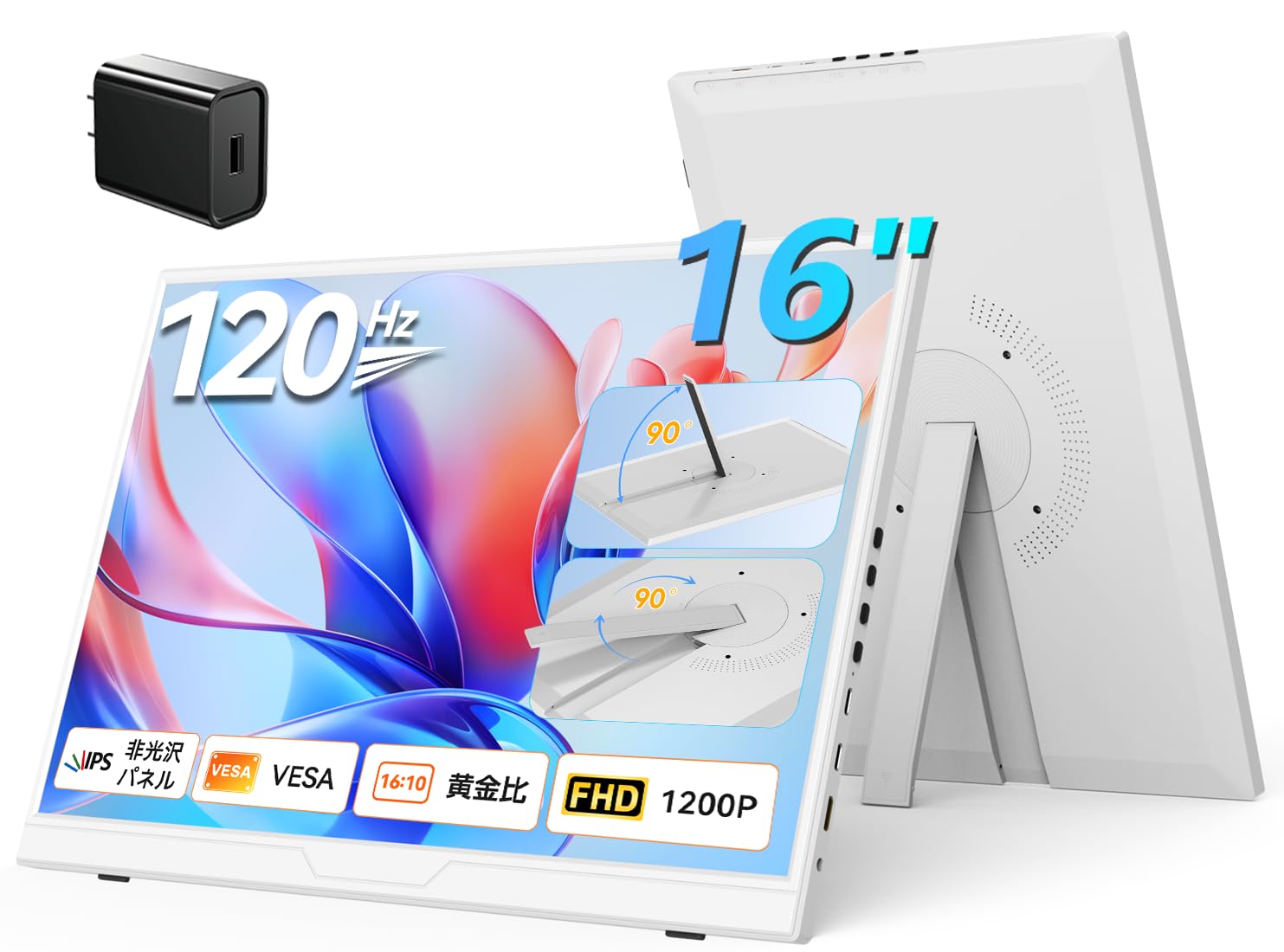
Image: The EVICIV 16-inch 120Hz White Portable Monitor, showcasing el seu disseny elegant.
2. Què hi ha a la caixa
El paquet inclou els articles següents:
- EVICIV 16-inch Portable Monitor
- Manual d'usuari
- HDMI Cable (mini HDMI to standard HDMI)
- USB-C to USB-C Cable (for video and power)
- USB-C to USB-A Cable (for power)
- Power Adapter (PD30W)
- M4 Screws (4 pieces, for VESA mounting)
- Drap de neteja
- Magnetic Protective Cover (doubles as a stand)

Image: A visual representation of the monitor and its included accessories, such as cables and power adapter.
3. Producte acabatview
The EVICIV 16-inch portable monitor features a 120Hz high refresh rate and a 16:10 wide aspect ratio, providing a smooth visual experience and an expanded vertical display area compared to standard 16:9 screens. This is beneficial for document viewing, spreadsheets, and programming. The monitor incorporates a high-quality IPS non-glare panel with a 178° wide viewing angle, ensuring vivid and natural images from various perspectives. HDR support enhances contrast and detail in videos and games. A low blue light mode is included to reduce eye strain during prolonged use.
3.1. Disseny i característiques
- Minimalist White Design: The monitor's pure white aesthetic offers a clean and sophisticated look, complementing various devices and desk environments.
- Integrated Rotating Stand: A foldable, rotating stand is built into the monitor, allowing for flexible adjustment of height and angle. It supports both horizontal and vertical orientations.
- Compatibilitat VESA: The monitor is VESA compliant (75x75mm, M4*4mm), enabling mounting on monitor arms or walls for optimized workspace configurations.
- Altaveus integrats: For audio output without external devices.
- Ports: Includes full-featured USB-C ports, a mini HDMI port, and a headphone jack.

Imatge: Lateral view of the monitor highlighting the power/back button, menu button, Type-C ports, mini HDMI port, and headphone jack.

Image: The monitor's integrated stand allows for 0-90 degree free-stop adjustment and one-touch 90-degree rotation for vertical or horizontal use.

Image: The monitor is shown mounted on a VESA arm, demonstrating its compatibility for various setups.
4. Configuració
Follow these steps to set up your EVICIV portable monitor:
- Desembalatge: Traieu amb cura el monitor i tots els accessoris de l'embalatge.
- Ajust del suport: Unfold the integrated stand on the back of the monitor. Adjust the angle to your preferred viewing position. The stand allows for 0-90 degree free-stop adjustment.
- Connexió d'alimentació:
- If using a full-featured USB-C port on your device (e.g., laptop, smartphone), connect one end of the USB-C to USB-C cable to your device and the other end to the monitor's full-featured USB-C port. This single cable can provide both video signal and power.
- If your device does not have a full-featured USB-C port, or if additional power is needed, connect the power adapter to a power outlet and then to one of the monitor's USB-C power input ports.
- Connexió de vídeo:
- Connexió HDMI: Connect one end of the mini HDMI to standard HDMI cable to the monitor's mini HDMI port and the other end to your device's HDMI port.
- USB-C Video Connection: If your device supports video output over USB-C (DisplayPort Alternate Mode), use the USB-C to USB-C cable to connect to the monitor's full-featured USB-C port.
- Encès: Premeu el botó d'engegada del monitor per encendre-lo.
Video: This video demonstrates the unboxing and connection process for the EVICIV 16-inch 120Hz portable monitor, showing how to connect it to a laptop using USB-C and HDMI cables.
5. Modes de funcionament
The EVICIV portable monitor supports various display modes to enhance your productivity and entertainment:
- Mode estès: Extend your desktop across both screens, providing more workspace for multitasking.
- Duplicate Mode (Mirror Mode): Duplicate your primary screen's content onto the portable monitor, ideal for presentations or sharing content.
- Mode de retrat: Rotate the monitor 90 degrees for a vertical display, perfect for reading documents, coding, or browsing long web pàgines.

Image: Illustrations of extended, duplicate, and portrait display modes, demonstrating versatility for different tasks.
6. Característiques de joc
Experience immersive gaming with the EVICIV portable monitor:
- Alta freqüència d'actualització de 120 Hz: Enjoy smoother gameplay with reduced motion blur and tearing, providing a competitive edge in fast-paced games.
- Àmplia compatibilitat: Connect to various gaming consoles including Nintendo Switch, PlayStation 4/5, Xbox, and Steam Deck for an enhanced portable gaming experience.
- Suport HDR: Delivers vibrant colors and deeper contrast for a more realistic and engaging gaming environment.

Image: A visual comparison demonstrating the difference in smoothness between 60Hz and 120Hz refresh rates during gaming.
7. Manteniment
Per garantir la longevitat i el rendiment òptim del monitor, seguiu aquestes pautes de manteniment:
- Neteja de la pantalla: Feu servir el drap de neteja proporcionat o un drap suau i sense borrissol lleugerament humit.ampened with water or a screen-safe cleaning solution. Avoid harsh chemicals or abrasive materials.
- Neteja general: Wipe the exterior of the monitor with a soft, dry cloth.
- Emmagatzematge: When not in use, store the monitor in a cool, dry place, preferably in its protective cover, to prevent dust accumulation and accidental damage.
- Eviteu condicions extremes: No exposeu el monitor a temperatures extremes, humitat ni llum solar directa.
8. Solució De Problemes
If you encounter issues with your monitor, please refer to the following common solutions:
- Sense pantalla/Pantalla negra:
- Ensure all cables (power and video) are securely connected.
- Verify that the monitor is powered on.
- Check the input source on the monitor's OSD (On-Screen Display) menu to ensure it matches your connection (HDMI or USB-C).
- If connecting via USB-C, ensure your device's USB-C port supports video output (DisplayPort Alternate Mode) and that the monitor is receiving sufficient power.
- Imatge parpellejant/inestable:
- Ensure the video cable is not damaged and is securely connected.
- Prova un cable o port de vídeo diferent si està disponible.
- Adjust the refresh rate settings on your connected device.
- FreeSync Issues (as per customer reviews): Some users have reported issues with FreeSync causing blackouts or instability. If you experience this, it is recommended to disable FreeSync in the monitor's OSD menu.
- Sense àudio:
- Check the volume settings on both the monitor and your connected device.
- Ensure the audio output is directed to the portable monitor in your device's sound settings.
- If using headphones, ensure they are properly plugged into the monitor's headphone jack.
If the problem persists, please contact EVICIV customer support.
9. Especificacions
| Característica | Especificació |
|---|---|
| Marca | EVICIV |
| Número de model | EVC-1605 |
| Dimensions del producte | 1.3 x 36 x 24.5 cm; 1.57 kg |
| Color | Blanc |
| Mida de la pantalla de peu | 16 polzades |
| Resolució | 1920x1200 pixels (UXGA Wide) |
| Relació d'aspecte | 16:10 |
| Descripció de la superfície de la pantalla | Sense enlluernament |
| Ports HDMI | 1 (mini HDMI) |
| Ports USB-C | 2 (full-featured) |
| Freqüència d'actualització | 120 Hz |
| Tipus de panell | IPS |
| Brillantor | 350 nits |
| Gamma de colors | 100% sRGB |
| Relació de contrast | 1000:1 |
| Compatibilitat VESA | 75x75mm, M4*4mm |
10. Garantia i Suport
EVICIV provides a 1 any de garantia de qualitat for this product. In the event of manufacturing defects or accidental damage during shipping, please contact EVICIV customer support via Amazon message. Our dedicated team will respond within 24 hours in Japanese to offer technical support, exchanges, or the best possible resolution.


