Manual d'usuari del telèfon intel·ligent OUKITEL C69
Model: OUKITEL C69
Marca: OUKITEL
1. Informació important de seguretat
Please read this safety information carefully before using your OUKITEL C69 smartphone to ensure proper and safe operation. Keep this manual for future reference.
Seguretat general
- No exposeu el dispositiu a temperatures extremes (inferiors a 0 °C o superiors a 40 °C).
- Avoid direct sunlight, heat sources, or high humidity.
- Mantingueu el dispositiu allunyat d'aigua i líquids.
- Use only OUKITEL-approved accessories.
Seguretat de la bateria
- Do not attempt to replace the battery yourself. Contact authorized service for battery replacement.
- Do not puncture, open, or disassemble the battery.
- Eliminar les bateries segons la normativa local.
Seguretat de càrrega
- Use only the charger provided with your device.
- Ensure the charger is connected to a compatible power outlet.
- Do not touch the charger or device with wet hands while charging.
2. Dispositiu acabatview
The OUKITEL C69 is a feature-rich smartphone designed for daily communication and multimedia. Familiarize yourself with its components and included accessories.
Contingut del paquet
Upon opening the box, you should find the following items:
- 1X OUKITEL C69 256GB Cell Phone
- Carregador 1X
- 1X Data Cable (Type-C)
- Funda de telèfon
- 1X manual
- Pin d'expulsió de SIM

Image: OUKITEL C69 package contents, including the phone, charger, data cable, phone case, manual, and SIM ejector pin.
components físics
The OUKITEL C69 features a sleek design with a 7.2-inch display and a triple camera setup on the rear. Key physical features include:
- Davant: 7.2-inch display, 8MP front camera.
- posterior: 64MP main camera, additional camera lenses, LED flash.
- Laterals: Power button, volume buttons, SIM/MicroSD card tray, USB Type-C port.
- Seguretat: Side-mounted fingerprint sensor.

Imatge: Anvers i revers view of the OUKITEL C69 smartphone, highlighting the large display and rear camera module.

Imatge: Side profile of the OUKITEL C69, illustrating its ultra-thin 9.5mm design.
3. Configuració
3.1 Inserció de la targeta SIM i la targeta MicroSD
Your OUKITEL C69 supports dual Nano-SIM cards or one Nano-SIM and one MicroSD card for expandable storage up to 1TB.
- Localitza la safata de la targeta SIM al lateral del dispositiu.
- Insert the provided SIM ejector pin into the small hole next to the tray and press gently until the tray pops out.
- Col·loqueu la targeta (o targetes) Nano-SIM i/o la targeta MicroSD a les ranures designades de la safata. Assegureu-vos que els contactes daurats estiguin mirant cap avall.
- Empenyeu amb cura la safata cap a dins del dispositiu fins que quedi alineada amb el lateral.

Image: Illustration of inserting Nano-SIM cards and a MicroSD card into the OUKITEL C69's card tray.
3.2 Encès inicial
To turn on your OUKITEL C69 for the first time:
- Press and hold the Power button (located on the side) until the OUKITEL logo appears on the screen.
- The device will boot up, and you will be guided through the initial setup wizard.
3.3 Assistent de configuració inicial
Segueix les instruccions que apareixen a la pantalla per configurar el dispositiu:
- Selecció d'idioma: Trieu el vostre idioma preferit.
- Connexió Wi-Fi: Connect to a Wi-Fi network to enable internet access for updates and app downloads.
- Compte de Google: Inicia la sessió amb el teu compte de Google o crea'n un de nou. Això és essencial per accedir a Google Play Store i altres serveis de Google.
- Data i hora: Estableix la data i l'hora correctes.
- Seguretat: Set up a screen lock (PIN, pattern, password) and optionally configure fingerprint or Face ID.
3.4 Càrrega del dispositiu
Before first use, it is recommended to fully charge your OUKITEL C69.
- Connect the Type-C data cable to the charging port at the bottom of the phone.
- Connect the other end of the data cable to the provided 18W charger.
- Connecteu el carregador a una presa de corrent.
- L'indicador de càrrega apareixerà a la pantalla. Un cop carregat completament, desconnecteu el carregador.
4. Funcionament del vostre dispositiu
4.1 Navegació bàsica
The OUKITEL C69 operates on Android 15, offering intuitive touch-based navigation.
- Toca: Seleccioneu un element o activeu una funció.
- Llisca: Moure's entre pantalles, desplaçar-se per llistes o ignorar notificacions.
- Pessigar: Apropar o allunyar les imatges i web pàgines.
- Premsa llarga: Access contextual menus or move icons on the home screen.
4.2 Característiques de visualització
Experience immersive visuals on the OUKITEL C69's 7.2-inch display with a 120Hz refresh rate and 500 nits brightness.
- Pantalla gran: The 7.2-inch screen provides ampl'espai per viewing content, gaming, and multitasking.
- Freqüència de refresc de 120 Hz: Ensures smooth scrolling and fluid animations for an enhanced user experience.
- Brillantor de 500 nits: Offers clear visibility even in bright outdoor conditions.
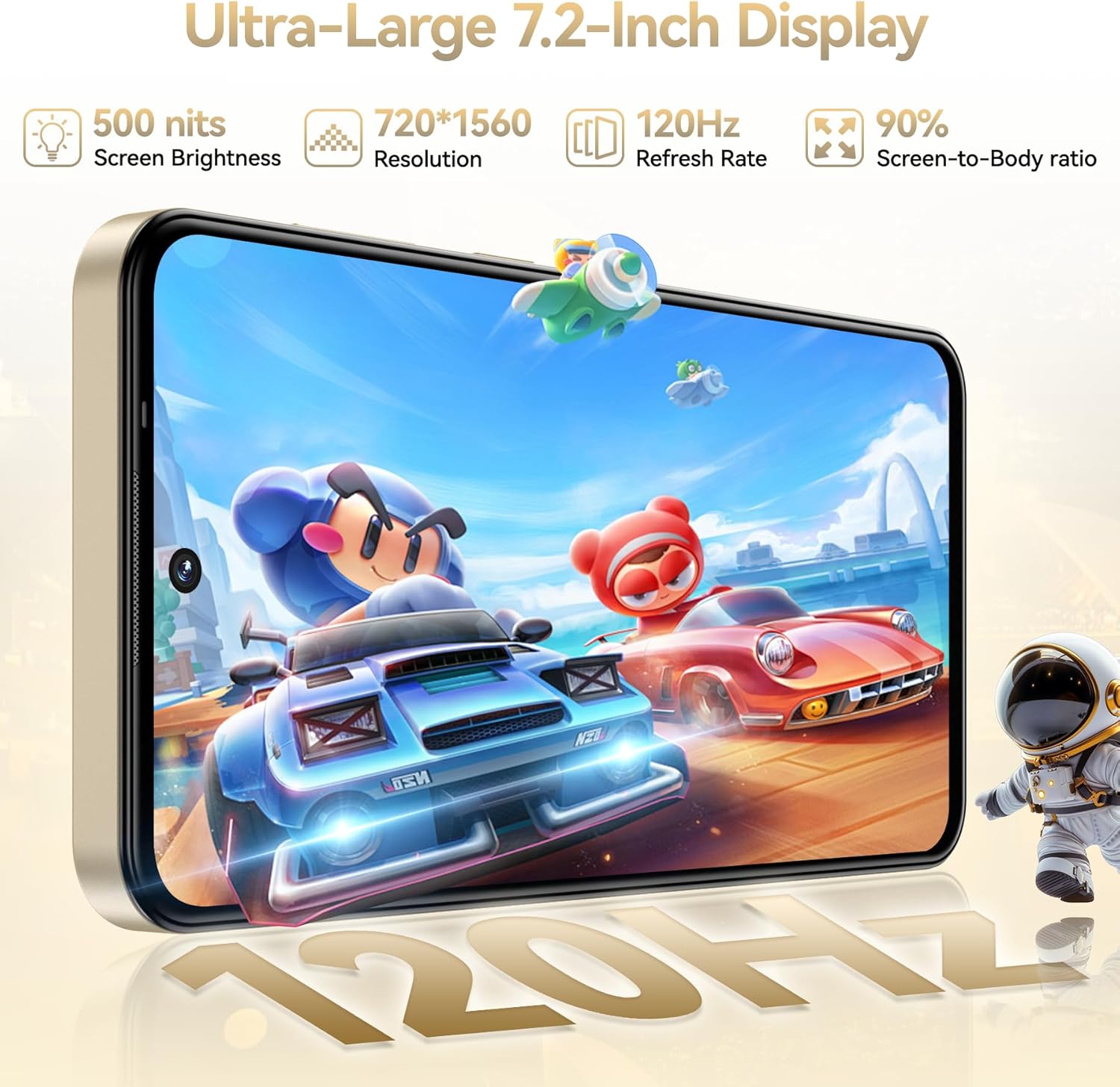
Image: The OUKITEL C69 smartphone displaying a vibrant image, highlighting its 7.2-inch screen and visual quality.
Vídeo: Un overview of the OUKITEL C69's 7.2-inch 120Hz display, demonstrating its smooth operation and visual clarity.
4.3 Ús de la càmera
Capture moments with the 64MP main camera and 8MP front camera. The camera app offers various modes to enhance your photography.
- Càmera principal de 64MP: For high-resolution photos with detailed clarity.
- Càmera frontal de 8MP: Ideal for clear selfies and video calls.
- Modes de càmera: Includes HDR, Panorama, Portrait, Beauty, and AI modes for diverse shooting scenarios.

Image: Visual representation of the OUKITEL C69's 64MP main camera and 8MP front camera, showcasing various photography modes.
Video: A demonstration of the OUKITEL C69's camera capabilities, including taking photos and general phone usage.
4.4 Emmagatzematge i rendiment
The OUKITEL C69 is equipped with a Unisoc T615 octa-core processor, 24GB RAM (8GB physical + 16GB virtual), and 256GB internal storage, expandable up to 1TB via MicroSD card.
- 24 GB de RAM: Enables smooth multitasking and efficient app performance.
- 256 GB de memòria ROM: Proporciona ampespai per a aplicacions, fotos, vídeos i files.
- Emmagatzematge ampliable de 1 TB: Use a MicroSD card to significantly increase storage capacity.
- Unisoc T615 Octa-core Processor: Delivers reliable performance for daily tasks and moderate gaming.
- Android 15: The latest operating system offers enhanced security and a smarter user experience.

Image: Diagram illustrating the OUKITEL C69's 24GB RAM, 256GB ROM, 1TB expansion capability, and Unisoc T615 octa-core processor.

Image: Visual representation of the Android 15 operating system on the OUKITEL C69, highlighting its features and app compatibility.
4.5 Gestió de la bateria
The OUKITEL C69 is powered by a 6000mAh ultra-capacity battery, providing extended usage times.
- Bateria de 6000 mAh: Offers up to 850 hours standby, 40 hours talk time, and 12 hours of gaming.
- Càrrega ràpida de 18 W: Quickly recharges your device.
- Suport OTG: Allows the phone to act as a power bank to charge other devices or transfer data via USB.

Image: Graphic illustrating the OUKITEL C69's 6000mAh battery capacity and estimated usage times for standby, talk, video, and gaming.

Image: Demonstration of the OUKITEL C69's OTG feature, showing it performing reverse charging to another device.
4.6 Connectivitat
Stay connected with various network and wireless options.
- 4G Doble SIM: Supports two Nano-SIM cards for flexible network usage. Compatible with T-Mobile carriers.
- Wi-Fi: Supports 2.4GHz and 5GHz Wi-Fi for fast internet access.
- Bluetooth 5.0: Per connectar accessoris sense fil com ara auriculars i altaveus.
- NFC: Enables quick data transfers and mobile payments.
- GPS: Integrated GPS, GLONASS, Galileo, and BeiDou systems for accurate navigation.
4.7 Funcions de seguretat
Protect your device and data with biometric security options.
- Reconeixement d'empremtes digitals: Unlock your phone quickly and securely using the side-mounted fingerprint sensor.
- Identificació facial: Feu servir el reconeixement facial per desbloquejar-lo còmodament.
5. Manteniment
5.1 Neteja del vostre dispositiu
To keep your OUKITEL C69 in optimal condition:
- Feu servir un drap suau i sense borrissol per netejar la pantalla i la carcassa.
- Eviteu utilitzar productes químics agressius, netejadors abrasius o aerosols.
- Gently clean ports and openings with a dry, soft brush if necessary.
5.2 Actualitzacions de programari
Les actualitzacions periòdiques del programari proporcionen noves funcions, millores de seguretat i correcció d'errors.
- Ensure your device is connected to Wi-Fi and has sufficient battery (at least 50%).
- Vés a Configuració > Sistema > Actualització del sistema.
- Seguiu les instruccions que apareixen a la pantalla per comprovar i instal·lar les actualitzacions disponibles.
5.3 Còpia de seguretat de dades
Regularly back up your important data to prevent loss.
- Google Backup: Enable Google Backup in Configuració> Sistema> Còpia de seguretat to automatically save app data, call history, contacts, device settings, and SMS messages to Google Drive.
- Manual Transfer: Connect your phone to a computer using the USB cable to manually transfer photos, videos, and documents.
6. Solució De Problemes
This section addresses common issues you might encounter with your OUKITEL C69.
El dispositiu no s'encén
- Assegureu-vos que la bateria estigui carregada. Connecteu el carregador i espereu uns minuts abans d'intentar engegar-lo.
- Mantingueu premut el botó d'engegada durant almenys 10-15 segons per forçar un reinici.
Baixa vida de la bateria
- Redueix la brillantor de la pantalla.
- Tanca les aplicacions no utilitzades que s'executen en segon pla.
- Desactiveu el Wi-Fi, el Bluetooth o el GPS quan no els feu servir.
- Comprova l'ús de la bateria a Configuració > Bateria per identificar les aplicacions que consumeixen energia.
Connectivity Issues (Wi-Fi/Bluetooth/4G)
- Toggle Wi-Fi/Bluetooth/Mobile Data off and on.
- Reinicieu el dispositiu.
- Per a la Wi-Fi, oblida't de la xarxa i torna a connectar-te.
- For 4G, ensure your SIM card is properly inserted and your plan is active. Verify carrier compatibility (T-Mobile only).
Device Freezing or Unresponsive
- Force restart the device by holding the Power button for 10-15 seconds.
- If the issue persists, consider performing a factory reset (see below).
Restabliment de fàbrica
Un restabliment de fàbrica esborrarà totes les dades del telèfon i el restaurarà a la configuració original de fàbrica. Ensure you back up all important data before proceeding.
- Vés a Configuració > Sistema > Opcions de restabliment.
- Seleccioneu Esborra totes les dades (restabliment de fàbrica).
- Confirmeu la vostra decisió i introduïu el vostre PIN/patró/contrasenya si se us demana.
- El dispositiu es reiniciarà i començarà el procés de restabliment.
7. Especificacions
Detailed technical specifications for the OUKITEL C69 smartphone.
| Característica | Especificació |
|---|---|
| Nom del model | OUKITEL C69 |
| Sistema operatiu | Android 15 |
| Mida de la pantalla | 7.2 polzades |
| Resolució de visualització | 720 x 1560 |
| Freqüència d'actualització | 120 Hz |
| Brillantor de la pantalla | 500 nits |
| Processador | Unisoc T615 Octa-nucli |
| RAM | 24 GB (8 GB físic + 16 GB virtual) |
| Emmagatzematge intern | ROM de 256 GB |
| Emmagatzematge ampliable | Fins a 1 TB mitjançant targeta MicroSD |
| Càmera principal | 64MP |
| Càmera frontal | 8MP |
| Capacitat de la bateria | 6000 mAh |
| Carregant | 18W Fast Charging, OTG Support |
| Suport de la targeta SIM | Dual Nano-SIM (or Nano-SIM + TF card) |
| Compatibilitat amb operadors sense fil | T-Mobile (GSM: B2/B3/B5/B8, WCDMA: B1/2/4/5/8, TDD: B34/38/39/40/41, FDD: B1/2/3/4/5/7/8/12/17/18/19/20/25/26/28AB/66) |
| Connectivitat | Wi-Fi 2.4/5G, Bluetooth 5.0, NFC |
| Navegació | GPS, GLONASS, Galileo, BeiDou |
| Seguretat | Reconeixement d'empremtes dactilars, identificació facial |
| Dimensions (paquet) | 7.51 x 4.05 x 1.96 polzades |
| Pes de l'article | 1.06 lliures |
8. Garantia i Suport
Informació de la garantia
Your OUKITEL C69 smartphone comes with a standard manufacturer's warranty. Please refer to the warranty card included in your package for specific terms and conditions, including coverage duration and limitations. Keep your proof of purchase for warranty claims.
Atenció al client
For technical assistance, troubleshooting, or warranty inquiries, please contact OUKITEL customer support through their official channels.
- Assistència en línia: Visit the official OUKITEL weblloc web amb preguntes freqüents, recursos d'assistència i formularis de contacte.
- Botiga Amazon: També podeu visitar el OUKITEL Store on Amazon per obtenir informació sobre el producte i opcions de contacte amb el venedor.