1. Informació important de seguretat
Llegiu atentament totes les instruccions de seguretat i funcionament abans d'utilitzar aquest televisor. Conserveu aquestes instruccions per a futures consultes.
1.1 Seguretat elèctrica
- Do not expose the television to rain or moisture to prevent fire or electric shock.
- Assegureu-vos que el cable d'alimentació no estigui danyat ni pinçat.
- Desendolleu el televisor durant tempestes o quan no l'utilitzeu durant períodes prolongats.
- No obriu el televisor casing; demaneu totes les tasques de manteniment a personal qualificat.
1.2 Seguretat general
- Place the television on a stable, level surface or mount it securely to a wall.
- Ensure adequate ventilation around the television; do not block ventilation openings.
- Keep small objects and liquids away from the television to prevent damage or injury.
- Avoid placing the television near heat sources or in direct sunlight.
2. Què hi ha a la caixa
Verify that all components are present upon unpacking your new TCL 43T6C TV.
- 1N LED TV (TCL 43T6C)
- Cable d'àudio 1N
- 1N Stand (for table-top placement)
- Comandament a distància 1N
- 2N AAA Batteries (for remote control)

Image: Contents of the TV box, showing the television, remote control, and batteries.
3. Configuració física
3.1 Col·locació del suport
- Col·loqueu amb cura el televisor cara avall sobre una superfície suau i neta per evitar que es facin malbé la pantalla.
- Alineeu les bases del suport amb les ranures corresponents de la part inferior del televisor.
- Fixeu els suports amb els cargols proporcionats. Assegureu-vos que estiguin ben fixats.
3.2 Muntatge a la paret (opcional)
The TCL 43T6C TV supports VESA standard 200 x 200 mm wall mounts. A wall mount is not included and must be purchased separately. Follow the instructions provided with your specific wall mount kit for safe installation.

Imatge: Part posterior view of the television, highlighting VESA mounting points for wall installation.
3.3 Connexió de dispositius
The TV offers various ports for connecting external devices. Refer to the diagram below for port locations.

Image: Port diagram for the TCL 43T6C TV, detailing USB, LAN, HDMI, Antenna/Cable In, and Digital Audio Out (Optical).
- Ports HDMI (3): Connect Blu-ray players, gaming consoles, set-top boxes, etc. HDMI 3 supports eARC/ARC for enhanced audio return.
- Port USB (1): Connecteu dispositius d'emmagatzematge USB per a la reproducció de contingut multimèdia.
- Entrada d'antena/cable: Connecteu una antena o una presa de televisió per cable.
- Port LAN: Connecteu un cable Ethernet per accedir a Internet per cable.
- AV IN Adapter: Per connectar dispositius antics que utilitzen vídeo compost i àudio estèreo.
- Sortida d'àudio digital (òptica): Connecteu-lo a una barra de so o a un sistema de cinema a casa per a àudio digital.
4. Initial Setup and Smart TV Features
4.1 Engegada i primera configuració
- Connecteu el cable d'alimentació al televisor i a una presa de corrent.
- Premeu el botó d'engegada del comandament a distància o del televisor.
- Segueix les instruccions que apareixen a la pantalla per seleccionar l'idioma i el país i connectar-te a una xarxa Wi-Fi.
- Inicia la sessió amb el teu compte de Google per accedir a les funcions de Google TV i baixar aplicacions.
4.2 Interfície de Google TV
The TCL 43T6C runs on Google TV, providing a personalized content experience. It integrates content from various streaming services and apps into a single, easy-to-navigate interface.

Image: Google TV interface displaying streaming applications and content suggestions.
- Accés a l'aplicació: Easily access popular streaming services like Prime Video, Netflix, Hotstar, Zee5, YouTube, and more.
- Assistent de Google: Feu servir ordres de veu a través del comandament a distància per cercar contingut, controlar dispositius domèstics intel·ligents i obtenir informació.
- Chromecast integrat: Emet contingut des del teu telèfon intel·ligent o tauleta directament al televisor.
- Replica de pantalla: Share your device's screen wirelessly.
5. Control remot
The included remote control provides access to all TV functions and smart features.
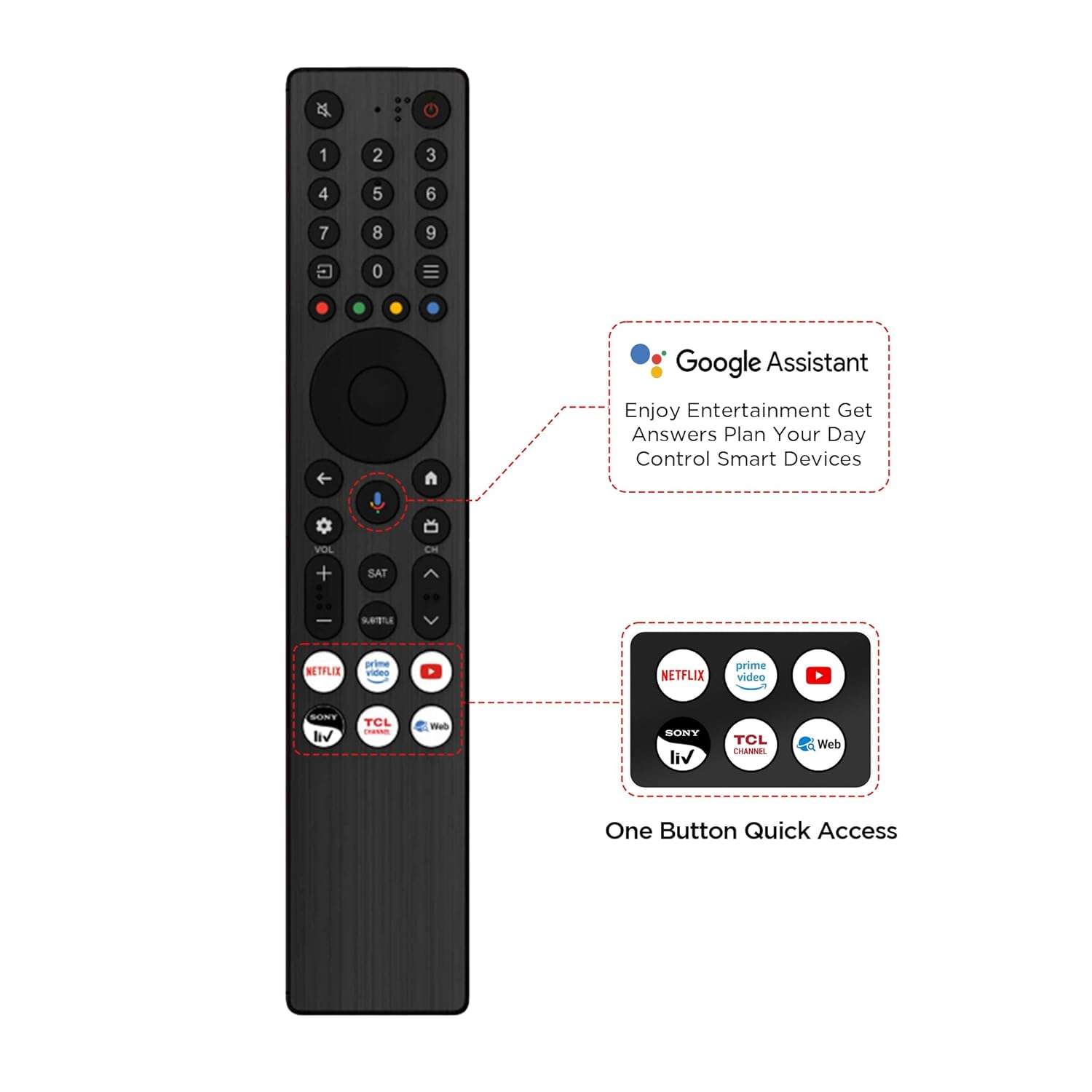
Image: Remote control for the TCL 43T6C, showing dedicated buttons for Google Assistant and popular streaming apps.
- Botó d'encesa: Encén o apaga el televisor.
- Botó de l'Assistent de Google: Activa el control per veu.
- Bloc de navegació: Per a la navegació pel menú.
- Pujar/baixar el volum: Ajusta el volum de l'àudio.
- Canal amunt/avall: Canvia els canals de televisió.
- Botons d'accés ràpid: Botons dedicats per a Netflix, Prime Video, YouTube i altres serveis.
6. Display and Audio Technologies
The TCL 43T6C TV incorporates advanced technologies for an enhanced viewexperiència i escolta.

Image: Key features of the TCL 43T6C TV, such as QLED, HVA Panel, AiPQ Processor, HDR10+, and Dolby Vision Atmos.
6.1 QLED Display
Quantum Dot Light Emitting Diode (QLED) technology delivers over a billion hues of vivid color, providing a wider color gamut and improved brightness compared to traditional LED TVs.
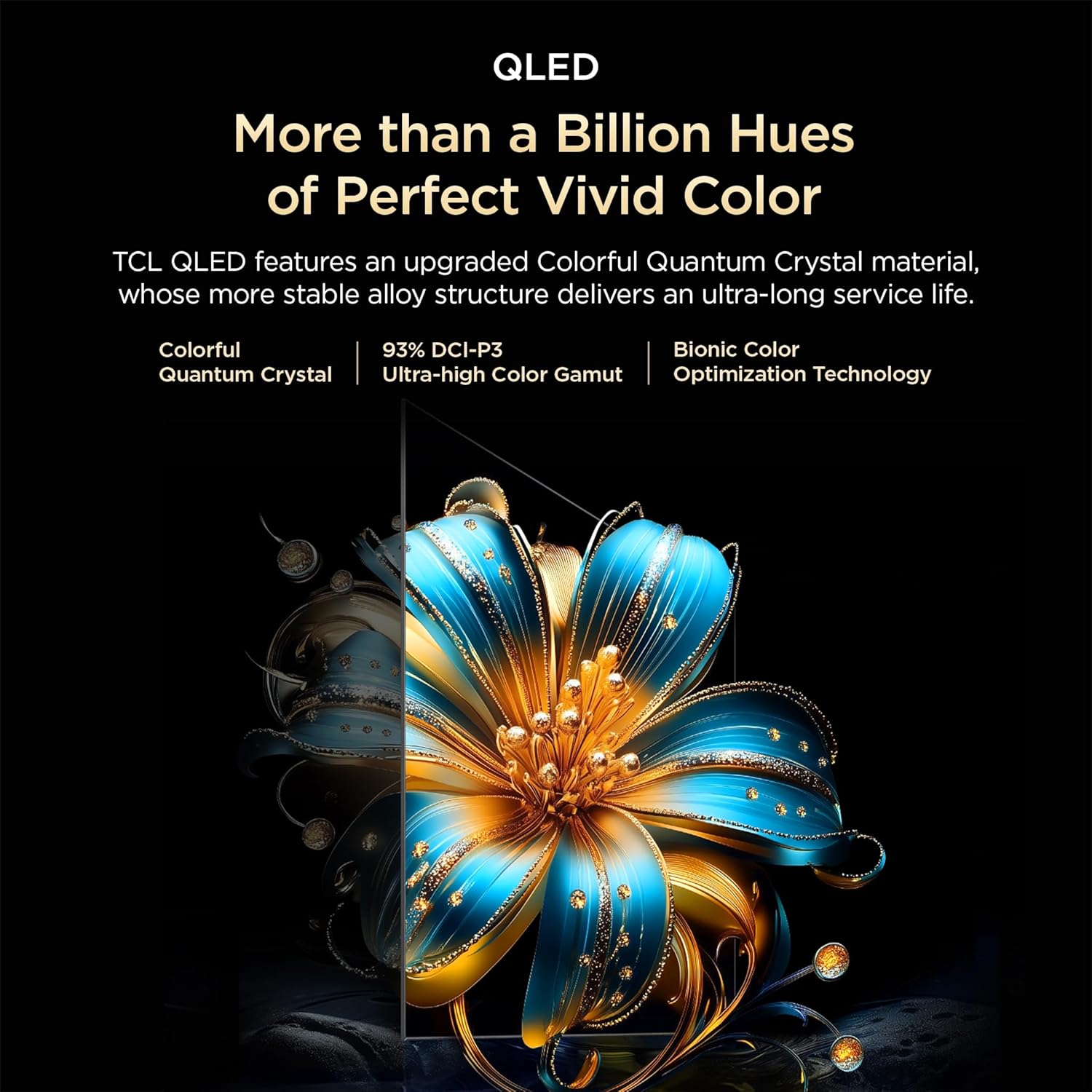
Image: Explanation of QLED technology, highlighting vibrant colors and Quantum Crystal material.
6.2 HVA Panel
The HVA (High Viewing Angle) panel offers higher contrast and more detailed images, ensuring consistent picture quality from various viewing positions. It features 3x contrast enhancement and a 178-degree wide viewangle de ing.

Image: Visual representation of HVA Panel technology, showing enhanced contrast and wider viewangles d'ajust.
6.3 HDR10+ and Dolby Vision
High Dynamic Range (HDR) technologies like HDR10+ and Dolby Vision provide superior contrast, brightness, and color accuracy, revealing more details in both bright and dark scenes.

Image: HDR10+ demonstration, showing enhanced detail in a high-contrast scene.
6.4 AiPQ Processor
TCL's AiPQ Processor utilizes AI algorithms to optimize picture and sound quality in real-time. It enhances clarity, color, contrast, and HDR performance.

Image: Visual of the AiPQ Processor, representing its intelligent image and sound optimization capabilities.
- Ai-Clarity: Recognizes and enhances image details.
- Ai-Color: Optimizes color vibrancy and accuracy.
- Ai-Contrast: Adjusts contrast for different visual scenarios.
- Ai-HDR: Intelligently decodes multiple HDR formats.

Image: Demonstrations of Ai-Clarity, Ai-Colour, Ai-Contrast, and Ai-HDR features.
6.5 Dynamic Color Enhancement
This feature automatically optimizes color vibrancy, making scenes appear more lifelike and engaging.

Image: Dynamic Color Enhancement in action, showing optimized color vibrancy.
Àudio Dolby Atmos 6.6
Experience immersive, three-dimensional sound that flows around you, enhancing movies, music, and games.

Image: Dolby Atmos audio experience, illustrating immersive sound.
6.7 Game Master & 120Hz Game Accelerator
Game Master optimizes settings for gaming, reducing input lag and enhancing responsiveness. The 120Hz Game Accelerator provides a higher refresh rate and super low latency for smoother gameplay.

Image: Game Master feature, illustrating an optimized gaming experience.

Image: 120Hz Game Accelerator, demonstrating reduced latency for gaming.
6.8 Multiple Eye Care
The TV includes features designed to protect eye health during extended viewing, such as flicker-free display and low blue light modes.
7. Manteniment i cura
7.1 Neteja de la pantalla
- Apagueu el televisor i desconnecteu-lo de la presa de corrent.
- Netegeu suaument la pantalla amb un drap suau i sense pelusa.
- Per a marques difícils, esbandiu lleugeramentampNetegeu el drap amb aigua o un netejador de pantalles especialitzat (no ruixeu directament sobre la pantalla).
- Eviteu utilitzar productes químics agressius, abrasius o netejadors amb base d'alcohol.
7.2 Neteja de l'armari
- Netegeu el moble del televisor amb un drap suau i sec.
- Do not use liquid or spray cleaners directly on the cabinet.
8. Solució De Problemes
Si teniu problemes amb el televisor, consulteu els problemes i solucions més comuns següents.
| Problema | Possible solució |
|---|---|
| Sense poder | Check if the power cord is securely plugged into the TV and the power outlet. Ensure the outlet is working. |
| No hi ha imatge, però hi ha so | Verifiqueu que s'ha seleccionat la font d'entrada correcta. Comproveu les connexions dels cables als dispositius externs. |
| No hi ha so, però hi ha imatge | Check volume levels and mute settings. Ensure external audio devices are properly connected and powered on. |
| El comandament a distància no funciona | Canvieu les piles. Assegureu-vos que no hi hagi cap obstacle entre el comandament a distància i el sensor d'infrarojos del televisor. |
| Problemes de connexió Wi-Fi | Reinicieu el router i el televisor. Assegureu-vos que el televisor estigui dins de l'abast de la vostra xarxa Wi-Fi. |
| Problemes de qualitat d'imatge (per exemple, borrosa, distorsionada) | Comproveu la resolució de la font. Ajusteu la configuració de la imatge (brillantor, contrast, nitidesa). Assegureu-vos que els cables estiguin connectats correctament. |
If the problem persists after trying these solutions, please contact TCL customer support.
9. Especificacions tècniques
Detailed specifications for the TCL 43T6C 4K UHD Smart QLED Google TV.
| Característica | Especificació |
|---|---|
| Mida de la pantalla | 43 polzades (108 cm) |
| Tecnologia de visualització | QLED |
| Resolució | 4K UHD (3840 x 2160) |
| Freqüència d'actualització | 60 Hz (MEMC 60 Hz) |
| Sistema operatiu | Google TV |
| Processador | 64-bit Quad Core Processor (AiPQ Processor) |
| RAM | 2 GB |
| ROM | 16 GB |
| Sortida d'àudio | 24 Watts (Dolby Atmos) |
| Ports HDMI | 3 (1 with eARC/ARC) |
| Ports USB | 1 |
| Connectivitat sense fil | Wi-Fi 5, Bluetooth 5.0 |
| Viewangle ing | 178 graus |
| Suport HDR | HDR10+, Dolby Vision |
| Dimensions (amb suport) | 18.5P x 95.7A x 60.3H centímetres |
| Pes (amb suport) | 5.6 quilos |
| Estàndard de muntatge VESA | 200 x 200 mm |
| Consum anual d'energia | 140 kWh/Year (2 Star Rating) |

Image: Dimensional diagram of the TCL 43T6C TV, showing measurements and weight.

Image: Energy rating label for the TCL 43T6C TV.
10. Garantia i Suport
10.1 Informació de la garantia
This TCL 43T6C TV comes with a 2 any de garantia del fabricant from the date of purchase. The remote control has a 6 mesos de garantiaLes reclamacions de garantia es poden processar mitjançant la factura electrònica d'Amazon.
10.2 Atenció al client
For assistance, warranty claims, or service requests, please contact TCL customer support:
- Números gratuïts: 180-0102-0622 / 180-0419-0622
- Correu electrònic: indiasupport@tcl.com
When contacting support, please provide the product's model name (43T6C) and seller's details as mentioned on your invoice.
11. Product Highlights Video
Watch this short video for a quick overview of the TCL 43T6C TV's key features and technologies.
Vídeo: Un breu resumview highlighting the QLED display, AiPQ processor, Google TV features, Dynamic Color Enhancement, Dolby Atmos, and HDR10+ capabilities of the TCL 43T6C TV.