1. Introducció
Thank you for choosing the Thomson Go Plus Pro 4K UHD Smart Display. This 27-inch intelligent touchscreen device combines innovative mobile design with high-performance technology, offering an exceptional experience for streaming, working, and video calls. This manual provides essential information for the safe and efficient use of your new smart display.
Key features include a responsive 4K UHD (3840 x 2160) touchscreen, Dolby Audio with an integrated subwoofer, Android operating system, Google Assistant voice control, Google Cast, Wi-Fi 6, Bluetooth 5.2, a 5MP camera, and a 9000 mAh battery for up to 4 hours of autonomy. Its adjustable stand with five wheels allows for effortless movement and 360-degree rotation.
2. Informació de seguretat
Please read all safety instructions before using the device. Keep this manual for future reference.
- Font d'alimentació: Feu servir només l'adaptador de corrent proporcionat. Assegureu-vos que el volumtage compleix els requisits especificats al dispositiu.
- Col·locació: Place the device on a stable, level surface. Avoid direct sunlight, heat sources, and areas with high humidity or dust.
- Ventilació: No bloquegeu les obertures de ventilació. Assegureu-vos que hi hagi un flux d'aire adequat al voltant del dispositiu per evitar el sobreescalfament.
- Aigua i humitat: Do not expose the device to rain, moisture, or liquids. Do not place objects filled with liquids, such as vases, on or near the device.
- Neteja: Desconnecteu l'alimentació abans de netejar. Feu servir un drap suau i sec. No utilitzeu netejadors líquids ni en aerosol.
- Bateria: The device contains a Lithium-ion battery. Do not attempt to replace the battery yourself. Refer to qualified service personnel for battery replacement.
- Nens: Mantingueu el dispositiu i els seus accessoris fora de l'abast dels nens.
- Manteniment: No intenteu reparar el dispositiu vosaltres mateixos. Consulteu tots els serveis a personal de servei qualificat.
3. Contingut del paquet
Verifiqueu que tots els elements siguin presents al paquet:
- Thomson Go Plus Pro 4K UHD Smart Display
- Portable Stand with Wheels
- Control remot
- Cable d'alimentació
- Manual d'usuari (aquest document)
4. Producte acabatview
4.1 Components i característiques
- 27-inch 4K UHD Touchscreen: High-resolution (3840 x 2160) display with touch functionality.
- Sistema operatiu Android: Access to Google Play Store, streaming apps, and personalized recommendations.
- Integrated Subwoofer & Dolby Audio: Rich, immersive sound experience (20W Basses + 20W Mediums).
- 5MP Built-in Camera: For video calls and conferences.
- Bateria de 9000 mAh: Provides up to 4 hours of wireless operation.
- Portable Stand with 5 Wheels: Allows for easy movement and 360-degree rotation.
- Assistent de Google: Voice control for content search and device operation.
- Google Cast & Hotspot: Share content from your smartphone or tablet.
- Connectivitat: Wi-Fi 6 and Bluetooth 5.2 for fast and stable wireless connections.
- Emmagatzematge i RAM: 64 GB internal storage and 8 GB RAM for smooth performance.
4.2 Device Layout and Ports
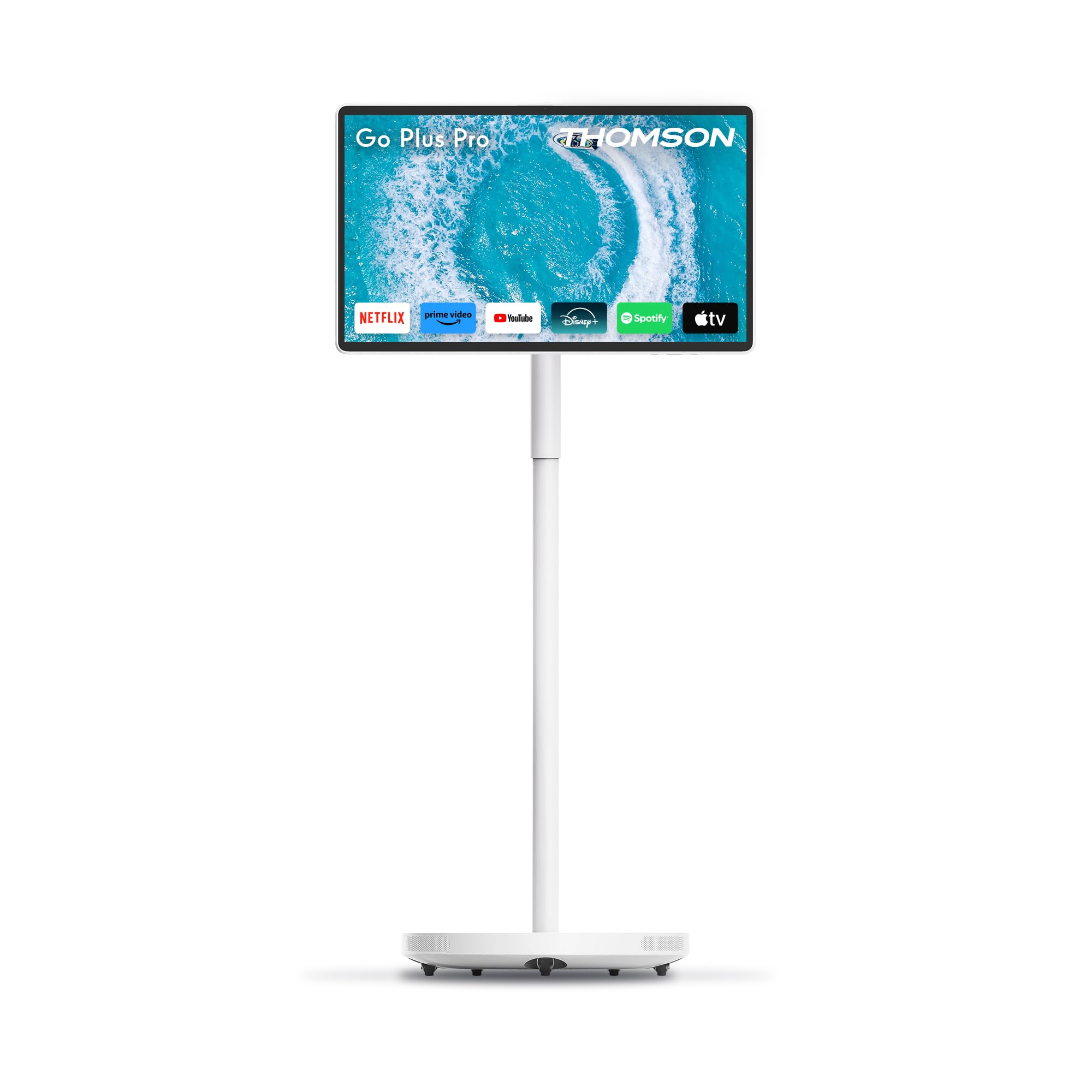
Figura 4.2.1: Frontal view of the Thomson Go Plus Pro 4K UHD Smart Display.

Figura 4.2.2: posterior view mostrant els ports de connectivitat.
The rear of the display features the following ports:
- 1 HDMI 2.0: For connecting external video sources.
- 1 USB 3.0: For connecting USB devices like external storage or peripherals.
- 1x Type-C: Per a opcions de connectivitat addicionals.
- DC IN: Power input for the provided power adapter.

Figure 4.2.3: Base with five integrated wheels for mobility.

Figure 4.2.4: Built-in 5MP camera for video communication.
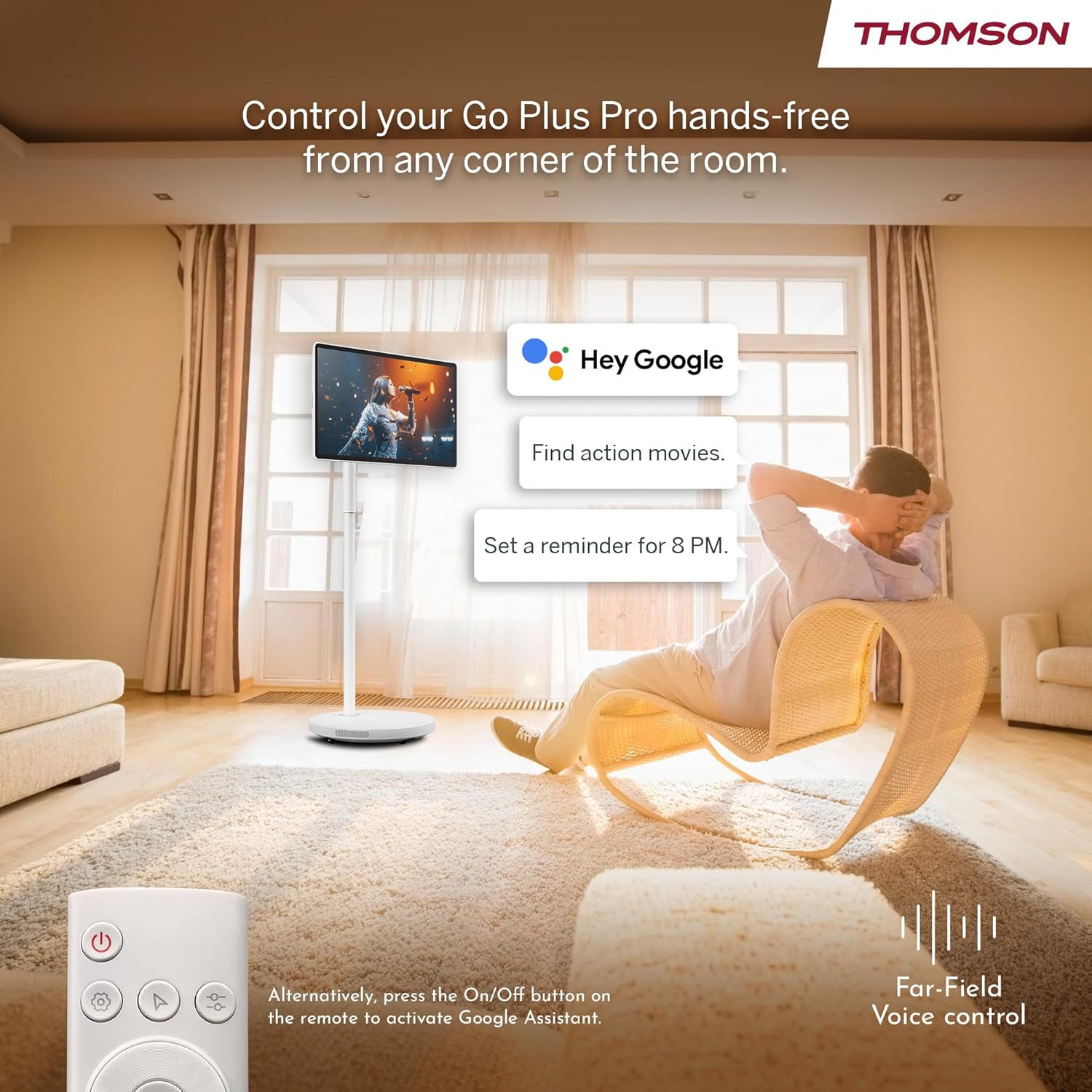
Figure 4.2.5: Location of the integrated subwoofer.
5. Configuració
5.1 Muntatge
The Thomson Go Plus Pro comes with a pre-assembled stand. No complex assembly is required. Simply ensure the display is securely attached to the stand and the base is stable on a flat surface.
5.2 Connexió d'alimentació
- Connect the power cable to the DC IN port on the back of the display.
- Connecteu l'altre extrem del cable d'alimentació a una presa de corrent adequada.
5.3 Initial Power On and Android Setup
- Press the Power button on the display or the remote control to turn on the device.
- Follow the on-screen instructions to complete the initial Android setup. This typically includes:
- Selecció de la llengua.
- Connexió a una xarxa Wi-Fi (compatible amb Wi-Fi 6).
- Inici de sessió amb el vostre compte de Google.
- Acceptació dels termes i condicions.
- Once setup is complete, you will be presented with the Android home screen.
6. Instruccions de funcionament
6.1 Encès/Apagat
- Per encendre: Press the Power button on the display or the remote control.
- Per apagar: Press and hold the Power button on the remote control, then select 'Power Off' from the on-screen menu. A short press will put the device into standby mode.
6.2 Funcionament de la pantalla tàctil
The 27-inch display is fully touch-enabled. Interact with the interface by tapping, swiping, and pinching as you would on a tablet or smartphone.

Figure 6.2.1: Touchscreen interaction.
6.3 Control per veu (Assistent de Google)
Your device integrates Google Assistant for hands-free control.
- Activar: Say "Hey Google" or "Ok Google" to activate the voice assistant. Alternatively, press the dedicated Google Assistant button on your remote control.
- Ordres: Use voice commands to search for content, launch applications, control playback, set reminders, and more.

Figure 6.3.1: Hands-free voice control with Google Assistant.
6.4 Streaming and Applications
Access a wide range of entertainment through the Android operating system.
- Google Play Store: Download and install your favorite streaming services (Netflix, Prime Video, Disney+, YouTube, Spotify, etc.) and other applications.
- Navegació: Use the touchscreen or remote control to navigate the Android interface and launch apps.

Figure 6.4.1: Android interface with popular streaming applications.
6.5 Casting and Hotspot
- Google Cast: Wirelessly cast content (photos, videos, music) from your compatible smartphone or tablet directly to the Go Plus Pro display.
- Punt d'accés: Utilize the device's hotspot functionality to share its internet connection with other devices.
6.6 Videotrucades
The integrated 5MP camera allows for convenient video calls.
- Launch your preferred video calling application (e.g., Google Meet, Zoom) from the Google Play Store.
- Assegureu-vos que teniu una connexió estable a Internet.
Figure 6.6.1: Using the built-in camera for video calls.
6.7 Screen Adjustment and Portability
The display offers flexibility in positioning and movement.
- Rotació i inclinació: The screen can be rotated 360 degrees and tilted to achieve the optimal viewangle de ing.
- Mobilitat: The five integrated wheels on the base allow you to easily move the Go Plus Pro between rooms.

Figure 6.7.1: Screen rotation and tilt functionality.

Figure 6.7.2: Portability of the smart display.
6.8 Gestió de la bateria
The built-in 9000 mAh battery provides up to 4 hours of autonomy.
- Càrrega: Connect the power cable to charge the battery. The battery indicator on the screen will show the charging status.
- Durada de la bateria: Actual battery life may vary depending on usage, screen brightness, and connected devices.

Figure 6.8.1: Enjoying content with battery power.
6.9 Control remot
El comandament a distància inclòs permet un funcionament còmode des de la distància.
- Navegació: Use the directional pad and selection buttons to navigate the interface.
- Assistent de veu: Press the dedicated button to activate Google Assistant.
- Potència: Enceneu o apagueu el dispositiu.

Figure 6.9.1: Convenient remote control storage.
7. Manteniment
7.1 Neteja de la pantalla
- Desconnecteu sempre el dispositiu abans de netejar-lo.
- Feu servir un drap suau i sense borrissol per netejar suaument la pantalla i les superfícies exteriors.
- Per a marques difícils, lleugerament dampNetegeu el drap amb aigua o una solució de neteja segura per a pantalles (no ruixeu directament sobre la pantalla).
- Avoid using abrasive cleaners, solvents, or alcohol-based products.
7.2 Cura de la bateria
- Per allargar la durada de la bateria, eviteu descarregar-la completament amb freqüència.
- Store the device in a cool, dry place if not used for extended periods.
8. Solució De Problemes
If you encounter issues with your Thomson Go Plus Pro, refer to the following common solutions:
| Problema | Causa possible | Solució |
|---|---|---|
| El dispositiu no s'encén. | No power, low battery. | Ensure the power cable is securely connected and plugged into a working outlet. Charge the battery if operating wirelessly. |
| No hi ha connexió Wi-Fi. | Router issue, incorrect password, out of range. | Check your Wi-Fi router. Re-enter the Wi-Fi password. Move the device closer to the router. |
| El comandament a distància no funciona. | Low battery, obstruction, pairing issue. | Replace remote control batteries. Ensure no obstructions between remote and device. Re-pair the remote if necessary (refer to Android settings). |
| Mala qualitat d'imatge. | Low resolution content, network speed. | Ensure you are streaming 4K content. Check your internet connection speed. Some apps may only support FHD quality. |
| Sense so. | Volume too low, muted, external audio device connected. | Increase volume. Check if muted. Disconnect any external Bluetooth audio devices if sound is desired from the internal speakers. |
Si el problema persisteix, poseu-vos en contacte amb l'atenció al client.
9. Especificacions
The following table details the technical specifications of the Thomson Go Plus Pro 4K UHD Smart Display:
| Característica | Especificació |
|---|---|
| Marca | Thomson |
| Número de model | 27UE7M45 |
| Mida de la pantalla | 27 polzades (69 cm) |
| Tecnologia de visualització | LED |
| Resolució | 4K UHD (3840 x 2160p) |
| Freqüència d'actualització | 120 Hz |
| Sistema operatiu | Android |
| Connectivitat | Bluetooth 5.2, Wi-Fi 6, USB, HDMI |
| Ports | 1x HDMI 2.0, 1x USB 3.0, 1x Type-C, DC IN |
| Característiques especials | Browser, Disney+, Netflix, Prime Video, Google Assistant, Google Cast, Hotspot, Built-in Camera, Built-in Subwoofer |
| Càmera | 5MP |
| Tipus de bateria | Ió de liti (9000 mAh) |
| Durada de la bateria | Fins a 4 hores |
| Emmagatzematge intern | 64 GB |
| RAM | 8 GB |
| Processador | Quad-Core |
| Relació d'aspecte | 16:9 |
| Dimensions del producte (PxWxH) | 5.8 x 62.8 x 37.6 cm (Display only) |
| Color | Blanc |
| Fabricant | CORREUVIEW GMBH |
| País d'origen | Xina |

Figure 9.1: 4K UHD Resolution Detail.

Figure 9.2: Energy Label for Model 27UE7M45. For more details, visit Base de dades EPREL.
10. Garantia i Suport
Your Thomson Go Plus Pro 4K UHD Smart Display comes with a manufacturer's warranty.
- Garantia del fabricant: 3 anys.
- Fabricant: CORREUVIEW GMBH
- Weblloc: www.streamview.com
- Adreça de correu electrònic: contacte@streamview.com
- Telèfon: +4318900066
For detailed warranty terms and conditions, please refer to the documentation provided with your purchase or contact the manufacturer directly.


