1. Introducció
The AVATTO Zigbee/Thread PoE Dongle (Model GW90-POE-Ti) is a versatile Zigbee 3.0 gateway designed for seamless integration with smart home platforms like Home Assistant and Zigbee2MQTT. This device offers flexible connectivity options including Ethernet (with Power over Ethernet support), Wi-Fi, and USB, powered by an ESP32 and CC2652P SoC. This manual provides essential information for setting up, operating, and maintaining your dongle.
2. Contingut del paquet
Si us plau, verifiqueu que tots els elements que s'enumeren a continuació estiguin inclosos al vostre paquet:
- AVATTO Zigbee/Thread PoE Dongle
- Two (2) Antennas
- Cable USB
- Suport de muntatge
- Cargols i taps de paret
- Manual d'usuari

Image: Contents of the AVATTO Zigbee/Thread PoE Dongle package, including the dongle, antennas, USB cable, mounting hardware, and user manual.
3. Producte acabatview i Característiques
3.1 Components bàsics
The dongle is equipped with an ESP32 V3 Dual-Core 240 MHz processor and 16 MB Flash memory, paired with a CC2652P/CC2652P7 SoC for robust Zigbee and Thread communication.

Imatge: Detallada view of the dongle's internal components, highlighting the ESP32 and CC2652P chips, 5dBi antenna gain, adjustable antennas, PoE and Type-C power options, and firmware flashing capability.
3.2 Antenna and Signal
The device features two adjustable antennas with a 5dBi gain, enhancing signal strength by approximately 3.16 times. These antennas can be rotated 360 degrees or adjusted to a 90-degree angle for optimal signal coverage and stable wireless connectivity.

Image: The AVATTO dongle showing its adjustable antennas, Type-C port, RJ45 Gigabit Ethernet port with PoE support, and options for network mode selection (Ethernet, Wi-Fi, USB).
3.3 Multiple Network Connection Modes
The dongle supports various network connection methods to suit your setup:
- Connexió Ethernet (font d'alimentació PoE): Connect a network cable for a stable and reliable network signal. If your router or switch supports PoE, the device can be powered directly through the Ethernet cable. Otherwise, a separate PoE power supply module is required.
- Connexió Wi-Fi: The device can establish a stable Wi-Fi network, allowing flexible placement anywhere in your home.
- Connexió USB: Connect directly to a Home Assistant Box using the provided USB cable.
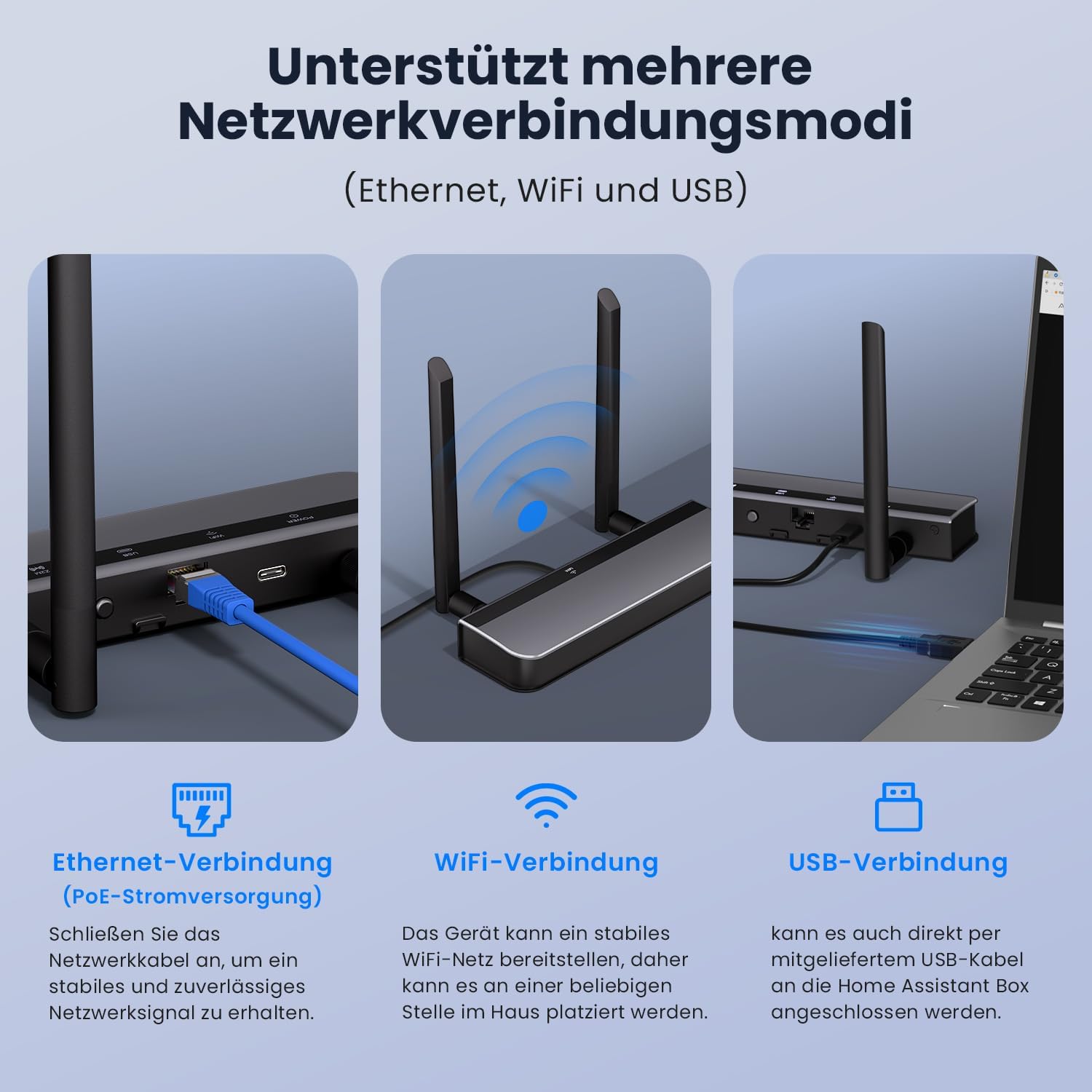
Image: Visual representation of the three supported network connection modes: Ethernet (with PoE), Wi-Fi, and USB, demonstrating how to connect the dongle in each scenario.
3.4 Opcions d'alimentació
The dongle can be powered via Power over Ethernet (PoE) through its RJ45 port or directly via a Type-C USB connection. If PoE is not supported by your network equipment, use the Type-C port for power.
3.5 Compatibilitat
This gateway is compatible with a wide range of Zigbee devices and integrates seamlessly with Home Assistant (ZHA), Zigbee2MQTT, and iobroker. It supports various Home Assistant setups including Home Assistant Green/Yellow, Raspberry Pi, AVATTO HA70, and AVATTO HA80.
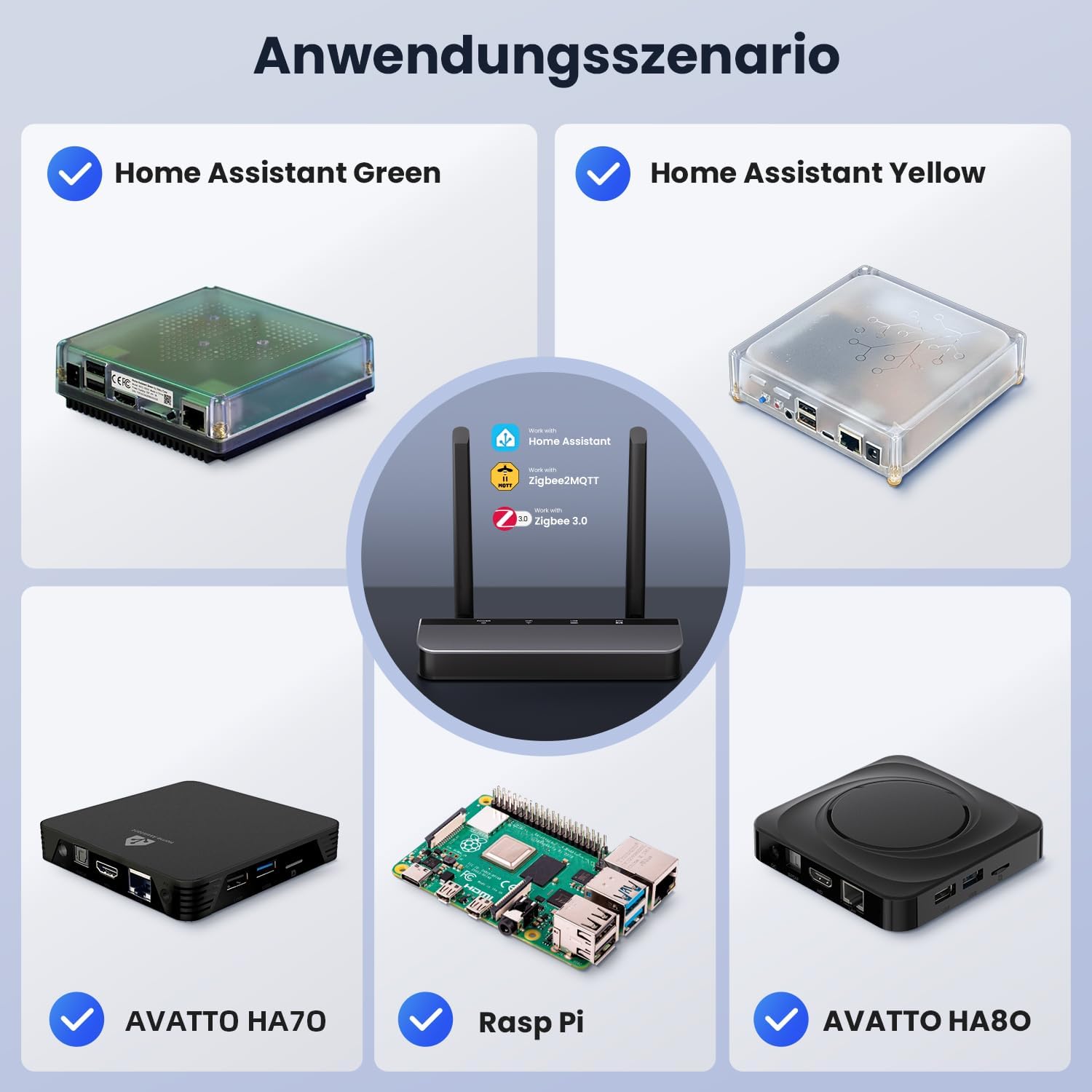
Image: Diagram illustrating various application scenarios, showing the AVATTO dongle connected to Home Assistant Green, Home Assistant Yellow, AVATTO HA70, Raspberry Pi, and AVATTO HA80, highlighting its compatibility with Home Assistant, Zigbee2MQTT, and Zigbee 3.0.
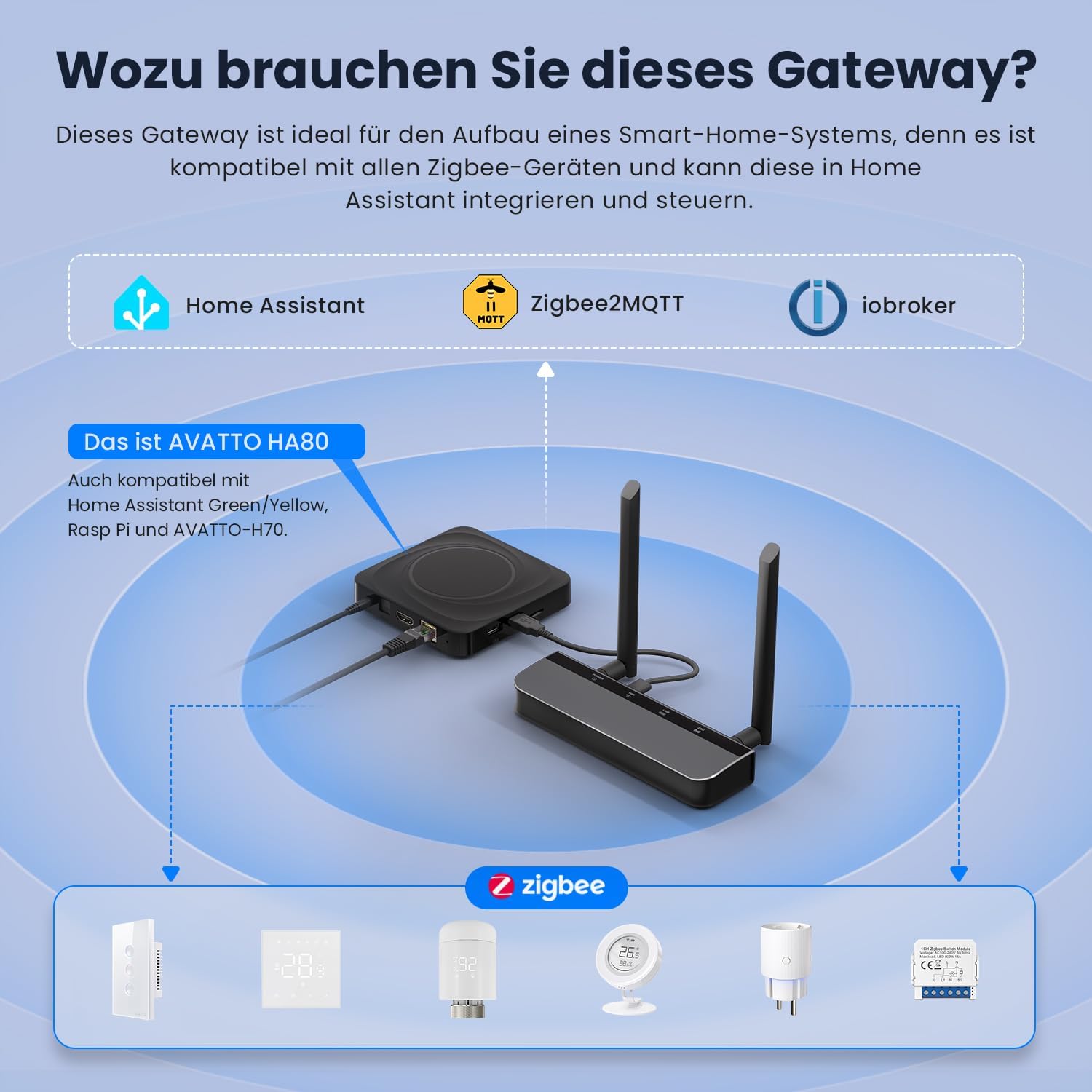
Image: An illustration demonstrating the AVATTO gateway's role in a smart home system, connecting to Home Assistant, Zigbee2MQTT, and iobroker, and controlling various Zigbee devices.
4. Instruccions de configuració
4.1 Connexió física
- Col·loca les antenes: Screw the two provided antennas onto the connectors on the dongle. Ensure they are securely fastened.
- Trieu la font d'alimentació:
- PoE: If using Power over Ethernet, connect an Ethernet cable from a PoE-enabled router or switch to the dongle's RJ45 port.
- Tipus C: If PoE is not available, connect a Type-C USB cable to the dongle's Type-C port and to a suitable power adapter (not included).
- Choose Data Connection:
- Ethernet: Connect an Ethernet cable from your network to the dongle's RJ45 port.
- Wi-Fi: The device will broadcast a Wi-Fi signal for initial setup.
- USB: Connect the provided USB cable from the dongle to your Home Assistant host device.
4.2 Configuració inicial
After physical connection, the dongle can be configured via its web interface. Refer to the device's documentation or the AVATTO website for specific instructions on accessing the web interface and selecting your preferred network mode (Ethernet, Wi-Fi, or USB).
For further resources and detailed guides, visit www.avattosmart.com.
5. Instruccions de funcionament
5.1 Integrating with Home Assistant / Zigbee2MQTT
Once the dongle is powered and connected to your network, it can be integrated into your smart home system:
- Assistent a domicili (ZHA): Follow the official Home Assistant documentation for adding a new Zigbee coordinator via the ZHA integration. The dongle should be automatically detected or can be manually added.
- Zigbee2MQTT: Configure Zigbee2MQTT to use the dongle as its coordinator. Ensure the correct serial port path or network address is specified in the Zigbee2MQTT configuration file.
5.2 actualitzacions de microprogramari
Firmware updates are performed directly through the device's web interface. Regularly check for updates to ensure optimal performance and access to new features. Consult the AVATTO website for the latest firmware versions and update procedures.
6. Manteniment
- Col·locació: Ensure the dongle is placed in a well-ventilated area to prevent overheating. Avoid placing it near large metal objects that could interfere with wireless signals.
- Font d'alimentació: Use a stable and appropriate power supply (PoE or Type-C) to prevent operational issues.
- Firmware: Periodically check for and apply firmware updates to maintain security and functionality.
- Neteja: Use a soft, dry cloth to clean the device. Do not use liquid cleaners.
7. Solució De Problemes
- El dispositiu no respon: Check all power and network connections. Ensure the power source is active and the cables are securely plugged in.
- Sense connexió de xarxa: Verify your Ethernet cable is functional or that your Wi-Fi credentials are correctly entered in the device's configuration. If using PoE, confirm your network equipment supports it.
- Zigbee Devices Not Pairing: Ensure the dongle is in pairing mode and within range of your Zigbee devices. Check for any interference from other wireless devices.
- Problemes d'actualització del firmware: Ensure a stable internet connection during firmware updates. Do not power off the device during the update process.
For more detailed troubleshooting guides and support, please visit the official AVATTO weblloc a www.avattosmart.com.
8. Especificacions
| Marca | AVATTO |
| Número de model | GW90-POE-Ti |
| ASIN | B0GMF3LCM3 |
| Color | Negre |
| Velocitat de transferència de dades | 100 MHz |
| CPU | ESP32 V3 Dual-Core 240 MHz |
| Memòria Flash | 16 MB |
| Zigbee/Thread SoC | CC2652P/CC2652P7 |
| Guany de l'antena | 5dBi |
| Connectivitat | Ethernet (PoE), Wi-Fi, USB |
| Font d'alimentació | PoE, Type-C |
9. Garantia i Suport
Warranty information for the AVATTO Zigbee/Thread PoE Dongle (Model GW90-POE-Ti) is not provided in this manual. For details regarding warranty terms and conditions, please refer to the product packaging or contact AVATTO customer support directly.
For technical support, frequently asked questions, and additional resources, please visit the official AVATTO weblloc:


