1. Introducció
This manual provides essential information for the safe and efficient operation of your HP DesignJet Z6 44-inch Large Format Plotter Printer. Please read this manual thoroughly before using the printer to ensure proper setup, usage, and maintenance. Retain this manual for future reference.
The HP DesignJet Z6 is a professional-grade large-format printer designed for high-quality output of CAD drawings, GIS maps, posters, banners, and photographic prints. It features a 6-color pigment ink system and supports various media types up to 44 inches wide.

Imatge 1.1: Frontal view of the HP DesignJet Z6 44-inch Large Format Plotter Printer, showcasing its robust design and integrated media basket.
2. Informació de seguretat
Observeu sempre les següents precaucions de seguretat per evitar lesions o danys a la impressora:
- Ensure the printer is placed on a stable, level surface capable of supporting its weight.
- Connect the printer to a grounded power outlet. Do not use extension cords or adapters that are not rated for the printer's power requirements.
- Mantingueu les mans i la roba solta allunyades de les peces mòbils durant el funcionament.
- Do not attempt to open or service internal components unless specifically instructed by this manual or authorized service personnel.
- Feu servir només cartutxos de tinta i suports HP originals per garantir un rendiment òptim i evitar danys.
- Mantingueu la impressora allunyada de l'aigua o d'una humitat excessiva.
- Desendolleu la impressora de la presa de corrent abans de netejar-la o fer-ne cap manteniment.
3. Configuració
3.1 Desembalatge i col·locació
Carefully remove the printer from its packaging. Retain all packaging materials for potential future transport. Place the printer in its intended location, ensuring adequate space around it for ventilation and access for media loading and maintenance.
3.2 Connexió d'alimentació
Connect the power cord to the printer's power inlet and then to a grounded electrical outlet. Do not power on the printer until all initial setup steps are complete.
3.3 Instal·lació inicial del cartutx de tinta
- Obriu la porta d'accés als cartutxos de tinta.
- Unpack each ink cartridge.
- Insert each cartridge into its corresponding color-coded slot until it clicks into place.
- Tanqueu la porta d'accés als cartutxos de tinta.
3.4 Media Loading (Rolls)
The DesignJet Z6 supports dual rolls for continuous printing. Follow these steps to load a media roll:
- Ensure the media basket is in the open position.
- Obriu la coberta del rotlle.
- Insert the media roll onto the spindle, ensuring the media feeds from the top.
- Slide the spindle with the media roll into the designated roll slot (Roll 1 or Roll 2).
- Feed the leading edge of the media into the printer until it is detected.
- Tanqueu la coberta del rotlle.
- The printer will automatically align and trim the media.

Image 3.1: A user loading a media roll onto the spindle, preparing it for insertion into the printer.

Image 3.2: A user adjusting the media roll after insertion, ensuring proper alignment within the printer's roll feeder.
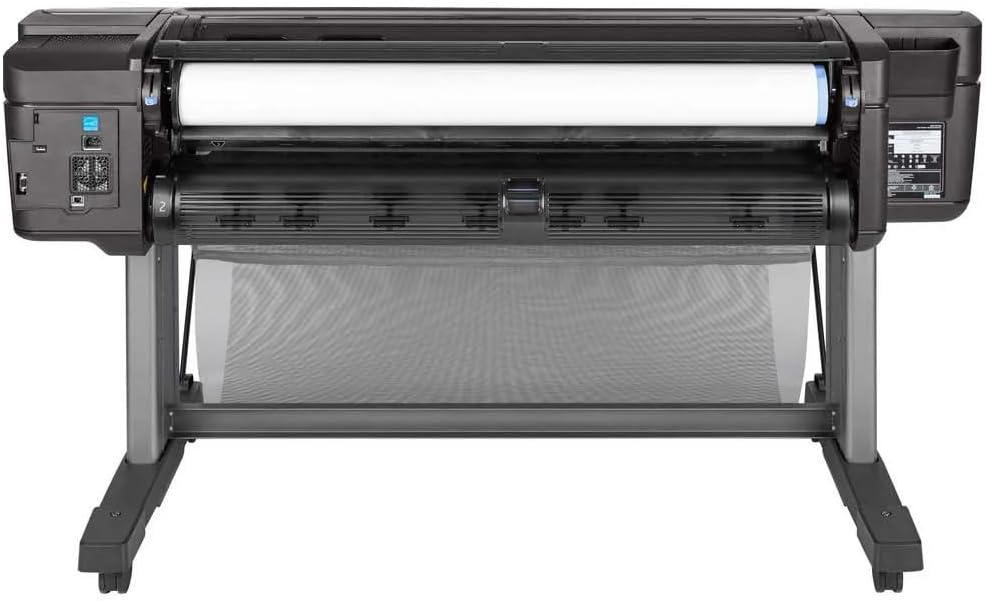
Imatge 3.3: De dalt a baix view of the printer's media loading bay, illustrating the dual roll capacity and feed mechanism.
3.5 Connexió de xarxa i USB
The printer supports Gigabit Ethernet and USB connectivity. Connect the appropriate cable to the printer and your network or computer. For network setup, follow the on-screen prompts on the printer's control panel to configure network settings (IP address, etc.).
3.6 Instal·lació del controlador
Install the latest printer drivers from the official HP weblloc (www.hp.com/support/designjetZ6) on your computer. Follow the on-screen instructions provided by the installer.
4. Funcionament de la impressora
4.1 Tauler de control acabatview
The printer features an intuitive touchscreen control panel. Use it to navigate menus, check printer status, manage print jobs, and configure settings.
4.2 Imprimir un document
- Assegureu-vos que la impressora estigui engegada i connectada a l'ordinador o a la xarxa.
- Obriu el document que voleu imprimir a l'ordinador.
- Seleccioneu File > Imprimeix (o l'ordre equivalent a la vostra aplicació).
- Choose the HP DesignJet Z6 printer from the list of available printers.
- Adjust print settings such as paper size, media type, print quality, and color options in the printer driver properties.
- Feu clic Imprimeix.
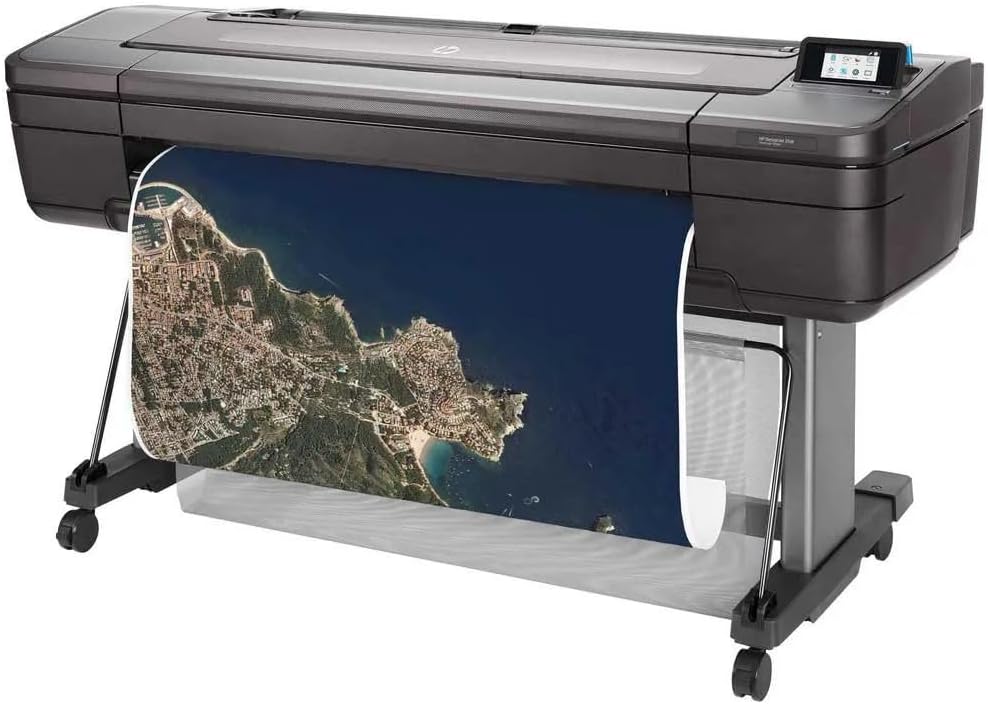
Image 4.1: The HP DesignJet Z6 printer in operation, producing a detailed large-format map print.

Image 4.2: The printer with its media output basket extended, ready to collect finished prints.
4.3 Media Handling
The printer automatically detects the loaded media type and size. Ensure the correct media profile is selected in the print driver for optimal results. The dual-roll system allows for automatic switching between rolls when one runs out or a different media type is required.
5. Manteniment
Regular maintenance ensures consistent print quality and extends the life of your printer.
5.1 Substitució del cartutx de tinta
When an ink cartridge is low or empty, the printer's control panel will display a notification. To replace:
- Obriu la porta d'accés als cartutxos de tinta.
- Premeu el cartutx buit per alliberar-lo i, a continuació, estireu-lo cap a fora.
- Unpack a new genuine HP ink cartridge.
- Introduïu el cartutx nou a la ranura correcta fins que sentiu un clic.
- Tanqueu la porta d'accés.
5.2 Manteniment del capçal d'impressió
The printer performs automatic printhead maintenance. If print quality issues arise (e.g., streaks, missing lines), you can initiate a printhead cleaning or alignment cycle from the control panel's maintenance menu.
5.3 Procediments de neteja
- Exterior: Netegeu les superfícies exteriors amb un damp, drap sense borrissol. No utilitzeu productes de neteja abrasius ni dissolvents.
- Media Path: Periodically inspect the media path for dust or debris. Refer to the printer's control panel or online support for specific instructions on cleaning the media path if necessary.
5.4 actualitzacions de microprogramari
Regularly check for and install firmware updates from the HP website. Firmware updates can improve performance, add features, and resolve issues.
6. Solució De Problemes
Aquesta secció tracta els problemes habituals que podeu trobar. Per obtenir una resolució de problemes més detallada, consulteu el servei d'assistència d'HP. weblloc.
6.1 Problemes de qualitat d'impressió
- Streaks or Faded Colors: Check ink levels. Perform a printhead cleaning cycle from the control panel. Ensure the correct media type is selected in the print driver.
- Colors incorrectes: Verify color settings in the print driver. Ensure you are using genuine HP ink cartridges.
- Grainy Prints: Select a higher print quality setting in the print driver. Use appropriate media for high-resolution printing.
6.2 Problemes de connectivitat
- Impressora no detectada: Check all cable connections (USB or Ethernet). Restart the printer and your computer/network device. Verify network settings on the printer's control panel.
- Print Jobs Not Sending: Ensure printer drivers are correctly installed and updated. Check the print queue for stalled jobs.
6.3 Media Handling Errors
- Embussos de paper: Follow the on-screen instructions on the control panel to clear any jammed media. Always pull jammed media in the direction of the paper path to avoid damage.
- Media Not Loading: Ensure the roll is correctly seated on the spindle and inserted into the printer. Check that the leading edge is fed properly.
7. Especificacions
| Característica | Especificació |
|---|---|
| Nom del model | HP DesignJet Z6 |
| Número de model de l'article | T8W16A#B1K |
| Tecnologia d'impressió | Inkjet (6-color pigment ink) |
| Resolució d'impressió màxima | 2400 x 1200 ppp optimitzat |
| Mida màxima del suport | 44 polzades |
| Connectivitat | Gigabit Ethernet, USB |
| Colors de tinta | Cyan, Magenta, Yellow, Black (plus additional colors for 6-color system) |
| Disc dur | 500GB self-encrypting |
| Tipus de suports compatibles | Glossy photo paper, plain paper, various large-format technical documents |
| Dimensions del producte | 71 x 39.3 x 27.4 polzades (1803 x 998 x 695 mm) |
| Característiques especials | Energy Star certified, PostScript 3, native PDF support, dual-roll support |
8. Garantia i assistència
8.1 Informació de la garantia
This product is a Certified Amazon Renewed Product and comes with the Amazon Renewed Guarantee. For specific warranty terms and conditions, please refer to the documentation provided with your purchase or visit the Amazon Renewed program details page.
For new products, HP typically offers a limited warranty. Please refer to the official HP website or your product documentation for the most current warranty information.
8.2 Suport tècnic
Per obtenir assistència tècnica, descàrregues de controladors i recursos addicionals per a la resolució de problemes, visiteu el lloc web oficial de suport d'HP. weblloc:
- HP DesignJet Z6 Support Page
- You may also find helpful information on the Amazon Renewed support pages for renewed products.
When contacting support, have your printer's model number (Z6) and serial number ready. The serial number is typically located on a label on the back or side of the printer.