
NIIMBOT D11H
NIIMBOT D11H Label Maker Instruction Manual
Model: D11H
Introducció
Thank you for choosing the NIIMBOT D11H Label Maker. This portable thermal label printer is designed for efficient and clear label printing for various organizational needs in home, office, and small business environments. This manual provides detailed instructions for setup, operation, and maintenance to ensure optimal performance of your device.

Image: A user operating the NIIMBOT D11H label maker with a smartphone, demonstrating its compact size and app-based functionality. The image highlights the device's portability and ease of use for creating various labels.
Què hi ha a la caixa
Si us plau, comproveu el contingut del paquet en desempaquetar-lo:
- NIIMBOT D11H Label Maker
- 3 Rolls of Label Tapes (14x30mm clear, 14x40mm white, 12x40mm green)
- Extra 6 Rolls of Mixed Label Paper (White 0.47" x 1.57", Clear 0.47" x 4.29", 0.55" x 1.18")
- Cable de càrrega USB (tipus C)
- Manual d'usuari (aquest document)

Image: A collection of NIIMBOT label rolls in different sizes and colors, illustrating the variety of labels included with the D11H label maker.
Producte acabatview
The NIIMBOT D11H is a compact, portable thermal label printer. It features a 300 DPI print resolution for clear text and graphics, a 1500mAh battery, and a Type-C USB port for charging. It connects via Bluetooth to your mobile device for label design and printing.

Image: A visual comparison between the NIIMBOT D11 and D11H models, highlighting the D11H's improved specifications such as 1500mAh battery, 300dpi resolution, Type-C USB, and 50mm/s printing speed.
Configuració
1. Càrrega del dispositiu
Before first use, fully charge the label maker. Connect the provided USB Type-C cable to the charging port on the device and to a standard USB power adapter (not included).
- El llum indicador de càrrega mostrarà l'estat de càrrega.
- Una càrrega completa sol trigar aproximadament 2-3 hores.
2. Installing Label Rolls
- Open the label compartment cover by sliding it open or pressing the release button (refer to device diagram if available).
- Insert the label roll with the printing surface facing upwards, ensuring the labels feed smoothly into the printer mechanism.
- Tanqueu fermament la tapa del compartiment fins que encaixi al seu lloc.
- Ensure a small portion of the label tape extends out of the printer's output slot.
3. Descàrrega d'aplicacions i connexió Bluetooth
- Descarrega l'aplicació: Cerca "NIIMBOT" or "NIIM" in your mobile app store (iOS App Store or Google Play Store) and download the official application.
- Turn On the Label Maker: Manteniu premut el botó d'engegada fins que s'encén la llum indicadora.
- Activa el Bluetooth: Assegureu-vos que el Bluetooth estigui habilitat al vostre dispositiu mòbil.
- Connecta't mitjançant l'aplicació: Open the NIIMBOT app. The app will automatically search for nearby NIIMBOT devices. Select your D11H from the list to pair. Note: Do not pair directly through your phone's Bluetooth settings; connect only via the NIIMBOT app.
- Un cop connectat, l'aplicació mostrarà l'estat del dispositiu.
Instruccions de funcionament
1. Encendre/apagar
- Encès: Press and hold the power button for approximately 2 seconds. The indicator light will illuminate.
- Apagar: Premeu i manteniu premut el botó d'engegada durant aproximadament 2 segons fins que l'indicador lluminós s'apagui.
2. Creació i edició d'etiquetes
Use the NIIMBOT app to design your labels:
- Open the NIIMBOT app and ensure your D11H is connected.
- Select a template or create a new label from scratch.
- The app offers various features including text, symbols, logos, barcodes, QR codes, images, and time stamps.
- Customize font, size, alignment, and other label properties.
- The D11H supports automatic calibration, meaning the first label will not be wasted during printing.

Image: An illustration showing the NIIMBOT D11H's self-calibration feature, which automatically rewinds the first label to prevent waste, ensuring efficient use of label paper.
3. Impressió d'etiquetes
- After designing your label in the app, tap the "Print" button.
- Confirm the number of copies and other print settings.
- The label maker will print the labels. The D11H prints at a speed of 50mm/s.
- Esquinça l'etiqueta impresa per la vora dentada.
Note: This label maker produces monochrome printouts, meaning it only prints in black text.

Imatge: Un primer pla view of the NIIMBOT D11H printing a label, emphasizing its 300 dpi high-resolution thermal printing capability for clear and sharp text.
Manteniment
1. Neteja del capçal d'impressió
- Assegureu-vos que el dispositiu estigui apagat abans de netejar-lo.
- Obriu el compartiment de l'etiqueta.
- Netegeu suaument el capçal d'impressió amb un bastonet de cotóampamb alcohol isopropílic.
- Allow the print head to dry completely before closing the cover and powering on the device.
2. Emmagatzematge
- Guardeu l'etiquetadora en un lloc fresc i sec, allunyat de la llum solar directa i de temperatures extremes.
- Remove label rolls if the device will not be used for an extended period.
Resolució de problemes
| Problema | Causa possible | Solució |
|---|---|---|
| El dispositiu no s'encén | Bateria baixa; Mal funcionament del dispositiu | Charge the device; Contact customer support if issue persists. |
| No es pot connectar mitjançant Bluetooth | Bluetooth not enabled; Incorrect pairing method; App issue | Ensure Bluetooth is on; Connect via NIIMBOT app only; Restart app and device. |
| Poca qualitat d'impressió | Dirty print head; Incorrect label orientation; Low battery | Clean the print head; Reinstall label roll correctly; Charge the device. |
| Labels not feeding | Label roll incorrectly installed; Empty roll; Jammed mechanism | Reinstall label roll; Replace with new roll; Check for obstructions. |
| First label wasted | Automatic calibration not functioning | Ensure the app and firmware are updated. The D11H model is designed to prevent this. |
Especificacions
- Model: NIIMBOT D11H
- Resolució d'impressió: 300 DPI
- Tecnologia d'impressió: Impressió tèrmica
- Connectivitat: Bluetooth
- Capacitat de la bateria: 1500 mAh
- Port de càrrega: USB tipus C
- Velocitat d'impressió: 50 mm/s
- Sistema operatiu compatible: iOS, Android (via NIIMBOT App)
- Color d'impressió: Monochrome (Black text only)
- Calibració automàtica: Supported (no first label waste)
Aplicacions
The NIIMBOT D11H label maker is suitable for a wide range of labeling tasks:
- Organització de la llar: Labeling kitchen containers, storage boxes, pantry items.
- Ús d'oficina: Organitzant files, folders, stationery, cables.
- Petita empresa: Product labeling, price tags, inventory management, jewelry labels.
- Ús personal: Labeling cosmetics, medicine, gifts, school supplies.

Image: Demonstrates various uses of the NIIMBOT D11H labels, including organizing kitchen items, setting reminders for medication, and labeling office supplies.
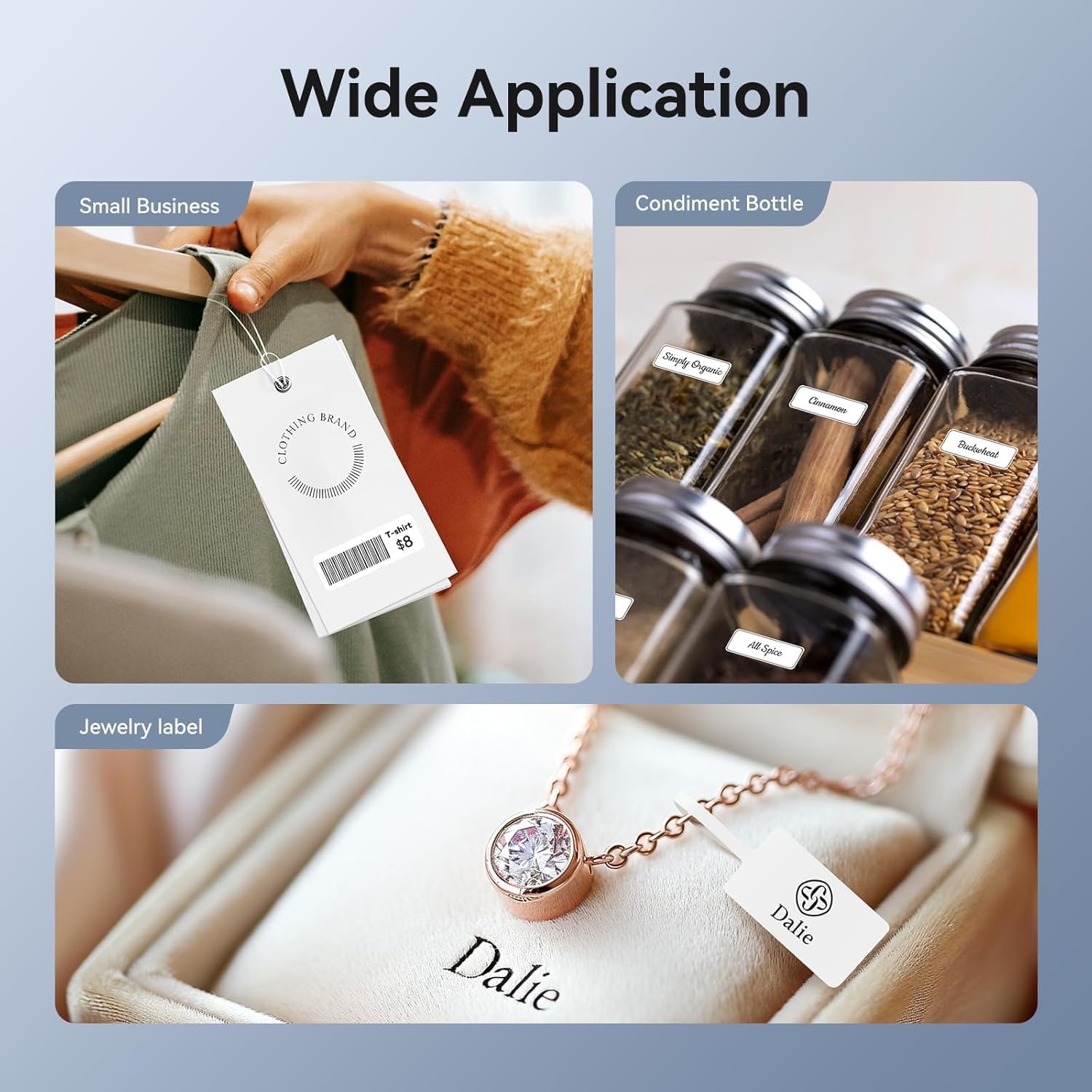
Image: Shows the versatility of the NIIMBOT D11H for small business applications, such as creating price tags for clothing, labeling condiment bottles, and making elegant jewelry labels.

Imatge: Una mostra de collageasing diverse labeling applications for the NIIMBOT D11H, covering kitchen organization, office filing, cosmetic storage, gift personalization, stationery identification, and medicine management.
Garantia i Suport
NIIMBOT products typically come with a standard manufacturer's warranty. Please refer to the warranty card included in your package or visit the official NIIMBOT weblloc web per conèixer els termes i condicions específiques de la garantia.
For technical support, troubleshooting assistance, or warranty claims, please contact NIIMBOT customer service through their official website or the contact information provided in your product packaging. When contacting support, please have your product model (D11H) and purchase details ready.
Ask a question about this manual
Ask about setup, troubleshooting, compatibility, parts, safety, or missing instructions. Manuals+ will review the question and use this page’s manual context to help answer it.