📘 Manuals E-LINTER • PDF gratuïts en línia
Logotip d'E-LINTER

Manuals i guies d'usuari d'E-LINTER

E-LINTER specializes in industrial IoT solutions for renewable energy, providing advanced data loggers and Wi-Fi gateways for photovoltaic monitoring.

Consell: incloeu el número de model complet imprès a l'etiqueta E-LINTER per obtenir la millor coincidència.

Sobre els manuals d'E-LINTER a Manuals.plus

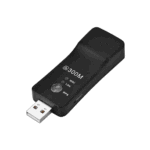
E-LINTER is a professional technology provider focused on the research, development, and manufacturing of industrial IoT (Internet of Things) solutions, specifically within the renewable energy sector. The company offers a range of communication devices, including the Magpie and Goldfinch series of Wi-Fi sticks and Ethernet data loggers. These products are designed to interface seamlessly with photovoltaic inverters and energy storage systems, enabling real-time data collection and remote management.

Committed to connecting "things to things" and "people to things," E-LINTER provides robust hardware and software platforms that facilitate smart energy management. Their solutions allow users to monitor power generation, configure device parameters locally or remotely via smartphone apps, and ensure the safe and efficient operation of solar energy installations globally.

Manuals d'E-LINTER

Manuals més recents de manuals+ seleccionat per a aquesta marca.

Manual d'usuari de E-LINTER V220605-R Ethernet i WiFi Stick

8 de juliol de 2023
E-LINTER V220605-R E-Link Ethernet i WiFi Historial de revisions Data Autor Versió Descripció 2022/06/05 BW V220605 Versió inicial Breu introducció Goldfinch és una passarel·la Ethernet + Wi-Fi. Aquest manual descriu el...

Manual d'usuari del dispositiu Wi-Fi E-LINTER EESW-D204

4 d'abril de 2023
Manual d'usuari de l'estic Wi-Fi E-LINTER EESW-D204 Historial de revisions Data Autor Versió Descripció 16/09/2022 Sunyuan V220916 Versió inicial Breu introducció Magpie és una passarel·la Wi-Fi. Aquest manual descriu l'ús de...

Manual d'usuari de E-LINTER EESW-BU05 WiFi Stick

1 d'abril de 2023
Manual d'usuari del dispositiu Wi-Fi EESW-BU05 V220117R Historial de revisions Data Editor Versió Descripció 17/1/2022 Miki V220117R Primer llançament Breu introducció Magpie és una passarel·la Wi-Fi. Aquest manual descriu l'ús de...

Manual d'usuari del dispositiu Wi-Fi E-LINTER

Manual d'usuari
Manual d'usuari per a l'stick Wi-Fi E-LINTER (EESW-D204), que detalla la instal·lació, la connexió de xarxa, els indicadors LED, la resolució de problemes i la informació de contacte.

Manual d'usuari de l'E-LINTER Wi-Fi Stick (EESW-BU05)

manual d'usuari
Manual d'usuari per a l'E-LINTER Wi-Fi Stick (EESW-BU05), que proporciona instruccions sobre la instal·lació, el funcionament, les indicacions LED, la resolució de problemes i la informació de contacte. Inclou les característiques, el contingut del paquet i les declaracions de compliment de la FCC.

E-LINTER support FAQ

Preguntes freqüents sobre manuals, registre i assistència per a aquesta marca.

  • How do I connect my E-LINTER Wi-Fi stick to the network?

    You can configure the network connection using the designated mobile app (such as PV Pro or Power View ES). Ensure your router's DHCP function is enabled and follow the in-app instructions to pair the device via Bluetooth or Wi-Fi.

  • What do the LED lights on the E-LINTER data logger indicate?

    Generally, the Red LED indicates communication with the inverter/device, while the Green LED indicates communication with the cloud server. Solid lights usually mean normal operation, while flashing patterns may indicate data transmission or connection errors.

  • Where can I download the app for E-LINTER devices?

    The compatible apps, such as 'PV Pro' or 'Power View ES', can be downloaded from the Apple App Store (iOS) or Google Play Store (Android). QR codes for direct download are often found on the device label or in the user manual.

  • How do I reset or troubleshoot a connection failure?

    Check that the device is securely connected to the inverter and powered on. Ensure your router has internet access and that the signal strength is sufficient. If the LEDs indicate a failure, try reconnecting via the app or contact support if the issue persists.