RYSJM Manuals & User Guides
RYSJM specializes in automotive electronics, offering advanced car Head-Up Displays (HUDs), OBD2 smart meters, and universal motorcycle digital speedometers.
About RYSJM manuals on Manuals.plus
RYSJM Car and Motorcycle Electronics
RYSJM is a dedicated provider of aftermarket automotive and motorcycle electronics designed to enhance driving safety and vehicle monitoring. Their product lineup heavily features advanced Head-Up Displays (HUDs) equipped with both OBD2 and GPS dual systems. These devices allow drivers to monitor essential data such as speed, RPM, water temperature, and battery voltage on their windshield without taking their eyes off the road.
In addition to digital car dash accessories and smart diagnostic scanners, RYSJM manufactures universal LCD digital speedometers and instrument panels for motorcycles. Built with clear multi-color displays, adaptive brightness, and plug-and-play OBD2 interfaces, RYSJM electronics provide drivers and riders with an affordable and modern upgrade to their vehicle's dashboard diagnostics and real-time tracking abilities.
RYSJM manuals
Manuals més recents de manuals+ seleccionat per a aquesta marca.
RYSJM G22 Car GPS Head Up Display Digital Speedometer User Manual
RYSJM M24 Car Head Up Display User Manual
RYSJM M7 Car HUD Speed Water Temp Instruction Manual
RYSJM G3 Car Head Up Display GPS Smart Car HUD User Manual
RYSJM Miwings RPM Auto Universal Speedometer Instructions
RYSJM P26 OBD Smart Gauge Display LCD Dual System User Manual
RYSJM Motorcycle LED Meter User Manual
RYSJM A520 Car Head up Display Instruction Manual
RYSJM 85mm GPS Speedometer Instruction Manual
D1006E 52mm Tachometer Owner's Manual
G20 GPS Speedometer User Manual
RYSJM 52mm Car Air Pressure Gauge Wiring Guide
RYSJM Digital LCD Gauge Series Installation Instructions
RYSJM M2S Head Up Display (HUD) Installation and Overview
RYSJM 52mm Electrical Gauge Installation Instructions
RYSJM OBD2 Head Up Display M4 User Manual
Installation Instructions for 5-601-3 Boost/Vacuum Gauge
8401 Digital LCD Speed Gauge Installation Instructions
BL0204-611F1-RED Digital Fuel Level Gauge Installation Guide
RYSJM C7 OBD Head-up Display User Manual
RYSJM StepMaster(E) 52mm/60mm Gauge User Manual
RYSJM manuals from online retailers
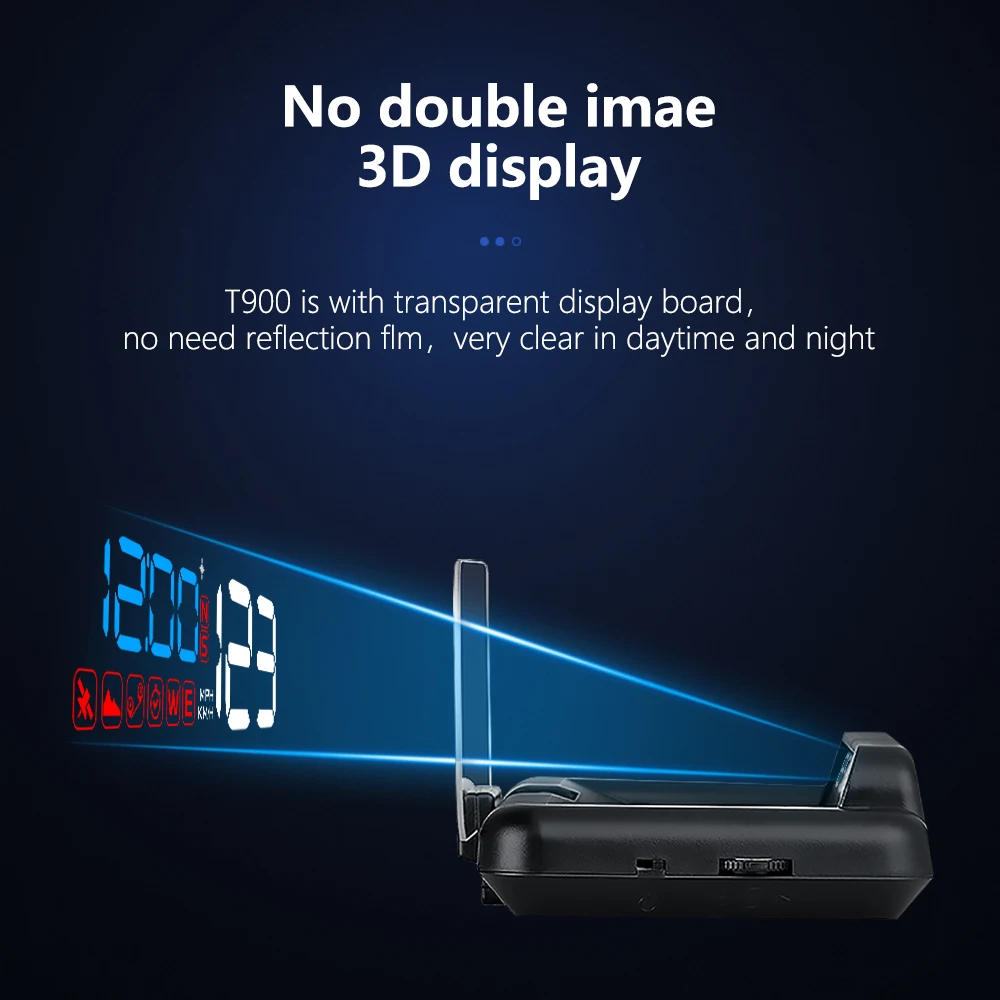
RYSJM T900 Car HUD Head-Up Display User Manual
RYSJM CH0085 Car Warning Alarm Air Horn User Manual
RYSJM 85MM GPS Speedometer Gauge User Manual
Motorcycle LED Digital Speedometer Odometer Gauge for Suzuki GN125 User Manual
RYSJM X100 Solar Car HUD GPS Head-up Display User Manual
RYSJM 110mm Tachometer with LCD Hour Meter User Manual
RYSJM 4-in-1 Multifunction Gauge Instruction Manual
Wireless Bluetooth Media Button Remote Controller User Manual
RYSJM Universal LCD Motorcycle Digital Dashboard Instruction Manual
RYSJM OBD Head Up Display Multi-function HUD Meter User Manual
Universal Motorcycle Digital Speedometer and Instrument Cluster User Manual
RYSJM W2 GPS HUD Head Up Display Universal Car Speedometer User Manual
RYSJM video guides
Mireu vídeos de configuració, instal·lació i resolució de problemes d'aquesta marca.
RYSJM M22 GPS HUD Head-Up Display for Cars - Speed, Time & Compass Projection
RYSJM B3 OBD/G3 GPS Car Head-Up Display: Real-time Driving Data & Easy Installation
RYSJM Universal Motorcycle LCD Digital Speedometer Odometer Tachometer Gauge
RYSJM Digital Motorcycle Instrument Panel: Speedometer, Tachometer & Fuel Gauge Display
RYSJM P10 OBD2 Smart Meter Digital HUD Head Up Display for Vehicle Diagnostics
RYSJM C1 Car Head-Up Display (HUD) with Navigation and OBD2 Data Demonstration
RYSJM P10 Pro OBD2 Head Up Display Unboxing and Feature Demonstration
RYSJM G10 GPS Head-Up Display for Cars: Speedometer, Compass & Driving Data
RYSJM P16 Car OBD Smart Digital Meter HUD Display with TFT Screen
RYSJM A900 OBD2 Car Head-Up Display Demonstration: Speed, RPM, Gear Projection
RYSJM G21 Car Head Up Display: GPS HUD Digital Speedometer for Enhanced Driving Safety
RYSJM Universal Motorcycle Digital Speedometer Dashboard Feature Demo
RYSJM support FAQ
Preguntes freqüents sobre manuals, registre i assistència per a aquesta marca.
-
How do I switch my RYSJM HUD between OBD and GPS modes?
Within 5 seconds after powering on the device, short-press the select button to choose between the OBD or GPS system. If no selection is made, it will default to the last used system.
-
How do I adjust the speed on my RYSJM HUD if it doesn't match the dashboard?
Enter the settings menu by long-pressing the 'M' button, navigate to the speed calibration setting (usually Item 1), and fine-tune the parameter value to offset the difference.
-
Why does my RYSJM Head-Up Display turn off repeatedly while driving?
This usually happens if the vehicle's voltage reading is too low for the device threshold. Try adjusting the shutdown voltage in the settings menu (often Item 10 or 11) to 13.0V or 12.8V, or switch to a direct USB connection instead of OBD2.
-
Will the RYSJM OBD2 HUD work on my hybrid vehicle?
Yes, but you may need to adjust the settings. Enter the system settings, locate the Vehicle Type Selection, and change the parameter from 0 (gasoline) to 1 to support hybrid or auto start-stop systems so the device does not falsely detect a vehicle shutdown at red lights.