1. Producte acabatview
The Gigastone 64GB Classic Capless USB 2.0 Flash Drive is a portable storage device designed for convenient data transfer and storage. Its durable, lightweight, and capless design protects the USB connector when not in use, making it an ideal solution for storing and transferring documents, photos, videos, and music.
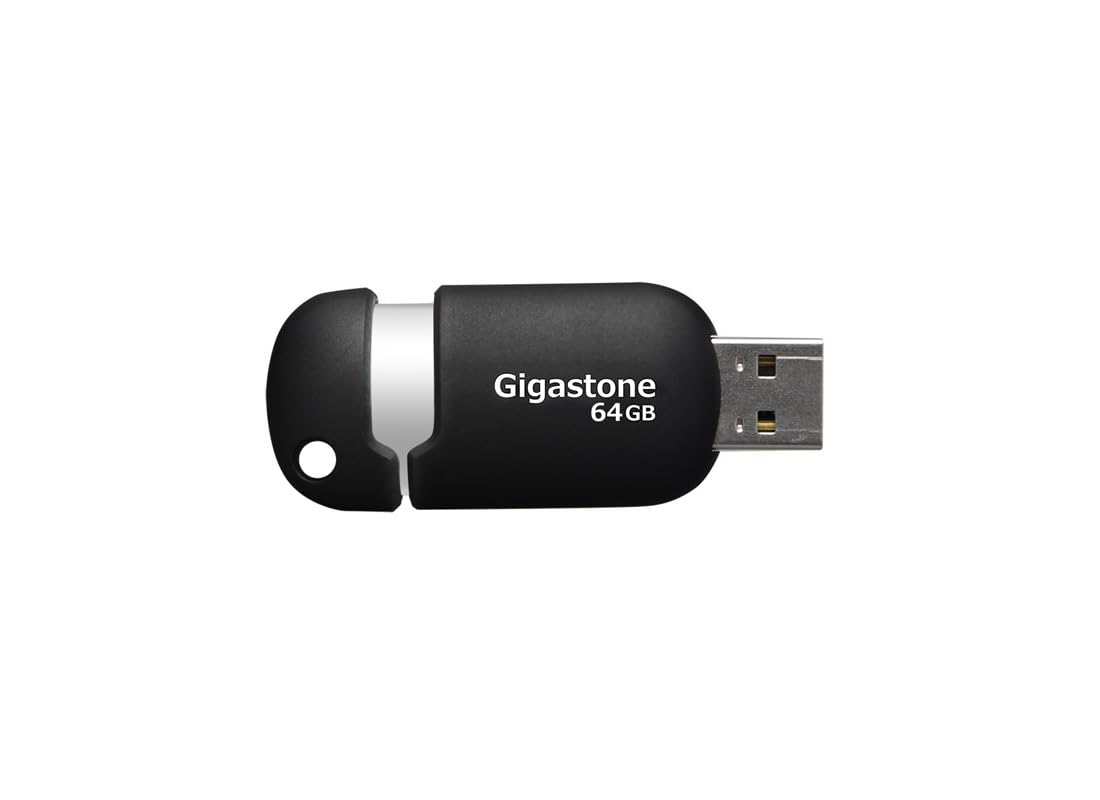
Figure 1: Gigastone 64GB Classic Capless USB 2.0 Flash Drive, showing its compact, capless design.
2. Contingut del paquet
- 1 x Gigastone 64GB Classic Capless USB 2.0 Flash Drive
3. Característiques clau
- Disseny durador i lleuger: Optimized for mobile storage.
- Capless Sliding Collar: Protects the USB connector when not in use, eliminating the risk of losing a cap.
- Integrated Key Loop: Allows for easy attachment to key chains, ensuring portability.
- Àmplia compatibilitat: Works with most PC and Mac laptop and desktop computers.
- Garantia limitada de 5 anys: Provides assurance of product quality.

Figura 2: lateral view of the Gigastone USB flash drive, highlighting the sliding mechanism and integrated key loop.
4. Instruccions de configuració
- Prepare the Flash Drive: Gently slide the collar to expose the USB connector.
- Connexió a l'ordinador: Insert the USB flash drive into an available USB 2.0 or USB 3.0 port on your computer. The drive is backward compatible with USB 1.1 ports, but performance will be limited to USB 1.1 speeds.
- Reconeixement automàtic: Your computer's operating system (Windows or macOS) should automatically detect and install the necessary drivers. The flash drive will appear as a removable storage device (e.g., 'Removable Disk' or 'Gigastone USB') in 'My Computer' (Windows) or 'Finder' (macOS).

Figura 3: Angle view of the Gigastone USB flash drive, illustrating its ergonomic shape and the USB connector.
5. Instruccions de funcionament
5.1 Transferència Files
- Open the Drive: Double-click on the flash drive icon in 'My Computer' or 'Finder' to open its contents.
- Còpia Files: Localitza el files or folders you wish to transfer from your computer. Drag and drop them into the open flash drive window. Alternatively, right-click on the files, select 'Copy', then right-click inside the flash drive window and select 'Paste'.
- Transferring from Drive: Per transferir files from the flash drive to your computer, reverse the process: drag and drop files from the flash drive window to a folder on your computer.
5.2 Extracció segura de la unitat
To prevent data corruption, always safely remove the flash drive before physically disconnecting it from your computer.
- Windows: Click the 'Safely Remove Hardware and Eject Media' icon in the system tray (bottom-right corner of the screen), then select the Gigastone USB drive. Wait for the 'Safe to Remove Hardware' message before unplugging.
- macOS: Drag the flash drive icon from the desktop or Finder sidebar to the Trash icon, or right-click (Control-click) the drive icon and select 'Eject'. Wait for the icon to disappear before unplugging.
6. Manteniment
- Cura física: Keep the flash drive clean and dry. Avoid exposing it to extreme temperatures, direct sunlight, or strong magnetic fields.
- Còpia de seguretat de dades: Regularly back up important data stored on the flash drive to another storage medium to prevent data loss.
- Actualitzacions de programari: Ensure your computer's operating system is up to date to maintain optimal compatibility and security.
7. Solució De Problemes
7.1 Unitat no reconeguda
- Comprova la connexió: Assegureu-vos que la unitat flaix estigui completament inserida al port USB.
- Try Another Port: Connect the drive to a different USB port on your computer.
- Reinicieu l'ordinador: De vegades, un simple reinici pot resoldre problemes de reconeixement.
- Comproveu el Gestor de dispositius (Windows): Open Device Manager and look for 'Universal Serial Bus controllers' or 'Disk drives'. If the drive appears with a yellow exclamation mark, there might be a driver issue.
- Check Disk Utility (macOS): Open Disk Utility to see if the drive is listed, even if it's not mounted.
7.2 Velocitats de transferència lentes
- Tipus de port USB: Ensure you are using a USB 2.0 or higher port. Connecting to a USB 1.1 port will result in slower speeds.
- File Mida: Transferint molts petits files can be slower than transferring a few large files de la mateixa mida total.
- Altres dispositius USB: Disconnect other USB devices that might be consuming bandwidth.
- Rendiment de l'ordinador: Ensure your computer is not heavily burdened by other tasks during transfer.
7.3 Corrupció de dades
- Eliminació segura: Always follow the safe removal procedure before disconnecting the drive.
- Avoid Interruption: Do not remove the drive during a file transfer or when the drive's activity light (if present) is blinking.
- Escaneja per detectar errors: Use your operating system's built-in disk error checking tools (e.g., 'Error Checking' in Windows, 'First Aid' in macOS Disk Utility).
8. Especificacions
| Nom del model | Gigastone 64GB Classic Capless USB 2.0 Flash Drive |
| Número de model | GS-Z64GCNBL-R |
| Capacitat d'emmagatzematge de memòria | 64 GB |
| Interfície del maquinari | USB 2.0 (compatible enrere amb USB 1.1) |
| Tecnologia de connectivitat | USB |
| Plataforma de maquinari | Mac, PC |
| Color | Negre/Plata |
| Pes de l'article | 0.48 unces (aproximadament 13.6 grams) |
| Dimensions del producte (LxWxH) | 2.32 x 0.91 x 0.51 polzades (aprox. 5.89 x 2.31 x 1.30 cm) |
| Fabricant | DANE ELECTRONICS |
9. Garantia i Suport
9.1 Garantia limitada
This Gigastone USB Flash Drive comes with a Garantia limitada d'5 any. This warranty covers defects in materials and workmanship under normal use. It does not cover damage caused by misuse, accident, modification, or unauthorized repair.
For detailed warranty terms and conditions, please refer to the official Gigastone weblloc o contacteu amb el servei d'atenció al client.
9.2 Atenció al client
If you encounter any issues not covered in the troubleshooting section or require further assistance, please contact Gigastone customer support. Contact information can typically be found on the official Gigastone weblloc o embalatge del producte.


