1. Introducció
This manual provides essential information for the installation, operation, and maintenance of your Lockly Secure Pro Deadbolt Smart Lock. The Lockly Secure Pro offers advanced security features including a patented PIN Genie® digital keypad, 3D biometric fingerprint sensor, and Wi-Fi connectivity for remote management. Please read this manual thoroughly before installation and use to ensure proper function and security.

Image 1.1: Lockly Secure Pro Smart Lock, showing the exterior unit, the Lockly app interface, and the Secure Link Wi-Fi Hub.
2. Configuració
2.1 Components inclosos
Verifiqueu que tots els components siguin presents abans de començar la instal·lació:
- Secure Pro Smart Lock with Wired Door Sensor
- Deadbolt / Latch Assembly
- Cargols
- Strike Plate + Housing
- Placa de muntatge
- 2 claus físiques
- 4 piles alcalines AA
- Secure Link Wi-Fi Hub
- Guia d'inici ràpid
- Manual d'instal·lació
- Manual d'usuari (aquest document)
2.2 Compatibilitat de portes
Ensure your door meets the following specifications for proper installation:
- Gruix de la porta: 1 3/8" - 2"
- Part posterior: 2 3/8" or 2 3/4"
- Diàmetre transversal: 2 1/8"
- Diàmetre del forat de la vora: 1"

Image 2.1: Door compatibility diagram illustrating required measurements for installation.
2.3 Instal·lació
For detailed step-by-step installation instructions, please refer to the dedicated Installation Manual included with your product. A digital version may also be available on the pàgina del producte or the official Lockly website. Common household tools are typically sufficient for installation.
3. Instruccions de funcionament
3.1 Multiple Ways to Unlock
The Lockly Secure Pro offers several convenient methods for access:
- PIN Genie® Digital Keypad: Enter your secure access code.
- 3D Biometric Fingerprint Sensor: Quick and secure fingerprint recognition.
- Clau física: Traditional key access for backup.
- Lockly App Control: Manage and unlock your door remotely via smartphone.
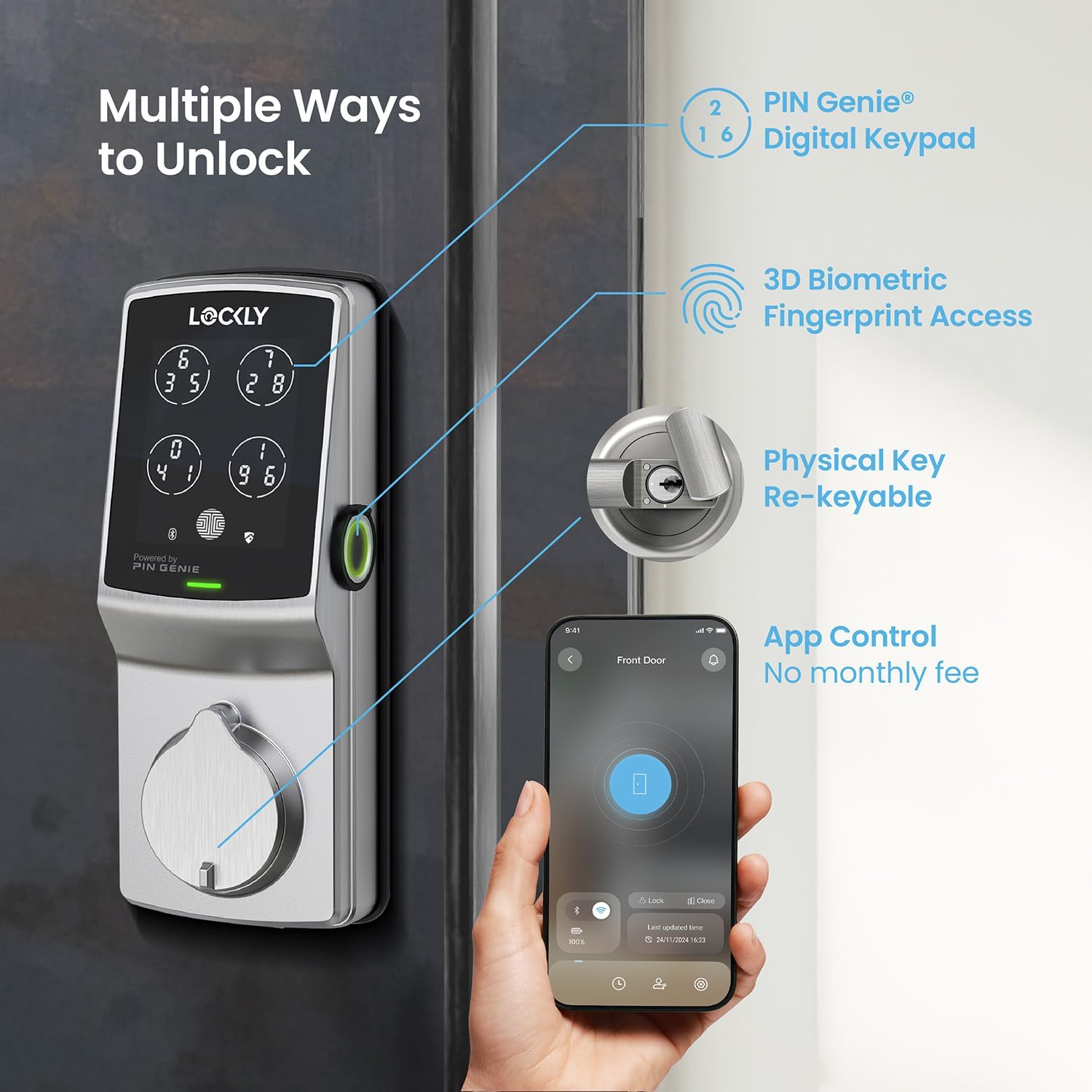
Imatge 3.1: acabatview of the various unlocking methods available with the Lockly Secure Pro.
3.2 PIN Genie® Digital Keypad
The patented PIN Genie® keypad features four virtual buttons, each displaying three different numbers. After each use, the location of your PIN numbers dynamically shuffles, making it impossible for onlookers to guess your code based on smudge patterns or repeated key presses.
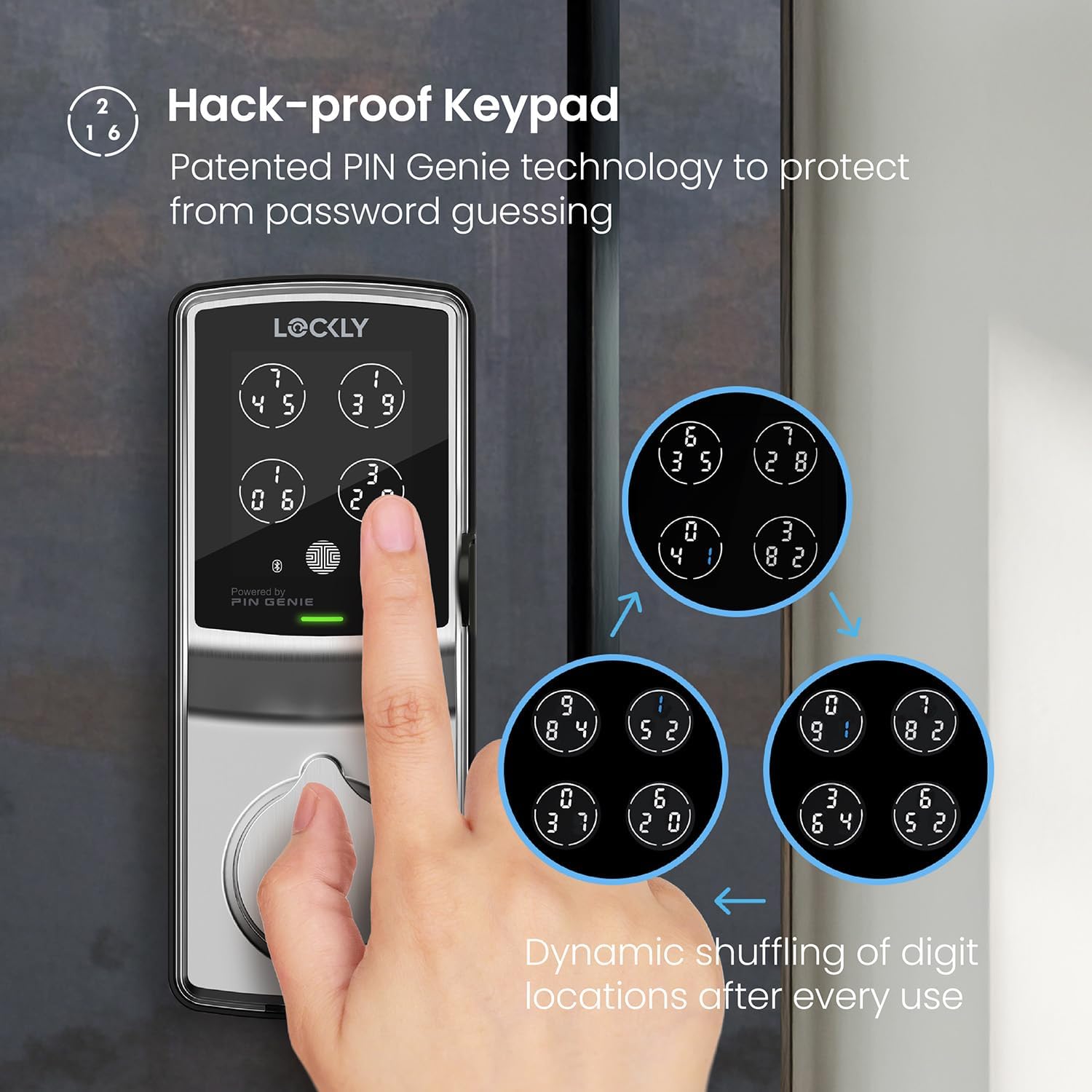
Image 3.2: The PIN Genie keypad demonstrating the dynamic number shuffling for enhanced security.
3.3 3D Biometric Fingerprint Sensor
The second-generation 3D biometric fingerprint sensor provides rapid and secure access. It recognizes fingerprints in 0.3 seconds and unlocks in 0.5 seconds. The lock can store up to 99 unique fingerprints for convenient access for authorized users. The system utilizes AI learning to improve recognition speed and accuracy over time.
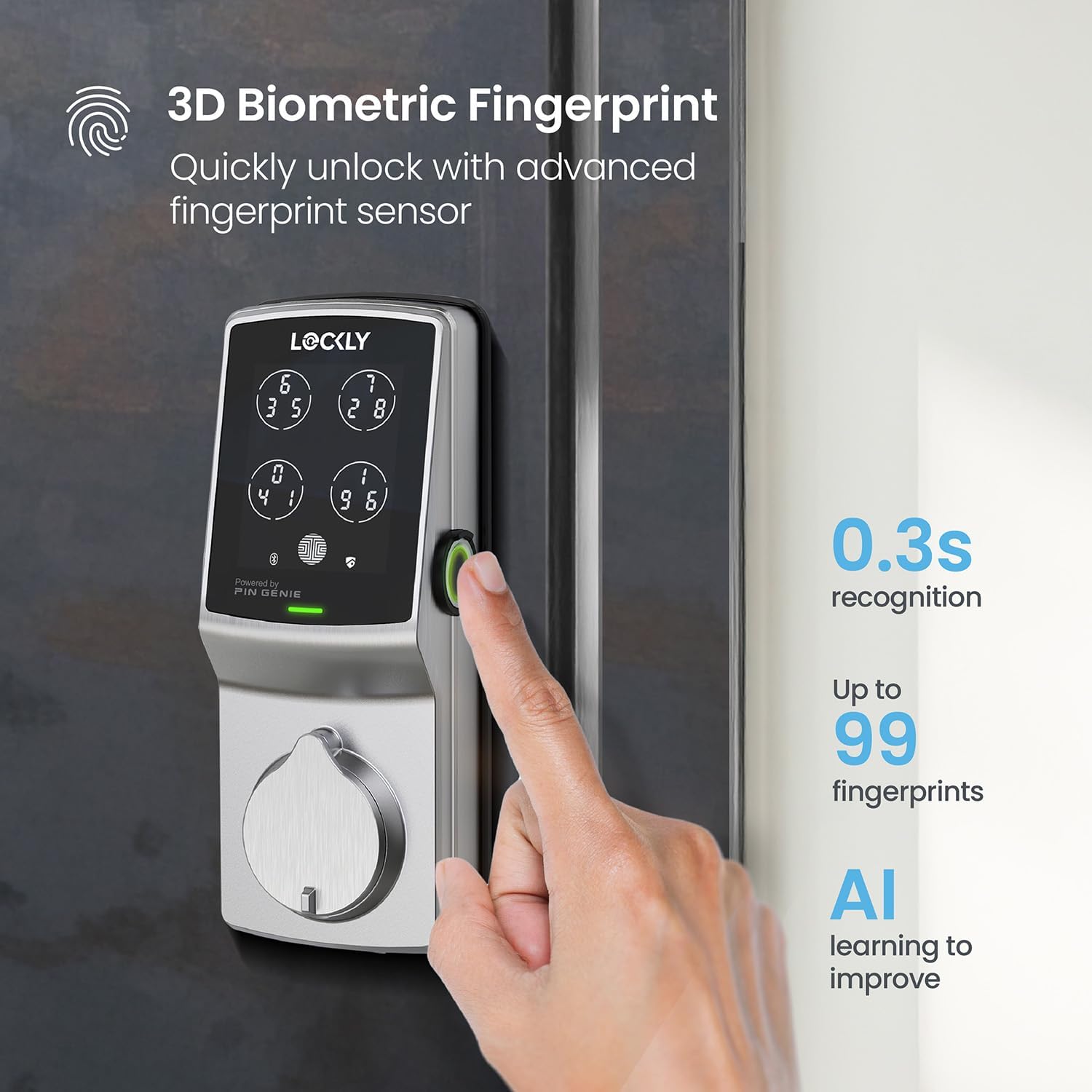
Image 3.3: Demonstrating the use of the 3D biometric fingerprint sensor for quick unlocking.
3.4 Lockly App Control
The Lockly app allows you to manage your smart lock from anywhere. Features include:
- Bloqueig/desbloqueig remot: Control your door's status from your smartphone.
- Notificacions en temps real: Receive alerts on your smartphone regarding lock activity.
- Historial d'accés: View a log of who entered and when.
- Offline Access Codes™: Generate temporary access codes that work without Wi-Fi.
- Gestió d'usuaris: Grant one-time, recurring, or permanent access to various users.
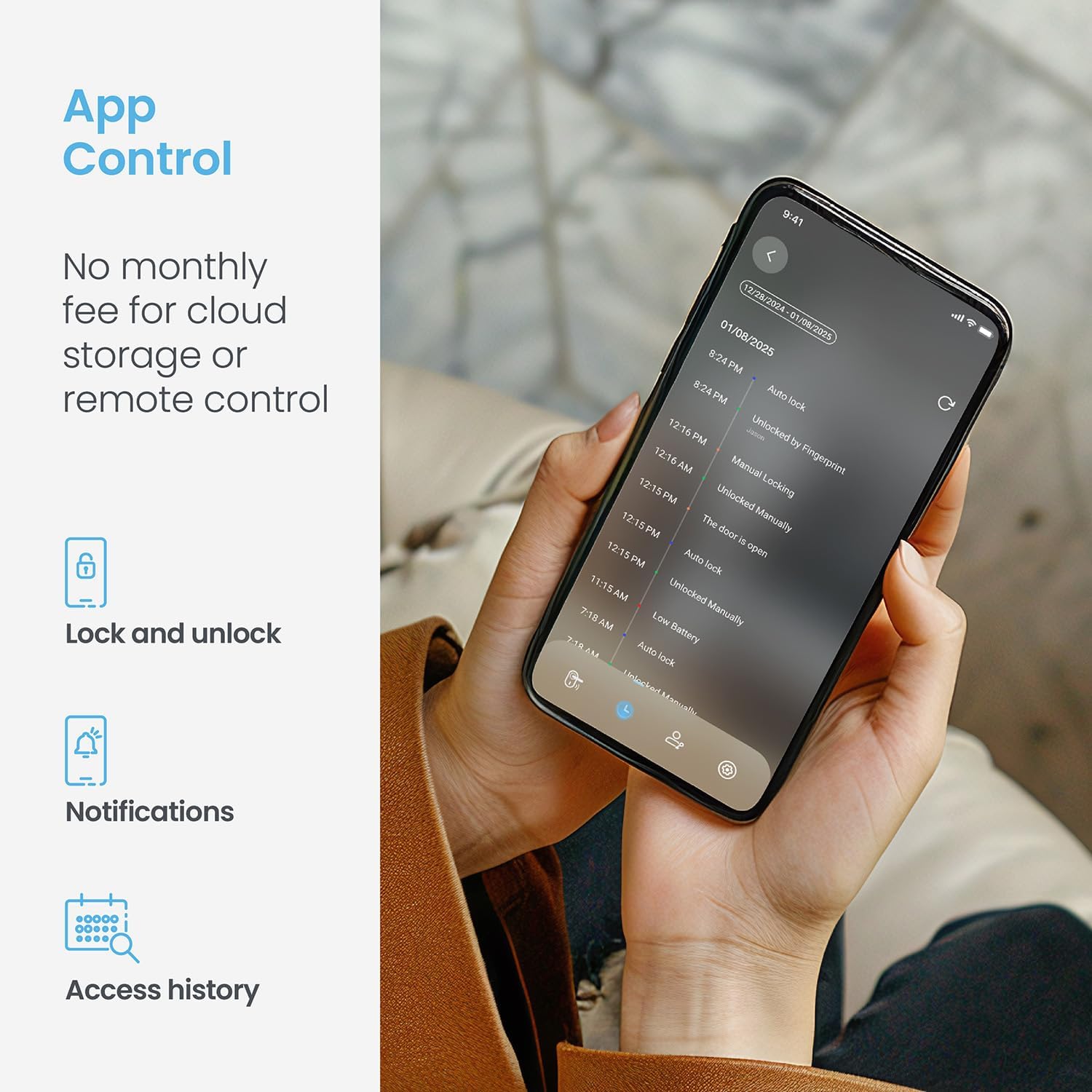
Image 3.4: The Lockly app displaying the lock's status and recent activity.
3.5 Programmable Auto-Lock
The auto-lock feature can be customized to automatically lock your door after a set period, ranging from 5 to 300 seconds, ensuring your home is always secured even if you forget to lock it manually.
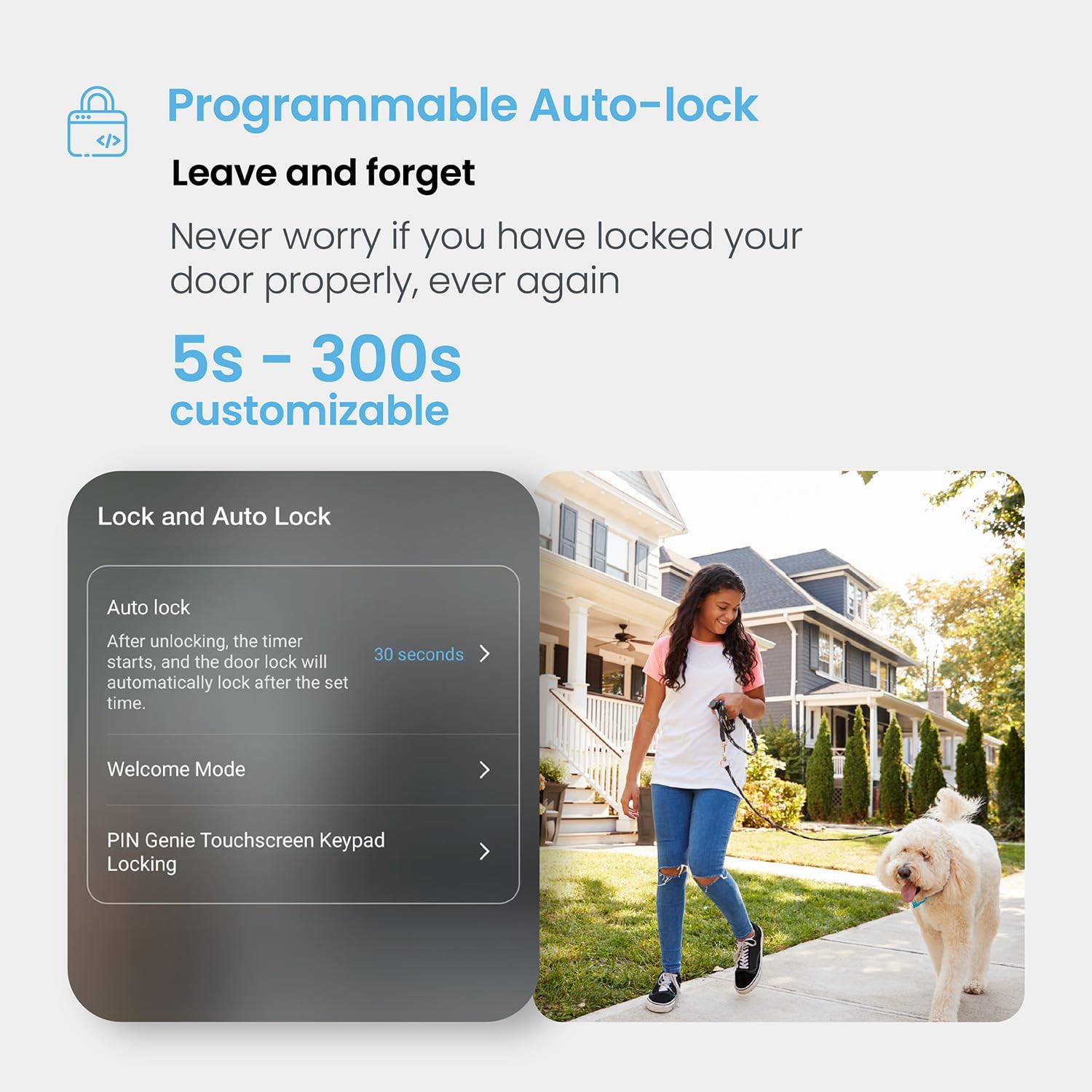
Image 3.5: The auto-lock feature settings within the Lockly app.
3.6 Control de veu
The Lockly Secure Pro is compatible with voice assistants such as Amazon Alexa and Google Assistant, allowing for convenient voice-activated control of your lock.
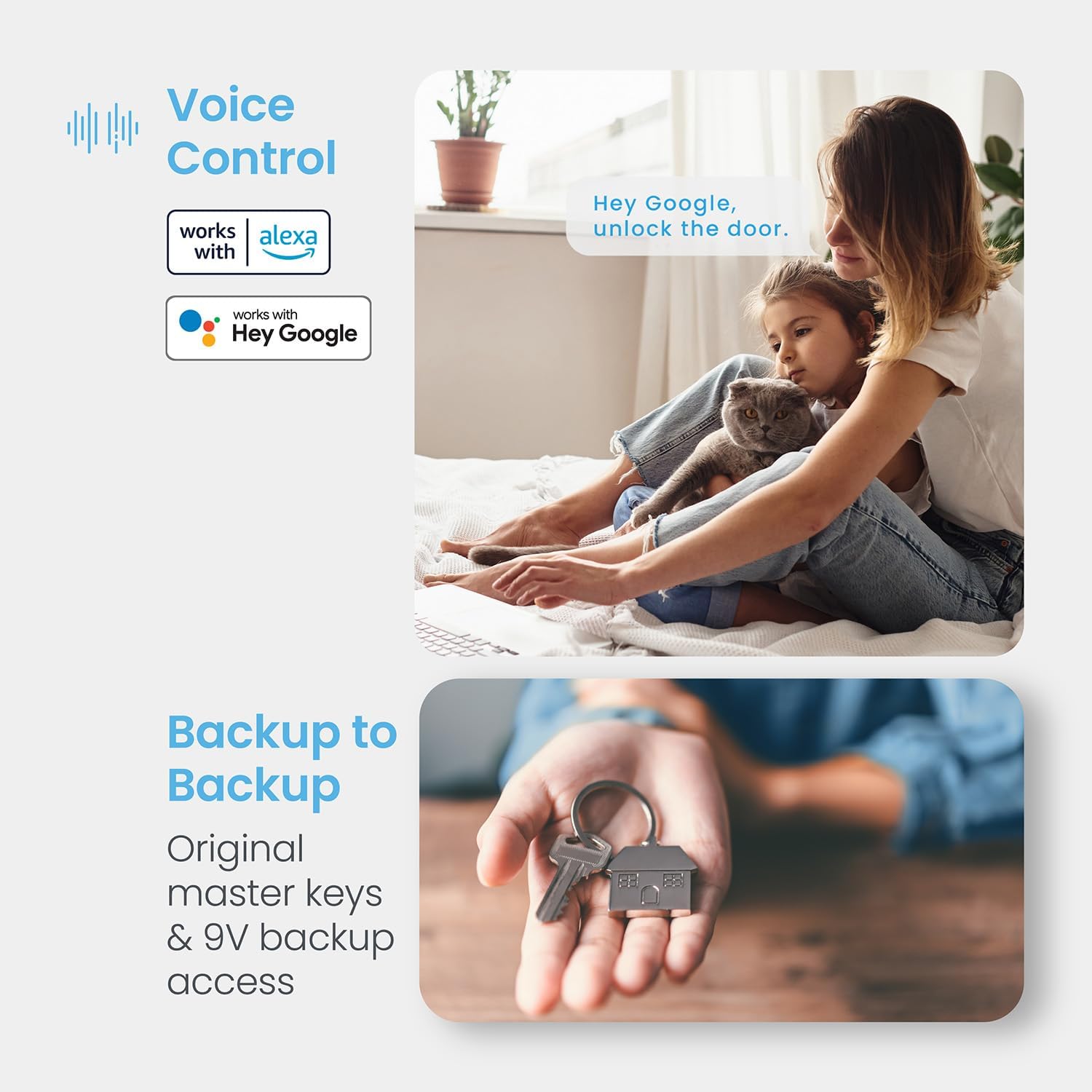
Image 3.6: Voice control integration with popular smart home platforms.
3.7 Accés d'emergència
In case of battery depletion, the lock can be temporarily powered using a 9V battery for emergency access, allowing you to enter your code or use a physical key.

Image 3.7: Location of AA batteries and 9V emergency power contacts.
4. Manteniment
4.1 Substitució de la bateria
The Lockly Secure Pro uses 4 AA alkaline batteries. The Lockly app will notify you when the battery level is low. Replace all four batteries simultaneously with new, high-quality alkaline batteries to ensure optimal performance.
4.2 Rekeying Capability
The lock features rekeying capability, allowing you to replace the key cylinder without changing the entire lock. This can be done with a standard rekey kit, providing flexibility for key management.
4.3 Resistència a la intempèrie
The Lockly Secure Pro is designed with IP54 weather resistance, protecting it from dust and splashing water. It has undergone a 72-hour salt spray test and a 250,000-cycle deadbolt test, demonstrating its durability and reliability in various conditions.

Image 4.1: Durability and weather resistance specifications.
5. Solució De Problemes
If you encounter issues with your Lockly Secure Pro, consider the following general troubleshooting steps:
- El bloqueig no respon: Check battery levels and replace if necessary. Ensure the 9V emergency power contacts are clean.
- Keypad Issues: Ensure the keypad is clean and free from debris. Re-enter your code carefully.
- Fingerprint Sensor Issues: Assegura't que el dit estigui net i sec. Prova de tornar a registrar la teva empremta digital a l'aplicació.
- Problemes de connectivitat de l'aplicació: Ensure your Secure Link Wi-Fi Hub is powered on and connected to your home Wi-Fi network. Check your smartphone's Bluetooth and Wi-Fi connections.
- Avaria del bloqueig automàtic: Verify the auto-lock settings in the Lockly app. Ensure the door sensor is correctly installed and aligned.
For more detailed troubleshooting or persistent issues, please contact Lockly customer support.
6. Especificacions
| Característica | Detall |
|---|---|
| Marca | Lockly |
| Nom del model | Lockly Secure Pro |
| Número de model | PGD728WASN |
| Tipus de bloqueig | Biomètric, teclat numèric |
| Material | Níquel |
| Color | Níquel setinat |
| Dimensions de l'article (L x A x A) | 7.4 x 3.15 x 4.5 polzades |
| Pes de l'article | 3.8 lliures |
| Protocol de connectivitat | Bluetooth, WiFi |
| Mètode de control | Aplicació, comandament a distància, tàctil, veu |
| Bateries | 4 piles alcalines AA (incloses) |
| Característica especial | Codis d'accés fora de línia™ |
| UPC | 810055602667 |
7. Garantia i assistència
7.1 Informació de la garantia
Lockly offers a comprehensive warranty for the Secure Pro Deadbolt Smart Lock:
- Mecànica i acabats: 5 any de garantia
- Electrònica: 2 any de garantia
7.2 Suport tècnic
Lockly provides lifetime technical support for all its products. Support is available 24/7 through phone, email, and live chat to assist with any questions or issues you may encounter.

Image 7.1: Lockly customer support and warranty details.


