1. Introducció
Thank you for choosing the Gigastone 24 inch 165Hz IPS Gaming Monitor. This manual provides essential information for setting up, operating, and maintaining your monitor. Please read it thoroughly before use to ensure optimal performance and safety.
This monitor features a 23.8-inch Full HD (1920x1080) IPS panel with a 165Hz refresh rate and 5ms response time, designed to deliver a smooth and immersive visual experience. It includes FreeSync technology to reduce screen tearing and stuttering, and Eye Care technology for comfortable viewing during extended use. The monitor also comes with built-in speakers and supports VESA mounting.
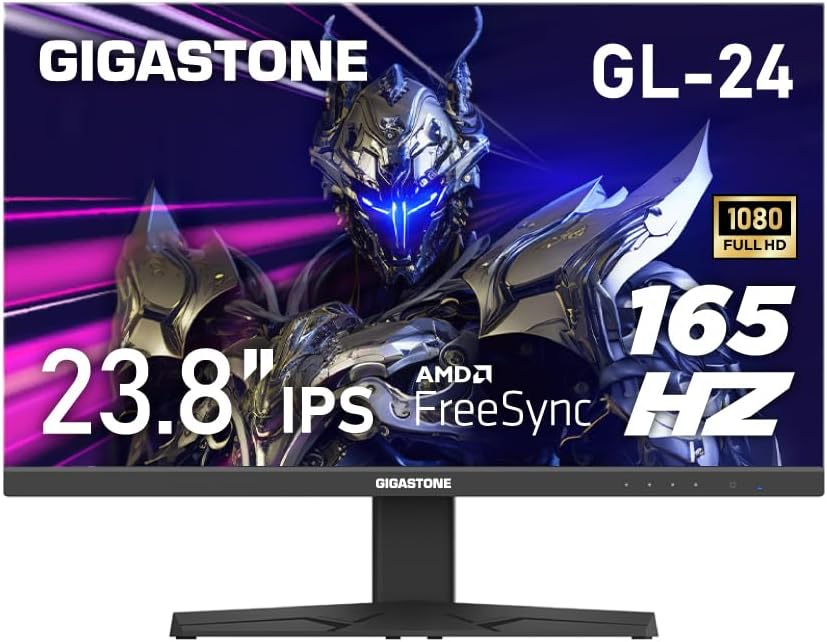
Figura 1: Frontal view of the Gigastone 24 inch 165Hz IPS Gaming Monitor.
2. Contingut del paquet
Si us plau, comproveu el contingut del paquet per assegurar-vos que hi hagi tots els elements:
- Gigastone 24 inch 165Hz IPS Gaming Monitor
- Suport de monitor (base i coll)
- Adaptador d'alimentació
- Cable HDMI
- Cable DisplayPort (DP)
- Manual d'usuari (aquest document)
3. Configuració
3.1 Muntatge del suport del monitor
- Traieu amb cura el monitor del seu embalatge, col·locant-lo cara avall sobre una superfície suau i neta per evitar ratllades.
- Fixeu el coll del suport al panell del monitor alineant les pestanyes i prement-lo fins que encaixi al seu lloc.
- Attach the stand base to the stand neck. Secure it with the captive screw located at the bottom of the base.
3.2 Connexió del monitor
Connecteu el monitor al vostre ordinador o a altres dispositius mitjançant els cables adequats.

Figura 2: posterior view del monitor amb etiquetes de port.
- Connexió d'alimentació: Connect the power adapter to the monitor's power input port, then plug the other end into a power outlet.
- Connexió HDMI: Connect one end of the HDMI cable to the HDMI port on your computer's graphics card and the other end to one of the HDMI ports (HDMI Ver 2.0) on the monitor.
- Connexió DisplayPort (DP): Connect one end of the DP cable to the DisplayPort on your computer's graphics card and the other end to the DP Ver 1.2 port on the monitor.
- Sortida d'àudio: For external speakers or headphones, connect them to the Audio Out port on the monitor. The monitor also has built-in speakers.
3.3 Muntatge VESA
The monitor supports VESA 100x100mm mounting standards, allowing you to attach it to a compatible wall mount or monitor arm (sold separately). To do this, remove the stand and attach the VESA mount using appropriate screws.

Figure 3: Monitor highlighting VESA 100x100mm mounting points.
4. Funcionament del monitor
4.1 Engegada/apagada
Premeu el botó d'engegada situat a la part inferior dreta del monitor per engegar-lo o apagar-lo. L'indicador lluminós d'engegada s'il·luminarà quan el monitor estigui encès.
4.2 Menú de visualització en pantalla (OSD)
The OSD menu allows you to adjust various monitor settings. Use the control buttons (usually located on the bottom right or rear of the monitor) to navigate the menu.
- Navegació: Use the directional buttons to move through menu options.
- Selecció: Press the central button to select an option or confirm a setting.
- Sortida: Feu servir el botó «Sortida» o «Enrere» per tornar al menú anterior o sortir de l'OSD.
4.3 Característiques i configuracions principals
- Freqüència d'actualització (165 Hz): This monitor supports a high refresh rate of 165Hz, providing smoother motion and reduced input lag, especially beneficial for gaming. Ensure your graphics card and connection cable (DisplayPort or high-speed HDMI) support 165Hz at 1920x1080 resolution. You may need to adjust this setting in your computer's display settings.
- FreeSync / Adaptive-Sync: This technology synchronizes the monitor's refresh rate with your graphics card's frame rate, eliminating screen tearing and reducing stuttering. To enable FreeSync, ensure it is activated in the monitor's OSD menu and in your graphics card's control panel (e.g., AMD Radeon Software).
- Tecnologia per a la cura dels ulls: The monitor incorporates features like Blue Light Shift and Anti-Flicker technology to reduce eye strain during prolonged use. These settings can typically be adjusted within the OSD menu.
- Selecció de la font d'entrada: If you have multiple devices connected, use the OSD menu to switch between HDMI 1, HDMI 2, or DisplayPort inputs.
- Configuració d'àudio: Adjust the volume of the built-in speakers or connected external audio devices via the OSD menu.

Figure 4: Visual comparison demonstrating the smoothness of 165Hz refresh rate versus 75Hz.

Figure 5: Visual comparison showing the effect of FreeSync technology on screen tearing.
Video 1: An official product video demonstrating the monitor's features and gaming experience. This video highlights the visual quality and performance aspects of the Gigastone gaming monitor.
5. Manteniment
Un manteniment adequat garanteix la longevitat i el rendiment òptim del monitor.
- Neteja de la pantalla: Netegeu suaument la pantalla amb un drap suau i sense borrissol. Per a marques difícils, dampen the cloth slightly with water or a monitor-specific cleaning solution. No ho facis spray liquid directly onto the screen.
- Neteja de la Casing: Feu servir un drap suau i sec per netejar el monitor casing. Eviteu utilitzar productes de neteja o dissolvents abrasius.
- Ventilació: Assegureu-vos que les obertures de ventilació del monitor no estiguin bloquejades per evitar el sobreescalfament.
- Apagar: Apagueu sempre el monitor i desendolleu-lo de la presa de corrent abans de netejar-lo o si no l'utilitzareu durant un període prolongat.
6. Solució De Problemes
Si teniu problemes amb el monitor, consulteu els passos habituals següents per a la resolució de problemes:
| Problema | Possible solució |
|---|---|
| No hi ha imatge a la pantalla |
|
| Image is flickering or distorted |
|
| No hi ha so dels altaveus |
|
If the problem persists after trying these steps, please contact Gigastone customer support for further assistance.
7. Especificacions
| Característica | Detall |
|---|---|
| Número de model | GL-24FF3 |
| Mida de la pantalla | 24 Inches (23.8" actual) |
| Tipus de panell | IPS |
| Resolució | 1920 x 1080 (FHD) |
| Freqüència d'actualització | 165 Hz |
| Temps de resposta | 5 ms |
| Relació d'aspecte | 16:9 |
| Viewangle ing | 178° d'ample View |
| Brillantor | 300 Candela |
| Relació de contrast | 1000:1 |
| Connectivitat | 2x HDMI (Ver 2.0), 1x DisplayPort (Ver 1.2), Audio Out |
| Muntatge VESA | 100x100mm |
| Característiques especials | FreeSync, Eye Care Technology (Blue Light Shift & Anti-Flicker), Built-in Speakers |
| Dimensions del producte (L x A x A) | 1.87 x 21.26 x 16.39 polzades |
| Pes de l'article | 12.41 lliures |
8. Garantia i Suport
This Gigastone monitor comes with a Garantia del fabricant de 3 anys. For warranty claims, technical support, or any inquiries, please contact Gigastone customer service. They offer 24/7 world-wide customer service.
Please refer to the official Gigastone website or your purchase documentation for the most up-to-date contact information and detailed warranty terms and conditions.


