1. Introducció
This manual provides instructions for the NIIMBOT M2/M3 Thermal Transfer Labels, specifically the 1.57''x1.18'' (40x30mm) clear variant. These labels are designed for use with NIIMBOT M2 and M3 label makers, offering durable and versatile labeling solutions for various applications.

Image 1.1: A roll of NIIMBOT M2/M3 Thermal Transfer Labels, indicating compatibility with the M2 label maker and dimensions of 40x30mm with 225 labels per roll.
2. Característiques del producte
- Compatibilitat: Specifically designed for NIIMBOT M2 and M3 label printers.
- Dimensions: Each roll contains 225 labels, measuring 1.57'' x 1.18'' (40x30mm).
- Material: Constructed from PET material, ensuring durability and resistance.
- Durabilitat: Features waterproof, oil-proof, and tear-proof properties. Designed to leave no residue upon removal.
- Seguretat ambiental: BPA-free composition.
- Resistència a la temperatura: Capable of withstanding both high and low temperatures, suitable for diverse environments.
- Longevitat: Labels are designed for long storage times, maintaining integrity for 8-10 years.
- Adhesió: Equipped with strong self-adhesive backing for secure application.
- Smart Identification: Contains anti-counterfeiting chips for intelligent identification by the NIIMBOT M2 label printer.
- Qualitat d'impressió: Supports high-definition printing for clear and legible labels.

Image 2.1: Visual representation of the key features of NIIMBOT thermal transfer labels, including their resistance to water and oil, strong adhesion, BPA-free nature, high-definition print capability, temperature resistance, and extended durability.
3. Compatibilitat
These thermal transfer labels are specifically engineered for seamless operation with the NIIMBOT M2 i NIIMBOT M3 label makers. Ensure your label maker model is M2 or M3 for proper functionality and label recognition.
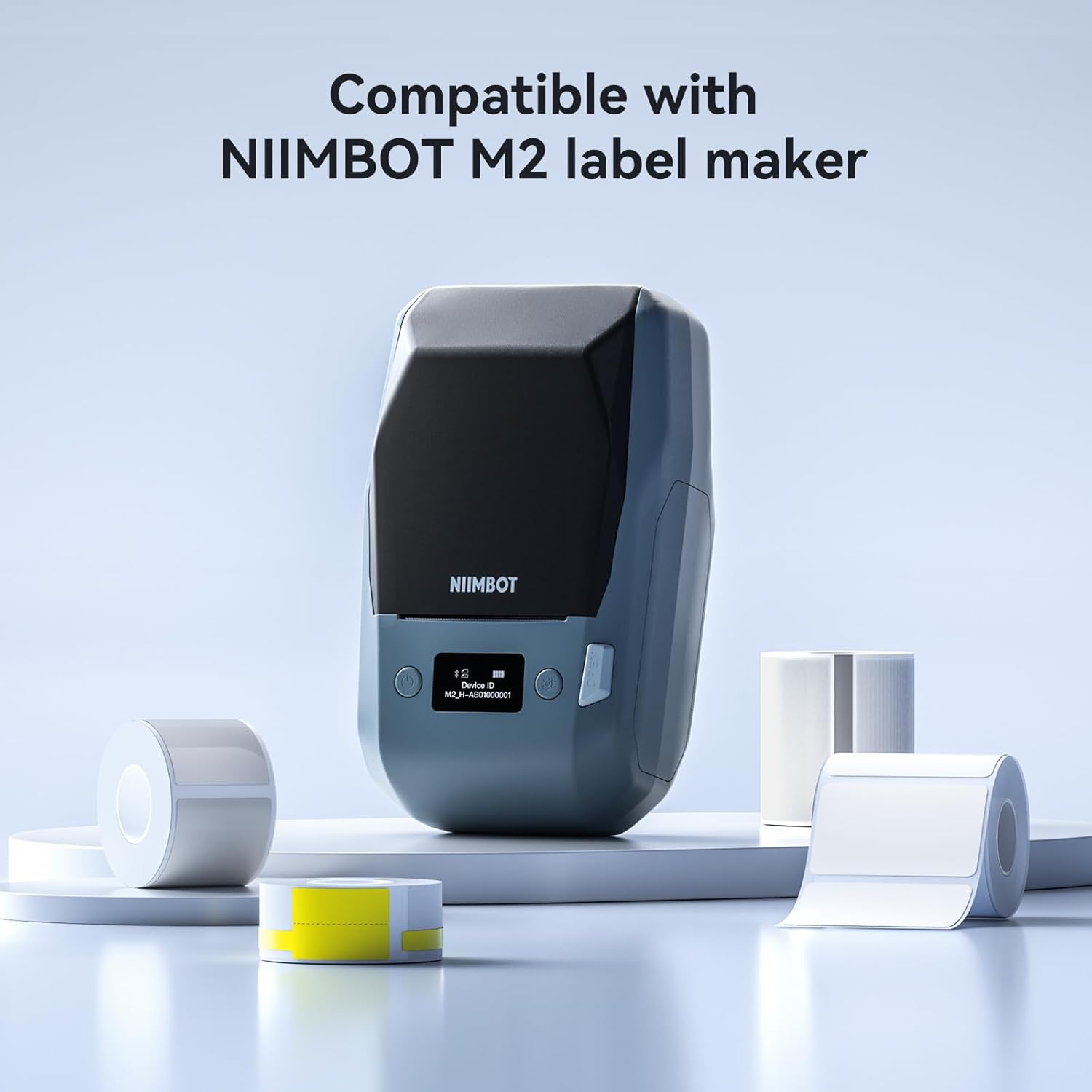
Image 3.1: The NIIMBOT M2 label maker displayed with several rolls of compatible labels, highlighting the product's intended use with this specific device.
4. Instruccions de configuració i funcionament
Follow these steps to set up and operate your NIIMBOT M2/M3 label maker with the thermal transfer labels:
- Carrega etiquetes: Open the label maker cover. Place the label roll into the designated compartment, ensuring the label ribbon is correctly adjusted and aligned.
- Connecta't a l'aplicació: Power on your NIIMBOT label maker. Open the NIIMBOT application on your smartphone or computer and connect to the label maker via Bluetooth.
- Edit and Print: Use the NIIMBOT app to design your label. The app offers various templates and customization options, including QR codes, barcodes, text, Excel data, icons, and images. Once your design is complete, initiate the printing process from the app.

Image 4.1: An illustration detailing the three primary steps for using the NIIMBOT label maker: loading the label and adjusting the ribbon, connecting to the mobile application, and finally, editing and printing the desired label.
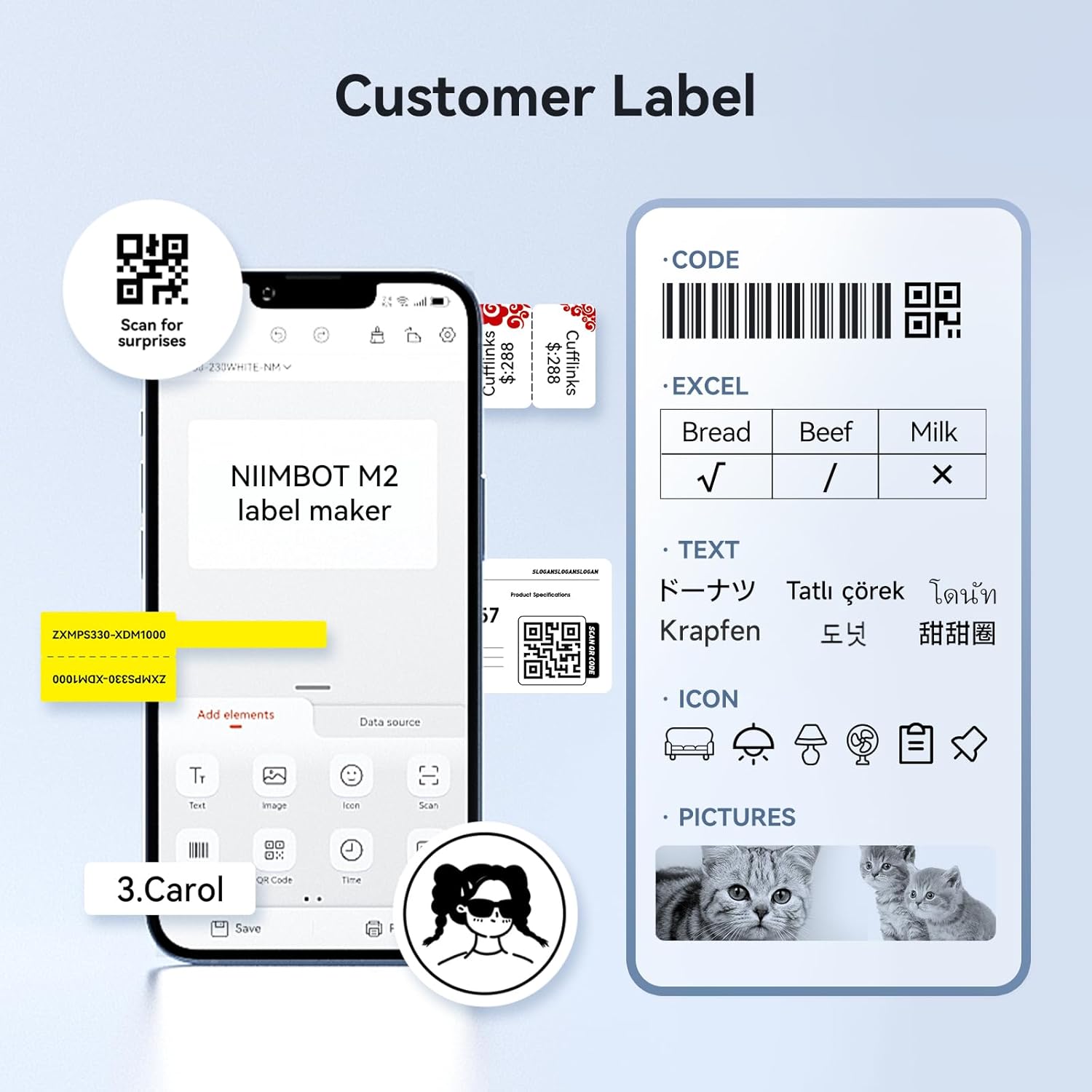
Imatge 4.2: Ex.amples of various custom labels that can be created using the NIIMBOT application, showcasing options for QR codes, barcodes, text, and integrated images.
5. Manteniment
The NIIMBOT thermal transfer labels are designed for durability and long-term use. To ensure optimal performance and longevity:
- Emmagatzematge: Store label rolls in a cool, dry place away from direct sunlight and extreme temperatures to preserve adhesive quality and material integrity.
- Manipulació: Avoid touching the adhesive side of the labels to prevent contamination and maintain strong adhesion.
- Neteja: If labels become dusty, gently wipe with a dry, soft cloth. Avoid using harsh chemicals or abrasive materials.
6. Solució De Problemes
If you encounter issues with your NIIMBOT thermal transfer labels, consider the following:
- Label Not Recognized: The label roll contains a printed sensor chip inside. This chip is essential for the NIIMBOT M2/M3 label maker to intelligently identify the label paper size. Do not tear or damage this sticker label. Damage to the sensor chip will affect the printer's ability to recognize the labels and may prevent printing.
- Mala qualitat d'impressió: Ensure the label roll is correctly loaded and the ribbon is properly adjusted. Check the label maker's print head for any debris and clean if necessary according to your label maker's manual.
- Problemes d'adhesió: Assegureu-vos que la superfície on s'aplica l'etiqueta estigui neta, seca i llisa. Eviteu aplicar etiquetes a superfícies texturitzades o olioses.
7. Especificacions
| Atribut | Detall |
|---|---|
| Marca | NIIMBOT |
| Número de model | HKJC-M2 Label |
| Material | PET |
| Color de l'etiqueta | Clar |
| Label Shape | Rectangular |
| Mida de l'etiqueta | 1.57 x 1.18 polzades (40 x 30 mm) |
| Labels per Roll | 225 |
| Pes de l'article | 2.08 unces |
| Dimensions del paquet | 2.24 x 2.13 x 2.05 polzades |

Image 7.1: A visual representation of the label roll, clearly showing its dimensions of 40mm by 30mm and the quantity of 225 labels per roll.
8. Escenaris d'ús
These versatile labels are suitable for a wide range of applications, enhancing organization and efficiency in various settings:
- Negoci: Ideal for product labeling, inventory management, and pricing in retail environments.
- Inici: Perfect for organizing pantry items, storage containers, and personal belongings.
- Oficina: Useful for filing systems, asset tagging, and general office organization.
- Laboratori: Suitable for labeling samples, equipment, and specimens due to their resistance properties.
- cables: Can be used to identify and organize various cables and wires.
- Joieria: Effective for pricing and identification tags on jewelry items.
- Documents: For categorizing and marking important files i carpetes.
- Medicina: Applicable for labeling medical supplies or records where clear identification is crucial.
- Escola: For organizing school supplies, books, and projects.
- Cuina: Great for labeling food containers, spices, and meal prep items.
- Exterior: Their waterproof and temperature-resistant properties make them suitable for certain outdoor labeling needs.

Imatge 8.1: Ex.amples of NIIMBOT labels being utilized in various environments, including business, home, office, and laboratory settings, demonstrating their broad applicability.

Image 8.2: Further examples of label usage, specifically for jewelry, cable identification, document organization, and applications requiring resistance to low temperatures.
9. Garantia i Suport
Specific warranty information for NIIMBOT M2/M3 Thermal Transfer Labels is typically provided with the purchase of the label maker or on the official NIIMBOT website. For product support, technical assistance, or inquiries, please refer to the contact information provided by NIIMBOT or your retailer.


