1. Introducció
The NIIMBOT K3 Label Printer is a high-speed thermal label maker designed for efficient label printing in various environments, including small businesses and home offices. This manual provides detailed instructions for setup, operation, and maintenance to ensure optimal performance and longevity of your device.
2. Configuració
2.1 Desembalatge i components
Carefully unpack your NIIMBOT K3 Label Printer and verify all components are present. The standard package includes:
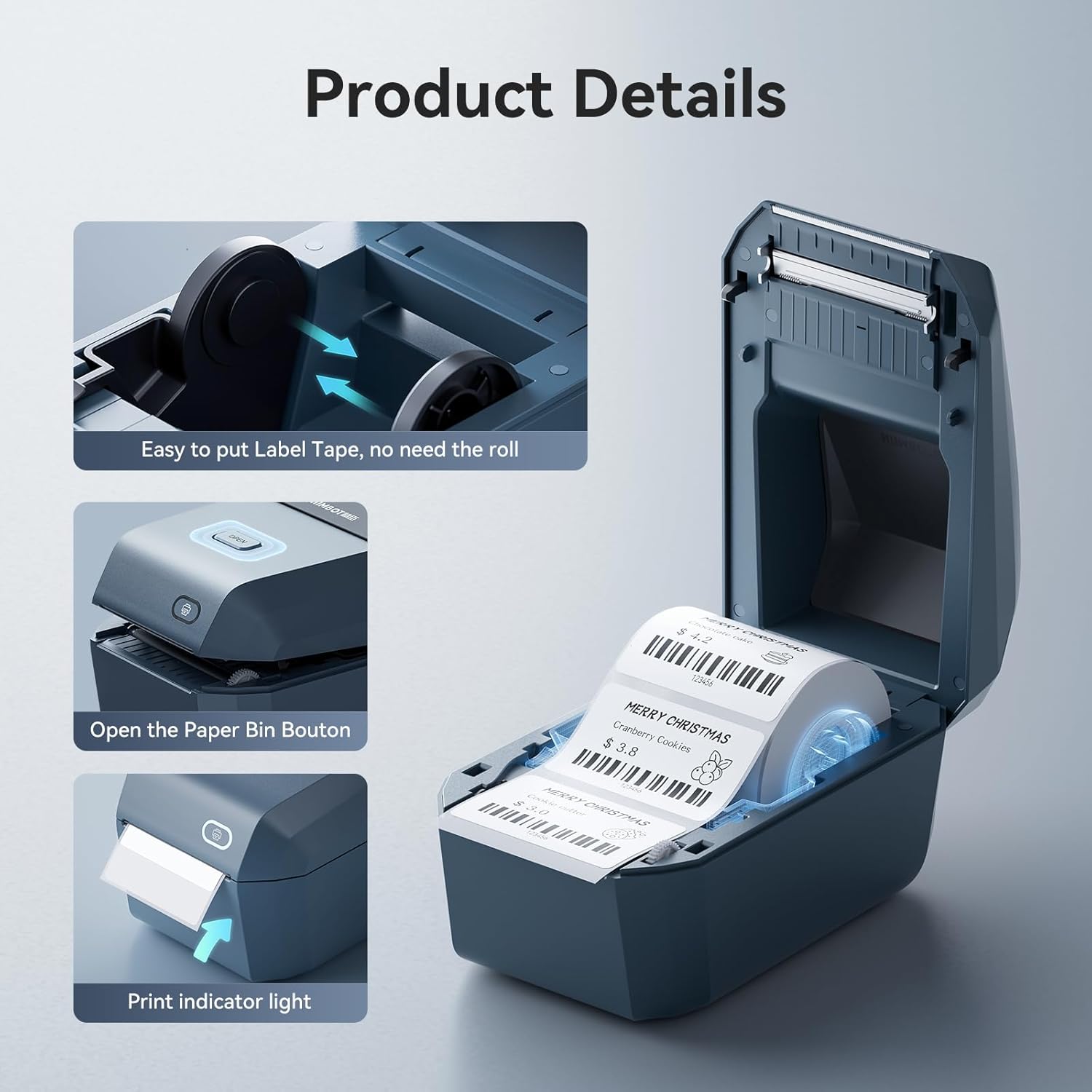
Image: Contents of the NIIMBOT K3 Label Printer package, including the printer, USB cable, power adapter, and user guide.
- NIIMBOT K3 Label Printer Machine
- Cable USB
- 1.5m Power Adaptor
- Guia d'usuari
- One roll of 50x30mm label tape
2.2 Connexió d'alimentació
The NIIMBOT K3 Label Printer is not battery-operated and requires a dedicated power adapter for operation. Connect the power adapter to the printer's power input port and then plug it into a standard electrical outlet.
Video: Demonstrates the unboxing process and connecting the power adapter to the NIIMBOT K3 Label Printer.
2.3 Càrrega de la cinta d'etiquetes
The NIIMBOT K3 uses thermal labels and does not require ink or transfer film. It supports thermal labels from any brand on the market, provided they are within the suitable size range of 0.85 to 3.14 inches (20-80mm) in width. NIIMBOT brand labels feature a built-in chip for automatic recognition of label size and type.

Imatge: Detallada view of the label tape loading mechanism, showing the open paper bin and the correct placement of the label roll.
- Press the 'Open' button on the top cover to open the paper bin.
- Adjust the guide plates inside the paper bin to match the width of your label roll.
- Place the label roll into the paper bin, ensuring the labels feed out from the top.
- Pull a few labels out past the print head.
- Close the top cover firmly until it clicks into place. The printer will automatically align the labels.

Image: Illustration of the two paper feeding modes: internal roll paper and external folding paper. Note that folding paper is not suitable for 4x6 inch shipping labels.
3. Funcionament de la impressora
3.1 Connecting to a PC (USB)
The NIIMBOT K3 Label Printer supports USB connection for Windows 7/10 systems. It is not compatible with Pad devices.
- Visiteu el NIIMBOT oficial website to download the necessary driver and the NIIMBOT desktop application.
- Install the driver and the NIIMBOT desktop application on your computer.
- Connecteu la impressora al vostre ordinador amb el cable USB proporcionat.
- Open the NIIMBOT desktop application and select the K3 device from the top right corner to establish connection.
- You can now select a template, edit your label, and print.

Image: The NIIMBOT K3 printer connected to a PC, illustrating the USB connection setup for desktop use.

Image: Step-by-step visual guide for using the K3 printer with a PC, from software download to printing.
3.2 Connecting to a Smartphone (Bluetooth)
The NIIMBOT K3 Label Printer supports Bluetooth connection for both Android and iOS systems via the free NIIMBOT editing application.
- Download the 'NIIMBOT' application from your device's App Store (iOS) or Google Play Store (Android).
- Activa el Bluetooth al teu telèfon intel·ligent.
- Open the NIIMBOT application and pair the printer's Bluetooth connection from the upper right corner of the app interface.

Image: Visual instructions for easy Bluetooth connection between the NIIMBOT K3 printer and a smartphone.
3.3 Using the NIIMBOT App and Printing Labels
The NIIMBOT app offers extensive features for label design and printing. You can edit labels, choose from various templates, and utilize functions like barcode and QR code generation.
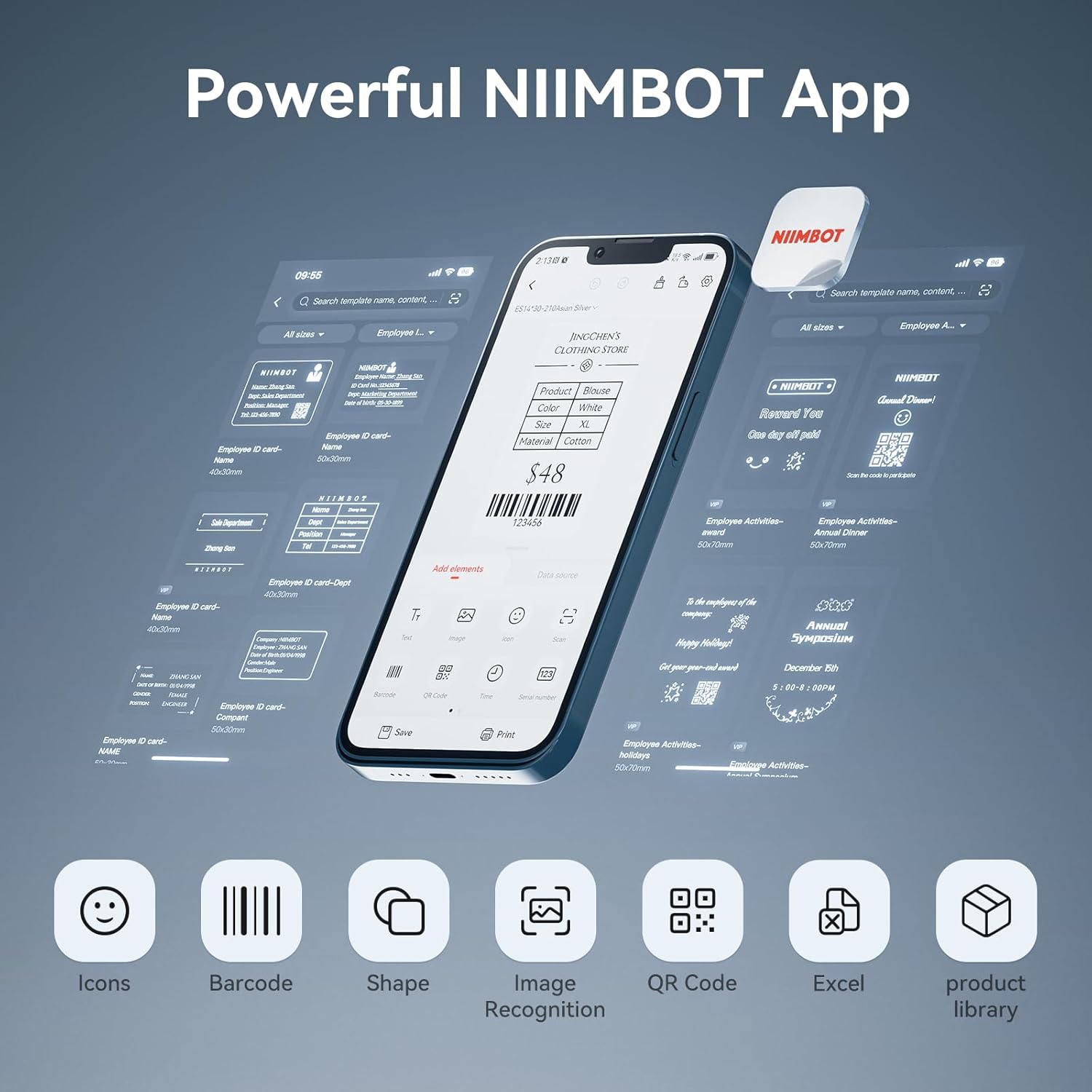
Image: The NIIMBOT app interface on a smartphone, highlighting its design capabilities including icons, barcode, shape, image recognition, QR code, Excel import, and product library.

Imatge: Més deview of the main functions available within the NIIMBOT app, demonstrating its versatility for various label designs.
The printer supports label widths from 0.85 to 3.14 inches (20-80mm). It prints at a maximum speed of 180mm/s, capable of printing up to 150 labels per minute.

Image: Visual representation of the various label sizes and widths supported by the NIIMBOT K3, from 0.87 to 3.14 inches. Note: Not for 4''x6'' shipping labels.
Video: Demonstrates how to use the NIIMBOT K3 with both PC and smartphone applications for label creation and printing.
4. Manteniment
To ensure the longevity and optimal performance of your NIIMBOT K3 Label Printer, regular maintenance is recommended.
- Neteja del capçal d'impressió: Utilitzeu un drap suau i sense pelusa dampened with isopropyl alcohol to gently wipe the print head. Ensure the printer is turned off and unplugged before cleaning. Allow it to dry completely before use.
- Neteja de l'exterior: Wipe the exterior of the printer with a soft, dry cloth. Avoid using abrasive cleaners or solvents.
- No cal tinta: As a thermal printer, the NIIMBOT K3 does not use ink cartridges, simplifying maintenance.
5. Solució De Problemes
If you encounter issues with your NIIMBOT K3 Label Printer, refer to the following common solutions:
| Problema | Causa possible | Solució |
|---|---|---|
| Printer not connecting via Bluetooth/USB | Bluetooth not enabled, incorrect driver/app, loose cable. | Ensure Bluetooth is on, download correct drivers/app from official website, check cable connections. |
| Poor print quality (faint, blurry) | Dirty print head, incorrect label type, low print density setting. | Clean the print head, ensure you are using thermal labels, adjust print density in the app/software. |
| Labels not feeding correctly or jamming | Improper label loading, incorrect label size, foreign object in paper path. | Re-load labels correctly, ensure label width is within 0.85-3.14 inches, check for obstructions. |
| La impressora no s'encén | L'adaptador de corrent no està connectat, problema amb la presa de corrent. | Verify power adapter is securely connected and plugged into a working outlet. |
For further assistance, please contact NIIMBOT customer support via Amazon.
6. Especificacions
| Característica | Especificació |
|---|---|
| Marca | NIIMBOT |
| Nom del model | LP-0716 |
| Tecnologia d'impressió | Tèrmica |
| Tecnologia de connectivitat | Bluetooth, USB |
| Velocitat màxima d'impressió (monocrom) | 180 mm/s |
| Resolució màxima d'impressió en blanc i negre | 200 ppp |
| Mida màxima del suport de la impressora | 3.14 polzades (80 mm) |
| Dispositius compatibles | Smartphones (iOS, Android), PC (Windows 7/10) |
| Pes de l'article | 4.88 lliures |
| Dimensions del producte | 3.54 x 2.24 x 2.24 polzades |
7. Garantia i Suport
The NIIMBOT K3 Label Printer comes with a 12-month replacement service. If your Bluetooth label maker encounters issues within this period, please contact NIIMBOT customer support via Amazon for assistance. We are committed to serving you at any time for pre-sales and after-sales inquiries.


