Introducció
The Lockly Visage Zeno Series Smart Lock offers advanced keyless entry solutions, integrating facial recognition, fingerprint access, a PIN Genie keypad, and Apple Home Key compatibility. This manual provides comprehensive instructions for the installation, operation, and maintenance of your smart lock, ensuring optimal performance and security.
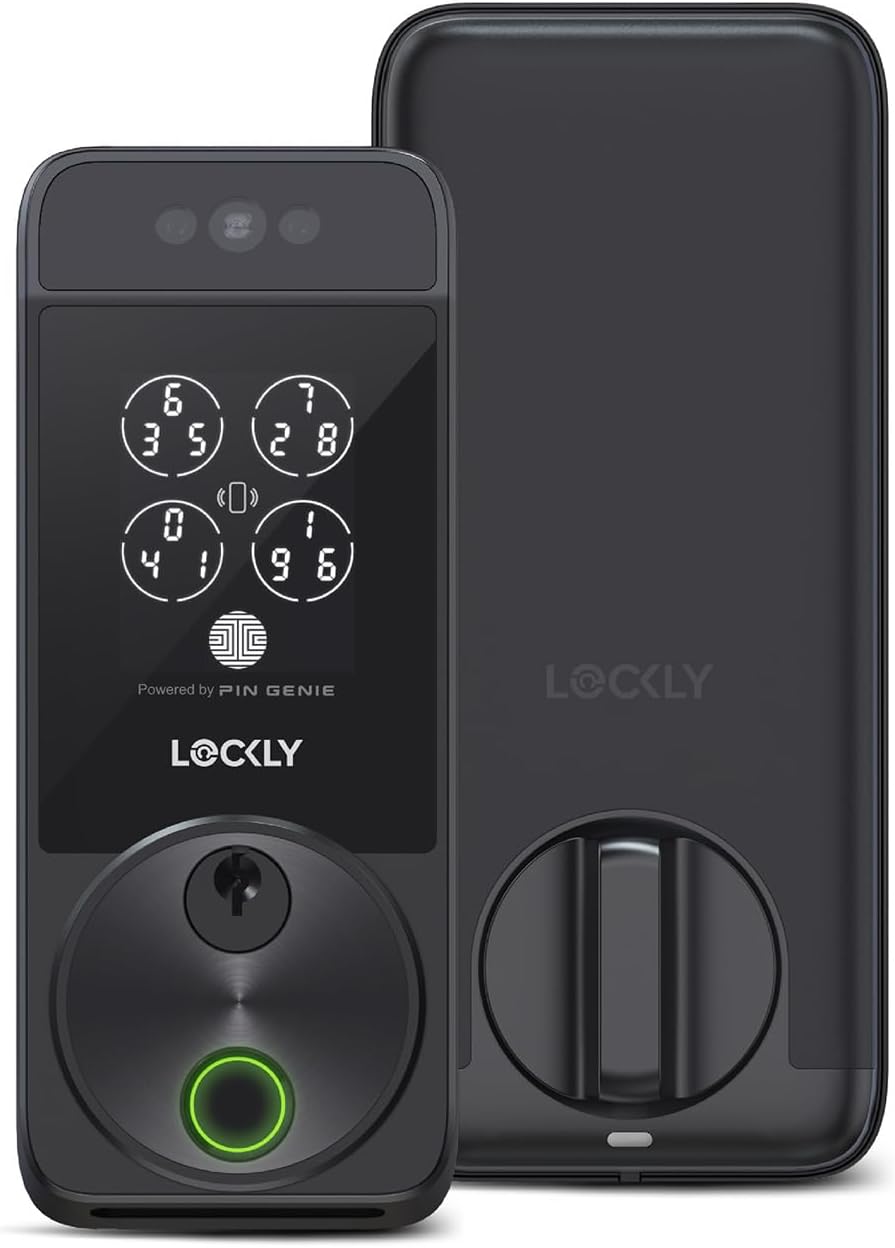
Imatge: Anvers i revers view of the Lockly Visage Zeno Series Smart Lock in Matte Black.
Contingut del paquet
- Lockly Visage Zeno Series Smart Lock (Exterior and Interior Assemblies)
- Pestillo de cèrcol
- Strike Plate and Reinforcement Plate
- Maquinari de muntatge (cargols, eixos)
- 2 x 10,000mAh Rechargeable Lithium Batteries
- Claus físiques (2)
- Guia d'instal·lació
- Manual d'usuari
Configuració i instal·lació
Before beginning installation, ensure your door meets the compatibility requirements. The Lockly Visage is designed for easy DIY installation, typically taking around 15 minutes with standard household tools.
Compatibilitat de portes
The Lockly Visage Zeno Series Smart Lock is compatible with right or left swing doors with the following specifications:
- Gruix de la porta: 1 3/8 inches to 2 inches (35mm - 50mm)
- Part posterior: 2 3/8 inches or 2 3/4 inches (60mm or 70mm)
- Diàmetre del forat: 1 mm

Image: Diagram illustrating door thickness, backset, and bore hole measurements for compatibility.
Passos d'instal·lació
For detailed, step-by-step installation instructions, please refer to the official Installation Manual PDF:
Descarrega el manual d'instal·lació (PDF)
General acabatview:
- Remove existing deadbolt.
- Install the new deadbolt latch.
- Install the exterior assembly of the Lockly Visage.
- Instal·leu la placa de muntatge interior.
- Connecteu el cable i instal·leu el conjunt interior.
- Install the strike plate and reinforcement plate on the door frame.
- Insert batteries and complete initial setup via the Lockly Home app.
Operating the Lockly Visage Smart Lock
The Lockly Visage offers multiple convenient ways to unlock and lock your door.
Mètodes de desbloqueig
- Reconeixement facial: The lock's advanced facial recognition technology allows for automatic unlocking as you approach the door. Dual infrared sensors ensure accuracy in various lighting conditions, including at night. Your facial data is securely stored on the device.
- 3D Biometric Fingerprint: Utilize the self-learning AI fingerprint sensor for quick access in approximately 0.2 seconds. The lock can store up to 99 unique fingerprints.
- PIN Genie Keypad: The patented PIN Genie technology displays a dynamic shuffling keypad, preventing others from guessing your code by observing finger placement.
- Tecla d'inici d'Apple: For seamless integration with Apple Home, unlock your door with a tap on your iPhone or Apple Watch. This feature works even if your device's battery is low. Manage access and automations directly through the Apple Home app.
- Lockly Home App: Control your smart lock remotely from anywhere using the Lockly Home app. Lock or unlock, share or revoke access, and monitor activity logs. Built-in Wi-Fi ensures reliable connectivity without an additional bridge.
- Clau física: Traditional key access is available as a backup. The cylinder is re-keyable for convenience.
- Assistent de veu: Integrate with Amazon Alexa or Google Voice Assistant to unlock your door using voice commands.

Imatge: Més deview of Lockly Visage features, including facial recognition sensors at the top.

Image: Facial recognition in action, showing a user being recognized by the lock.
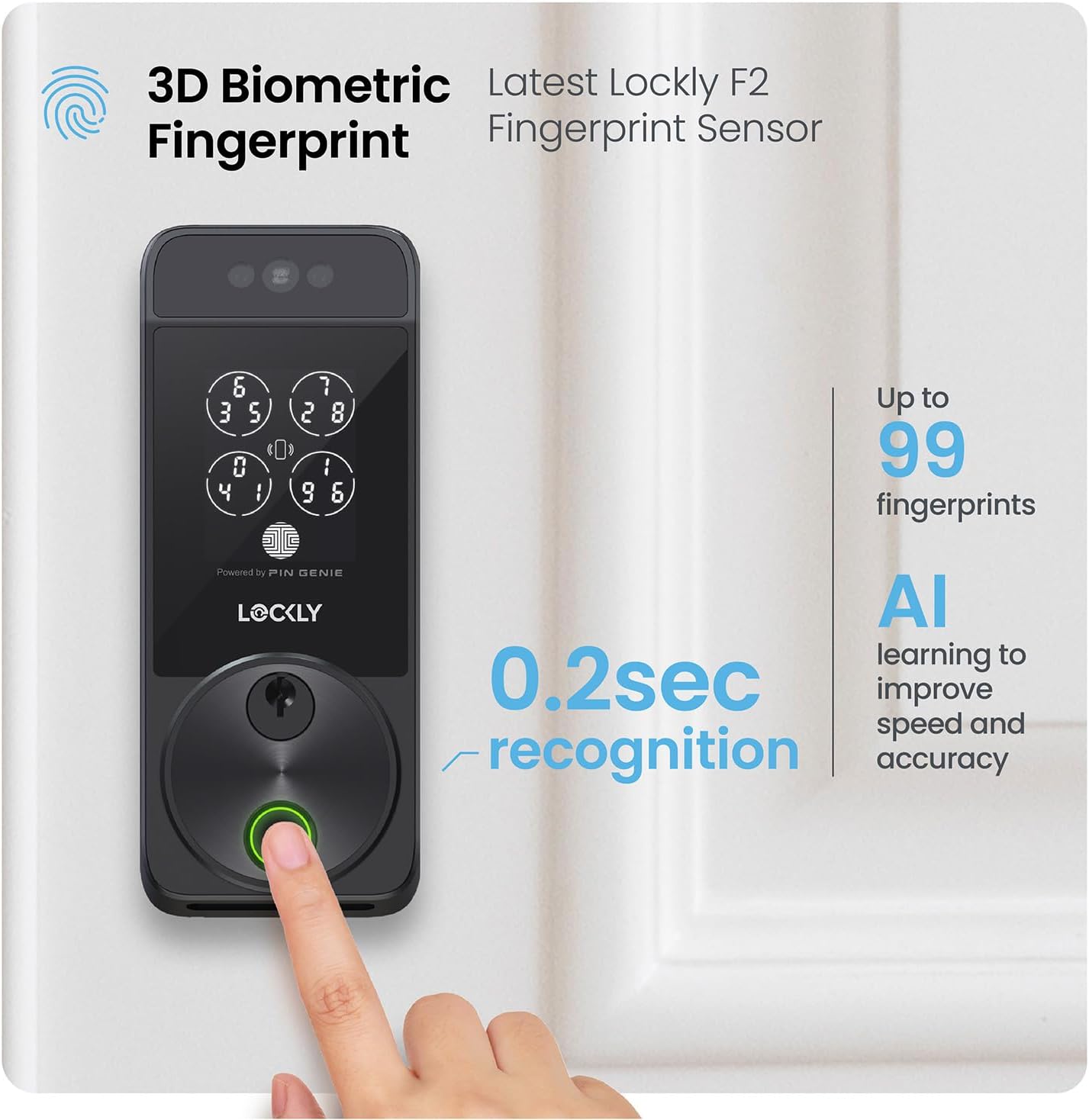
Image: A finger activating the 3D biometric fingerprint sensor on the Lockly Visage.

Image: The PIN Genie keypad demonstrating its dynamic number shuffling feature.
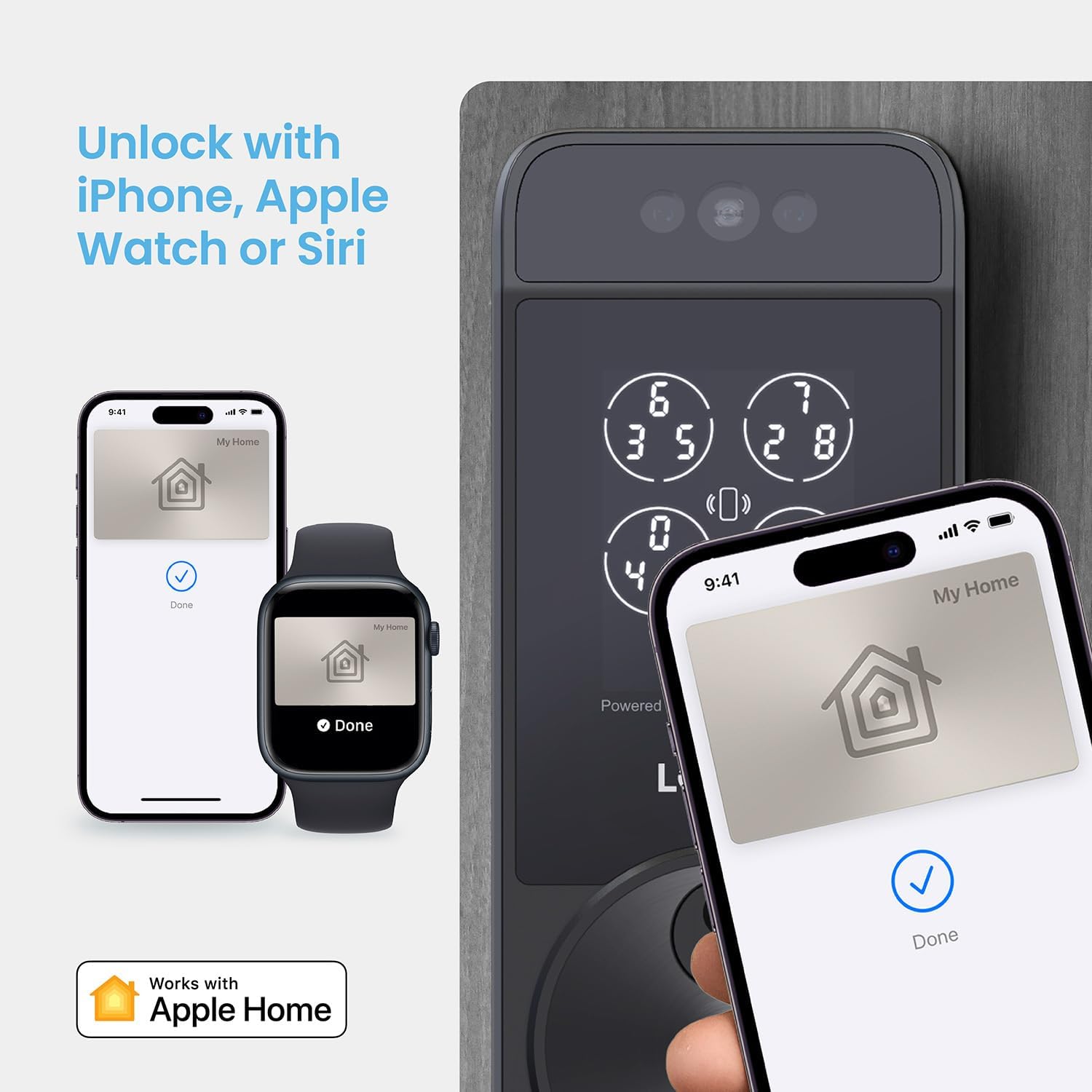
Image: Unlocking the Lockly Visage using Apple Home Key on an iPhone and Apple Watch.

Image: The Lockly Home app displaying remote control and monitoring features.

Image: Voice control functionality with Amazon Alexa, compatible with Apple Home and Google Assistant.
Locking Methods
- Bloqueig automàtic: Configure the lock to automatically re-lock after a set period (5 to 300 seconds), ensuring your door is always secured.
- Bloqueig manual: Lock the door manually via the Lockly Home app or by pressing the lock button on the keypad.

Image: The programmable auto-lock feature, providing peace of mind that the door will lock automatically.
Manteniment
Gestió de la bateria
The Lockly Visage is powered by two 10,000mAh rechargeable lithium batteries, providing up to 6 months of normal use per charge. Two batteries are included, allowing one to be charged while the other is in use.
- Monitor battery levels via the Lockly Home app.
- Swap batteries when the charge is low.
- In case of complete battery depletion, a USB-C port is available for emergency power access using a portable power bank.

Image: The Lockly Visage with its two rechargeable batteries, emphasizing long-lasting power.
Neteja
To maintain the appearance and functionality of your smart lock, clean it regularly with a soft, dry cloth. Avoid using abrasive cleaners, solvents, or chemical sprays, as these can damage the finish or electronic components.
Resolució de problemes
If you encounter any issues with your Lockly Visage Smart Lock, please refer to the following general troubleshooting steps. For more detailed solutions, consult the full User Manual PDF or contact customer support.
Descarrega el manual d'usuari (PDF)
- El bloqueig no respon: Check battery levels and ensure they are properly inserted. If batteries are low, replace or recharge them.
- Facial Recognition Issues: Ensure the sensors are clean and unobstructed. Re-enroll your face in the Lockly Home app if recognition is consistently failing.
- Fingerprint Sensor Issues: Ensure your finger is clean and dry. Re-enroll your fingerprint if necessary.
- Problemes de connectivitat de l'aplicació: Verify your home Wi-Fi network is active and the lock is within range. Restart your router and the Lockly Home app.
- El teclat no respon: Ensure the keypad is clean. If the issue persists, try restarting the lock by removing and reinserting the batteries.
Especificacions
| Característica | Detall |
|---|---|
| Marca | Lockly |
| Nom del model | Lockly Visage Zeno Series |
| Número de model | PGK728WRHK |
| Tipus de bloqueig | forrellat |
| Característiques especials | Facial Recognition, Fingerprint, Wi-Fi, Apple Home Key, PIN Genie Keypad |
| Protocol de connectivitat | Wi-Fi |
| Mètode de control | App, Keypad, Fingerprint, Facial Recognition, Physical Key, Voice Assistant |
| Material | Metall, Zinc |
| Color | Negre mat |
| Tipus d'acabat | Raspallat |
| Dimensions de l'article (L x A x A) | 8 x 8.8 x 5.3 polzades |
| Pes de l'article | 6.05 lliures (2.75 quilograms) |
| Bateries | 2 x 10,000mAh Lithium Polymer (rechargeable, included) |
| UPC | 810055604234 |
| Número de part | PGK728WRHKMB |
Garantia i Suport
Lockly products are designed for durability and reliability. The Lockly Visage Zeno Series Smart Lock typically comes with a 5-year warranty.
For any technical assistance, questions, or support needs, Lockly offers lifetime 24/7 customer support via phone, email, and live chat.

Image: Lockly provides lifetime 24/7 technical support.
Visit the official Lockly website or your product's support page for contact information and additional resources.


