Introducció
The NIIMBOT B4 Thermal Label Printer is a versatile and compact device designed for efficient label printing in various environments, including small businesses, home offices, and warehouses. Utilizing advanced thermal printing technology, it eliminates the need for ink or toner, offering a cost-effective and convenient solution for creating shipping labels, product labels, address labels, and more. Its Bluetooth connectivity allows for wireless printing from both smartphones and PCs, providing true freedom and flexibility.
This manual provides detailed instructions on setting up, operating, and maintaining your NIIMBOT B4 printer to ensure optimal performance and longevity.
1. Configuració
1.1 Contingut del paquet
Si us plau, verifiqueu que tots els elements siguin presents al paquet:
- NIIMBOT B4 Label Maker
- Cable USB
- 1 Roll Label Paper Tape (50*30mm)
- Manual de producte

Figure 1.1: Contents of the NIIMBOT B4 Label Printer package.
1.2 Càrrega d'etiquetes
The NIIMBOT B4 printer supports label widths ranging from 0.78 to 4.33 inches (20-110mm). To load labels:
- Obriu la coberta superior de la impressora.
- Insert the label roll into the integrated label bin, ensuring the labels feed out smoothly.
- Close the top cover. The printer will automatically align the first label.

Figure 1.2: Proper method for loading label rolls into the NIIMBOT B4 printer.
1.3 Engegada i càrrega
The printer comes with a built-in 2000mAh high-capacity battery. Ensure the printer is sufficiently charged before first use.
- Connect the provided USB cable to the printer and a power source (e.g., USB wall adapter, computer USB port, or power bank).
- The charging indicator light will illuminate. A full charge can print approximately 401 labels, while 1 hour of charging provides enough power for about 189 labels.
- Premeu el botó d'engegada per encendre o apagar la impressora.

Figure 1.3: Battery capacity and charging capabilities of the NIIMBOT B4 printer.
1.4 Descàrrega i instal·lació d'aplicacions
The NIIMBOT B4 printer operates via the NIIMBOT App, compatible with Android, iOS, and Windows systems. It is essential to connect via the app for Bluetooth functionality.
- Download the NIIMBOT App from your device's app store or by visiting the official download page: https://oss.niimbot.com/print/download_page/index.html
- Install the app on your smartphone or PC.

Figure 1.4: Steps for downloading and installing the NIIMBOT App.
1.5 Connexió Bluetooth
The NIIMBOT B4 printer connects wirelessly via Bluetooth to both smartphones and PCs, eliminating the need for USB cables.
- Ensure Bluetooth is enabled on your smartphone or PC.
- Open the NIIMBOT App.
- Within the app, navigate to the device connection section (often indicated by an "Unconnected" status or a Bluetooth icon).
- Select your NIIMBOT B4 printer from the list of available devices to pair. The app will guide you through the pairing process.

Figure 1.5: Wireless Bluetooth connectivity for the NIIMBOT B4 printer.

Figure 1.6: Printing wirelessly from a PC to the NIIMBOT B4 printer.
2. Instruccions de funcionament
2.1 Procés d'impressió
Once connected via the NIIMBOT App, you can begin creating and printing labels.
- Open the NIIMBOT App and ensure your B4 printer is connected.
- The app will auto-detect the label size currently loaded.
- Select a template or create a new label design.
- Customize your label with text, images, barcodes, or symbols.
- Preview l'etiqueta per garantir la precisió.
- Tap the print button to send the label to the printer.
2.2 Label Customization via NIIMBOT App
The NIIMBOT App offers extensive customization options for your labels:
- Tipus de lletra: Access over 30 fonts (with more available via premium subscription).
- Fronteres: Choose from over 100 borders (with more available via premium subscription).
- Símbols: Utilize over 1500 symbols (with more available via premium subscription).
- Suport multilingüe: The app supports over 20 languages.
- Text Formatting: Easily adjust text size, style, and formatting.
- Template Saving: Save frequently used label designs as templates for quick reprinting.

Figure 2.1: Customization features available within the NIIMBOT App.
2.3 Tipus d'etiquetes i aplicacions compatibles
The NIIMBOT B4 printer is designed to handle a wide range of label types and is suitable for various applications:
- Amplada de l'etiqueta: Supports labels from 0.78 to 4.33 inches (20-110mm).
- Tipus d'etiquetes: Compatible with white labels, round labels, transparent labels, cable labels, color labels, and address labels.
- Durabilitat: Labels printed with the B4 printer are water-proof, scratch-resistant, oil-proof, and feature strong stickiness for reliable application.

Figure 2.2: Supported label sizes and types for the NIIMBOT B4 printer.

Figure 2.3: Durability features of labels printed by the NIIMBOT B4.
2.4 Aplicacions habituals
The NIIMBOT B4 is a versatile tool for various labeling needs:
- Ús comercial: Ideal for shipping labels, meeting name labels, beverage labels, shelf product labels, and clothing tags.
- Gestió de magatzem: Useful for warning labels, tip labels, and area labels.
- Venda al detall: Suitable for clothing tags, supermarket labels, drink store labels, bakery labels, and florist labels.
- Ús d'oficina: Perfect for organizing documents and asset identification.
- Ús domèstic: Great for photo prints organization and kitchen sorting.
- Small Business & Gifts: Excellent for general small business labeling and creating personalized gift labels.
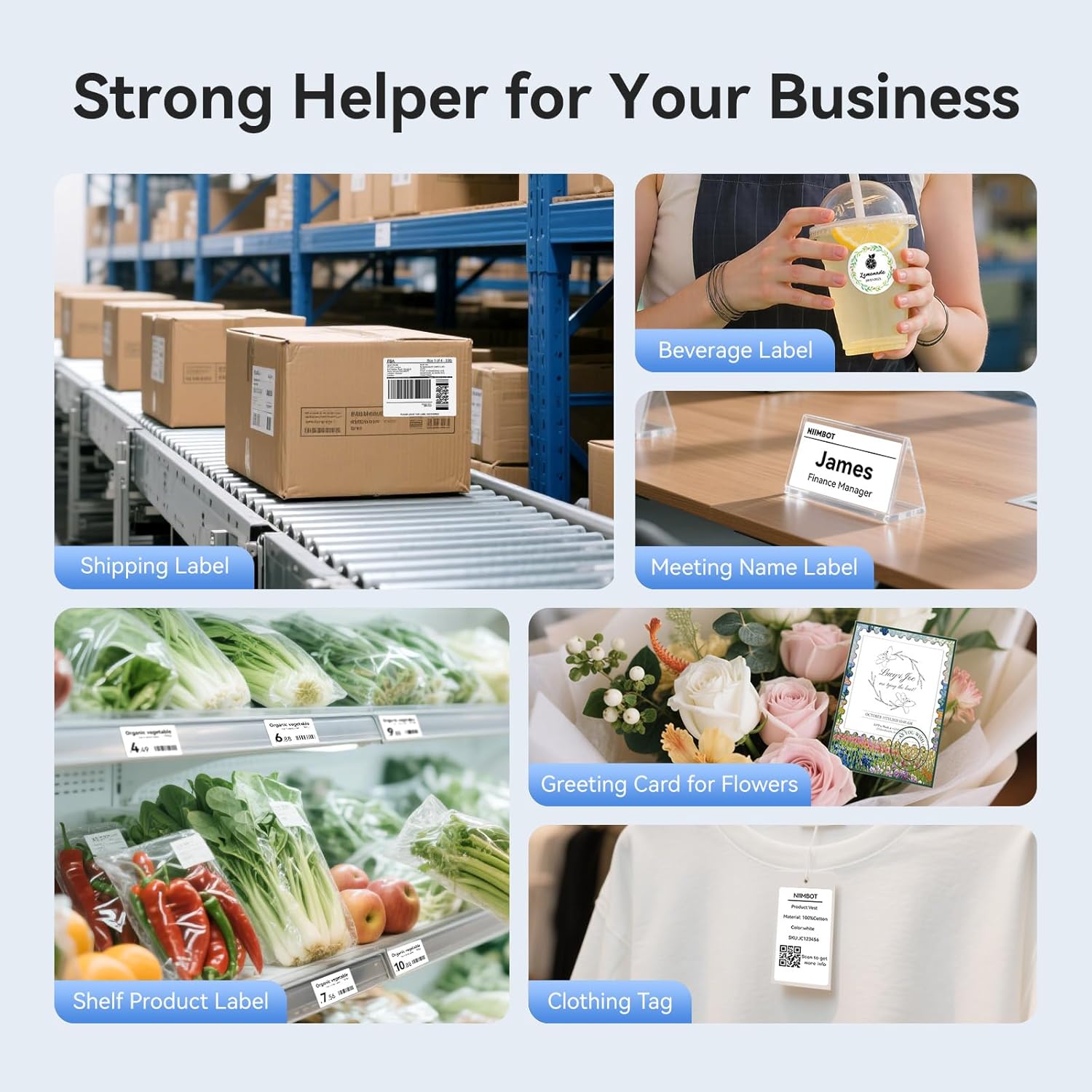
Figure 2.4: Diverse applications of the NIIMBOT B4 printer in business settings.

Figure 2.5: NIIMBOT B4 applications in warehouse management.

Figure 2.6: NIIMBOT B4 applications in retail environments.

Figure 2.7: NIIMBOT B4 applications for office and home organization.

Figure 2.8: NIIMBOT B4 applications for creating gift labels.
3. Manteniment
3.1 Neteja de la impressora
Una neteja regular ajuda a mantenir la qualitat d'impressió i allarga la vida útil de la impressora.
- Ensure the printer is turned off and unplugged before cleaning.
- Utilitzeu un drap suau i sense pelusa dampened with isopropyl alcohol to gently wipe the thermal print head. Avoid touching the print head with bare hands.
- Clean the paper path and rollers to remove any dust or label residue.
- Allow all components to dry completely before closing the cover and powering on the printer.
3.2 Emmagatzematge
Proper storage of the printer and labels is crucial:
- Guardeu la impressora en un lloc fresc i sec, allunyat de la llum solar directa i de temperatures extremes.
- Keep label rolls in their original packaging or a sealed container to protect them from dust, moisture, and light, which can affect print quality and adhesive.
4. Solució De Problemes
If you encounter issues with your NIIMBOT B4 printer, refer to the following common problems and solutions:
| Problema | Causa possible | Solució |
|---|---|---|
| La impressora no es connecta per Bluetooth | Bluetooth is off on device; Printer is off; App not recognizing printer. | Ensure Bluetooth is enabled on your phone/PC. Turn the printer off and on again. Restart the NIIMBOT App. Ensure you are connecting through the NIIMBOT App, not directly through device Bluetooth settings. |
| Mala qualitat d'impressió (descolorit, línies) | Print head is dirty; Labels are old or improperly stored; Low battery. | Clean the thermal print head (see Section 3.1). Try a new roll of labels. Charge the printer fully. |
| Labels not feeding correctly or jamming | Labels improperly loaded; Label path obstructed; Incorrect label size. | Re-load labels, ensuring they are straight and properly aligned (see Section 1.2). Check for any debris in the label path. Ensure the label width is within the supported range (0.78 - 4.33 inches). |
| La impressora no respon | Printer frozen; Low battery. | Perform a soft reset by turning the printer off and then on again. Charge the printer. If unresponsive, contact support. |
For more detailed troubleshooting or issues not listed here, please refer to the help section within the NIIMBOT App or contact NIIMBOT customer support.
5. Especificacions
| Característica | Detall |
|---|---|
| Marca | NIIMBOT |
| Nom del model | B4 |
| Tecnologia de connectivitat | Bluetooth |
| Tecnologia d'impressió | Tèrmica |
| Resolució màxima d'impressió en blanc i negre | 203 DPI |
| Velocitat màxima d'impressió en monocrom | 80 etiquetes per minut |
| Amplada de l'etiqueta compatible | 0.78 - 4.33 inches (20 - 110mm) |
| Mida màxima del suport | 4 x 6 polzada |
| Dimensions del producte | 5.31" de profunditat x 6.18" d'amplada x 2.71" d'alçada (13.49 x 15.70 x 6.88 cm) |
| Pes de l'article | 2.41 lliures (1.09 kg) |
| Bateria | 2000mAh (1 A battery included) |
| Dispositius compatibles | PC, Smartphones (Android/iOS, Windows) |
6. Garantia i Suport
NIIMBOT products are designed for reliability and performance. For information regarding warranty coverage, please refer to the warranty card included with your product or visit the official NIIMBOT weblloc.
For technical support, product inquiries, or assistance with any issues, please contact NIIMBOT customer service. Contact details can typically be found on the manufacturer's website or within the NIIMBOT App's help section.
Additional protection plans may be available for purchase through authorized retailers, offering extended coverage beyond the standard manufacturer's warranty.


