Introducció
This manual provides comprehensive instructions for the installation, operation, and maintenance of your VSTARCAM CB67D Dual-Lens Solar Wireless Outdoor Security Camera. This device offers advanced surveillance capabilities, including 2K UHD video, 10x zoom, 360° panoramic viewing, PIR motion detection, and two-way audio, all powered by solar energy with a built-in battery for wire-free operation.
Què hi ha a la caixa

Image: VSTARCAM CB67D camera, solar panel, and a smartphone displaying a 2K HD live feed.
Si us plau, verifiqueu que hi hagi tots els components:
- Dual-Lens Solar Camera Outdoor Wireless (1 unit)
- Panell solar (1 unitat)
- Charging Cord (1 unit)
- Manual d'usuari (1 unitat)
- Installation Screws & Accessories (1 set)
Configuració
1. Instal·lació de càmeres i panells solars
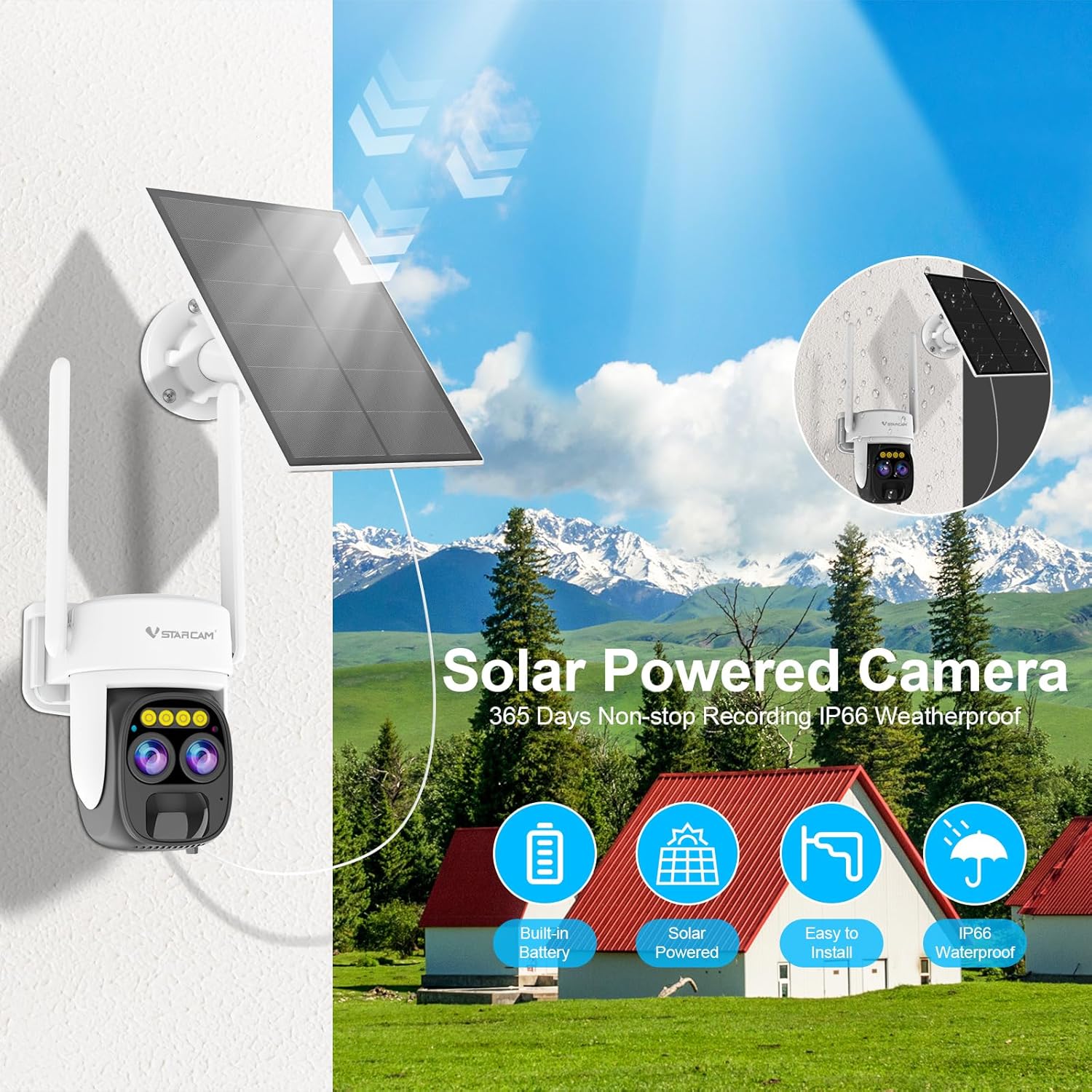
Image: The VSTARCAM CB67D camera and solar panel are shown mounted on an exterior wall, illustrating the wire-free setup.
- Trieu una ubicació: Select an outdoor location with optimal sunlight exposure for the solar panel and a clear view for the camera. Ensure the camera is within Wi-Fi range.
- Muntar el panell solar: Use the provided template and screws to securely mount the solar panel. Angle it to receive maximum direct sunlight throughout the day.
- Muntar la càmera: Attach the camera to a suitable surface using the provided installation screws and accessories. Ensure the camera is positioned to cover the desired area.
- Connecteu el panell solar: Connect the solar panel's charging cord to the camera's charging port. The camera's internal 9000mAh battery will be continuously charged by the solar panel.
2. Instal·lació de l'aplicació i configuració inicial
- Descarrega l'aplicació: Cerca the recommended VSTARCAM application in your smartphone's app store (iOS or Android).
- Crea un compte: Obriu l'aplicació i seguiu les instruccions que apareixen a la pantalla per crear un compte d'usuari nou.
- Afegeix un dispositiu: Select the option to add a new device. Follow the in-app prompts to connect your CB67D camera to your home Wi-Fi network. This typically involves scanning a QR code on the camera or entering network details.
- Configura la configuració: Once connected, you can customize camera settings such as motion detection zones, alert preferences, and recording options.
Instruccions de funcionament
Dual Cameras with 10x Zoom
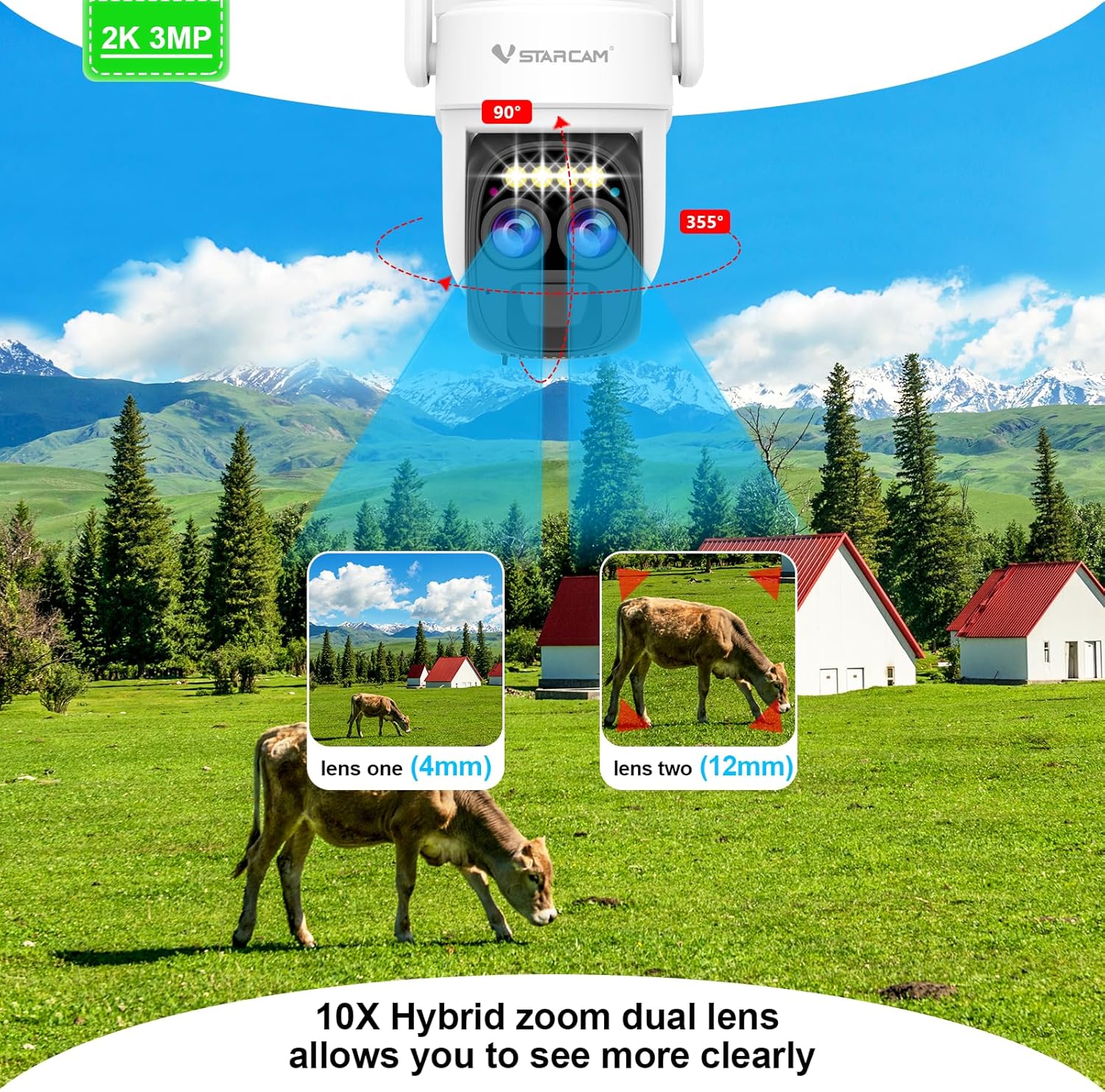
Image: The camera's dual-lens system is highlighted, showing a 4mm lens for overview and a 12mm lens for close-up, enabling 10x hybrid zoom.
The CB67D features an innovative dual-camera system that provides a complete 360° panoramic view. Utilize the 10x digital zoom through the app to focus on specific details, such as faces or license plates, in sharp 2K clarity.
2K UHD with Color Night Vision
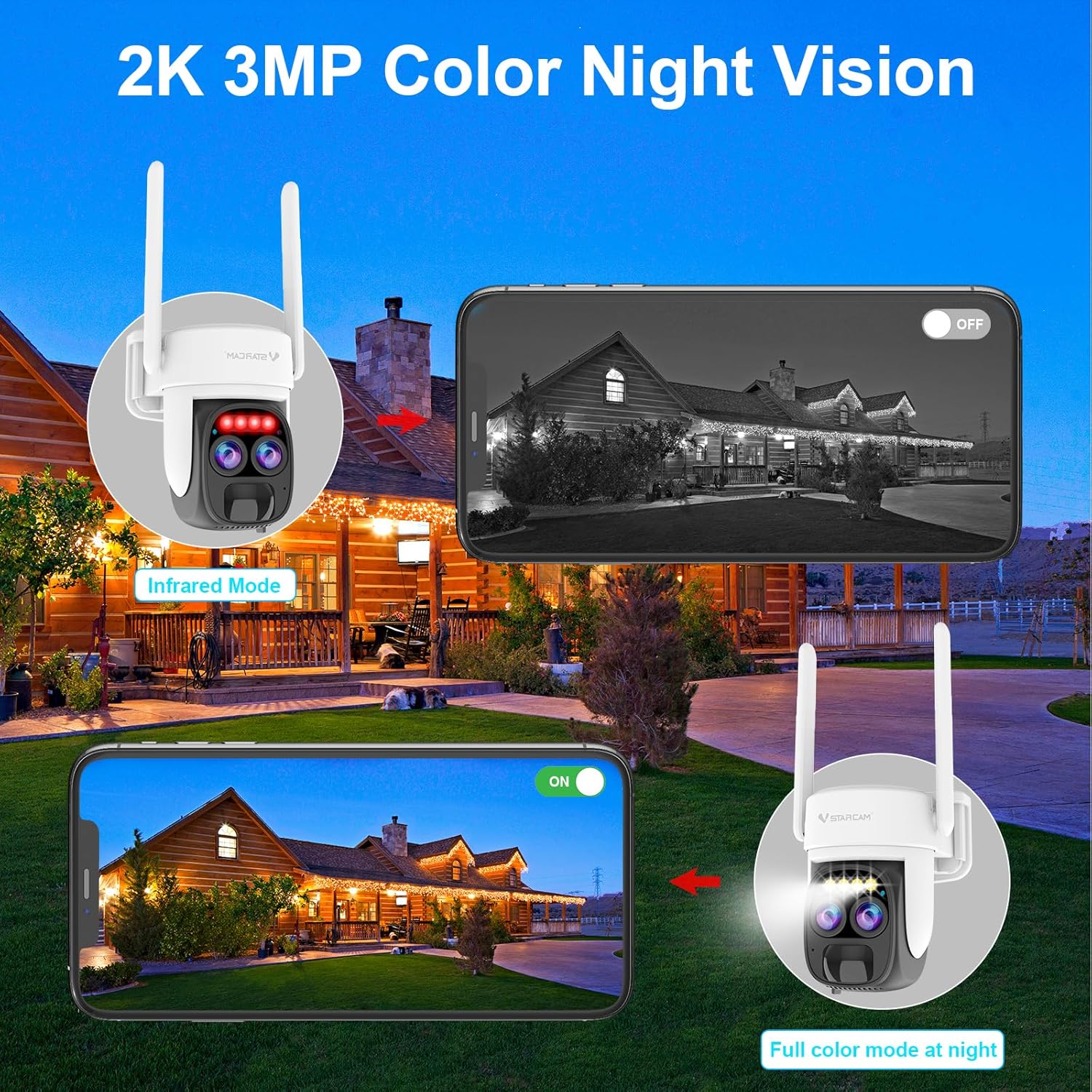
Image: A split image demonstrates the difference between infrared night vision (monochrome) and full color night vision, showcasing the camera's capability to capture vivid, colorful footage amb poca llum.
Monitor your property in stunning 2K UHD video quality. The advanced color night vision feature delivers vivid, colorful footage even in low-light conditions, providing enhanced detail compared to traditional infrared night vision.
PIR & AI Motion Detection
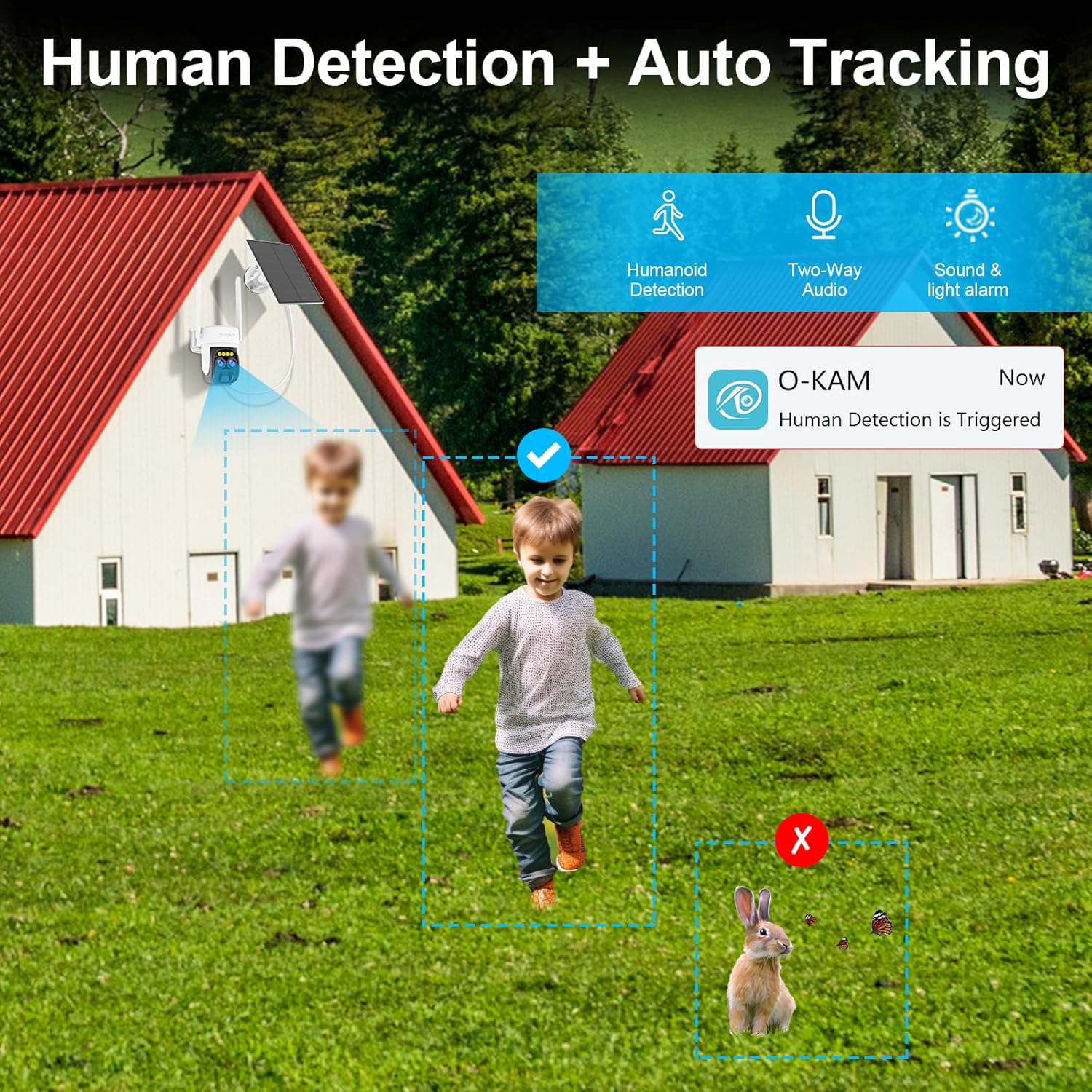
Image: This image illustrates the camera's ability to differentiate between human figures and other objects like a rabbit, reducing false alarms through advanced PIR and AI motion detection.
The camera's advanced PIR sensors detect body heat, while integrated AI distinguishes between people, pets, and vehicles. This intelligent detection system minimizes false alarms, ensuring you receive alerts only for relevant events.
2-Way Audio & Built-in Siren
Communicate directly with visitors or deter intruders using the clear two-way audio function via your smartphone. You can also remotely activate the powerful built-in siren alarm to scare away unwanted guests and alert neighbors.
Local Storage & Cloud Options
The camera supports local storage on a microSD card (not included) for complete control and privacy of your recorded footage. Additionally, a free cloud storage option is available, providing flexibility for data management without monthly subscription fees.
Multidispositiu Viewing & Multi-User Sharing
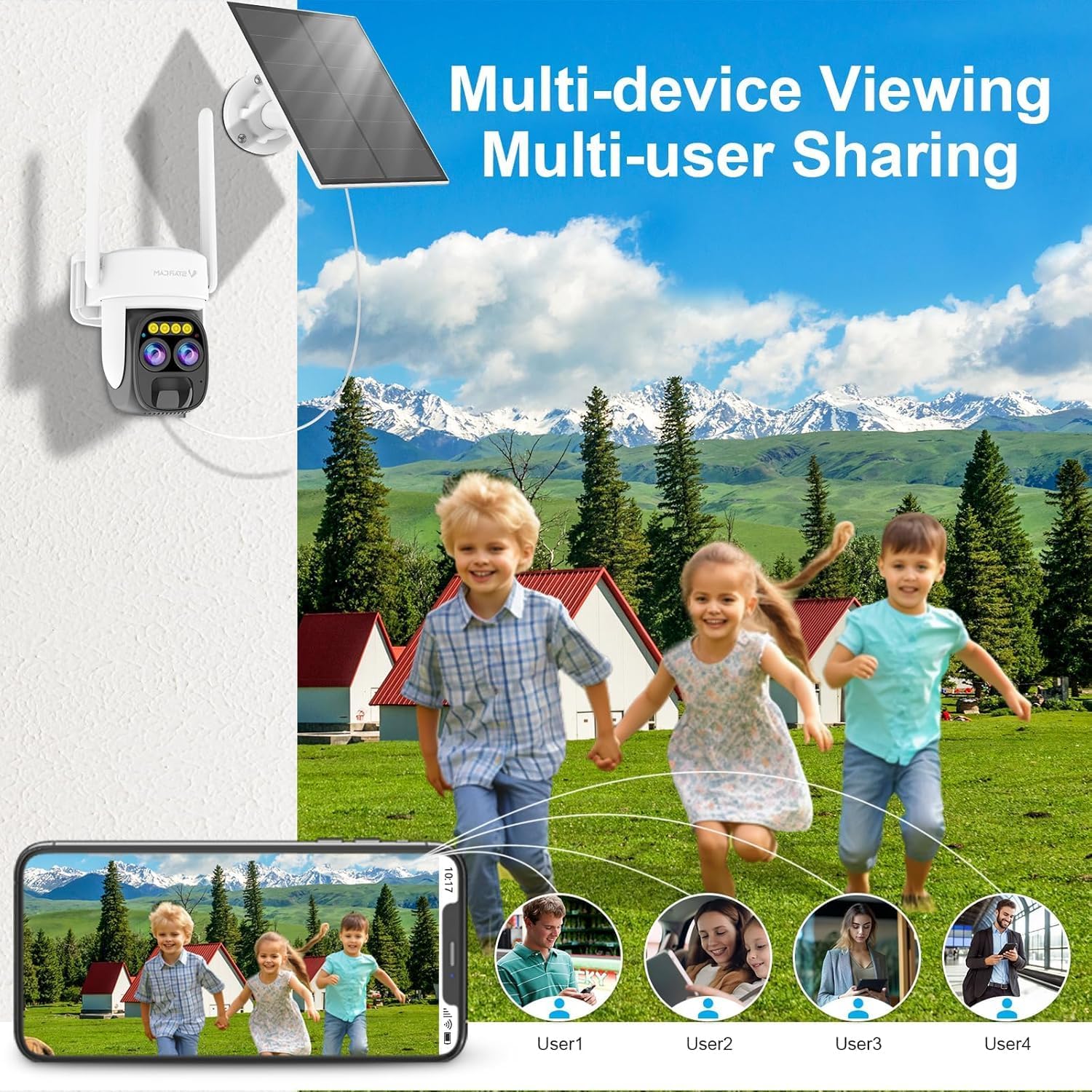
Image: This image shows a family viewing the camera feed on a smartphone, with icons representing multiple users, demonstrating the multi-device and multi-user sharing capabilities of the system.
The VSTARCAM CB67D allows for live video viewing and management across multiple devices and can be shared with multiple authorized users, ensuring comprehensive monitoring for your household or property.
Manteniment
Rendiment del panell solar
For optimal performance, ensure the solar panel receives at least 4 hours of direct sunlight daily. While the included 15W solar panel is effective, pairing the camera with a 20W or higher solar panel is recommended for stable performance in diverse environments, especially after a 2-hour full charge.
Resistència a la intempèrie IP66

Image: The camera and solar panel are depicted in a snowy environment, highlighting the IP66 waterproof rating and its resilience against various weather conditions including cold, sun, and dust.
The camera is rated IP66 waterproof, ensuring normal operation in rainy, windy, snowy, or dusty weather conditions. Regularly clean the solar panel surface to remove any debris that may obstruct sunlight absorption.
Resolució de problemes
If you encounter issues with your VSTARCAM CB67D camera, consider the following:
- Problemes de connectivitat: Ensure the camera is within range of your Wi-Fi router. Restarting both the camera and router can often resolve connection problems.
- Problemes d'alimentació: Verify the solar panel is receiving adequate sunlight. If the battery is low, try charging the camera directly using the charging cord.
- Detecció de moviment: Check the app settings for motion detection sensitivity and configured zones. Ensure there are no obstructions blocking the camera's view.
- Funcionalitat de l'aplicació: Ensure your app is updated to the latest version. If problems persist, try reinstalling the app.
- Orientació de la imatge: If the image appears inverted, check the camera settings within the app for an option to flip or rotate the video feed.
For further assistance, please refer to the support section of the VSTARCAM app or visit the official VSTARCAM weblloc.
Especificacions
| Nom del model | CB67D |
| Ús interior/exterior | A l'aire lliure |
| Font d'alimentació | Energia solar |
| Protocol de connectivitat | Wi-Fi |
| Resolució de captura de vídeo | 2K |
| Viewangle ing | 360 graus |
| Gamma de visió nocturna | 20 metres |
| Nivell de resistència a l'aigua | Resistent a l'aigua (IP66) |
| Tipus de zoom | Zoom digital |
| Relació del zoom | 5x (Digital) / 10x (Hybrid) |
| Tipus d'alerta | Audio and Motion (PIR & AI) |
| Mètode de control | App |
| Dimensions del producte | 3.5 x 3.5 x 4.5 polzades |
| Pes de l'article | 2.18 lliures |
Garantia i Suport
For warranty information and technical support, please refer to the documentation included with your product or visit the official VSTARCAM website. Support resources, including FAQs and contact options, are typically available through the VSTARCAM application.


